
 Script Planner Assistant▸
 AI Apps
 AI News

CodeWords: Build and Run Automation Tasks Through Conversation
CodeWords: Build and Run Automation Tasks Through ConversationIntroduction
CodeWords is an AI tool that creates and executes automated tasks through natural language conversations. It simplifies complex operations like data extraction, social media analysis, and productivity workflows, saving time without requiring coding knowledge. CodeWords uses advanced AI algorithms to turn user descriptions into executable code, supporting integration with multiple data sources and platforms to ensure efficiency and accuracy.
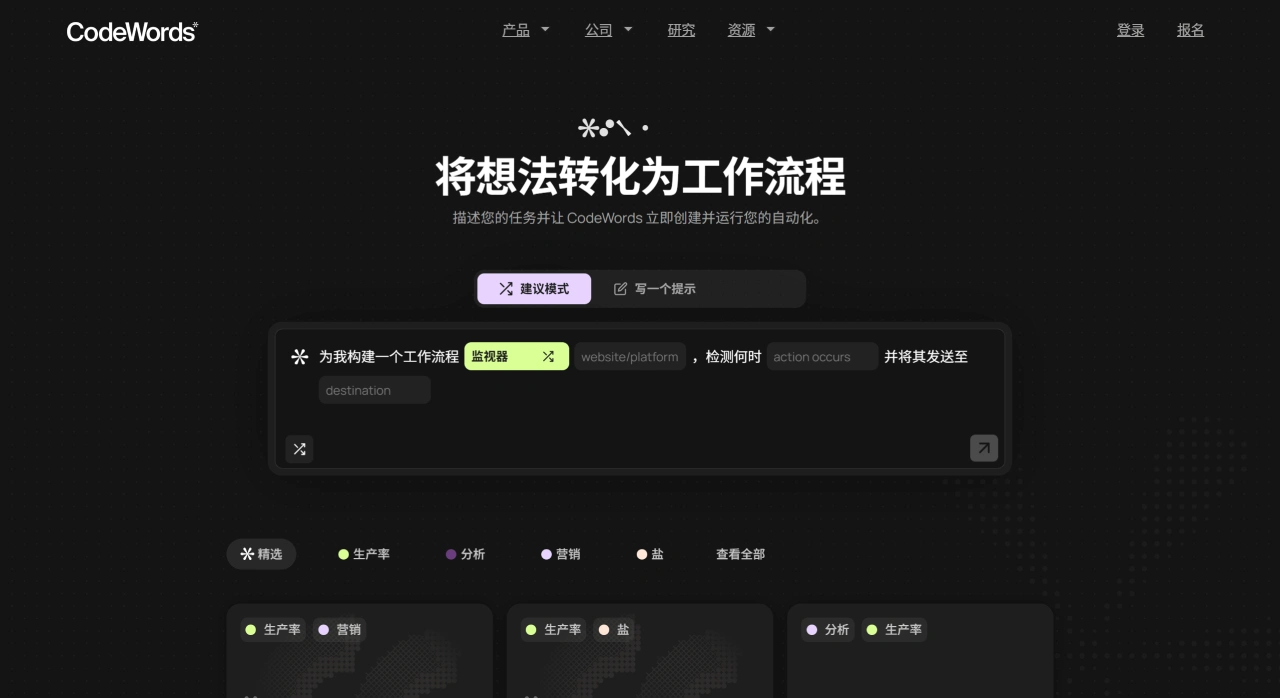
CodeWords Features
AI-powered natural language input: Users describe their automation needs through simple chats, and the CodeWords AI converts them into executable code.
Instant execution of automated tasks: CodeWords can quickly perform tasks such as data extraction and social media monitoring, improving work efficiency.
Multi-platform integration: Supports integration with platforms like Slack, Gmail, and Google Maps for seamless data processing.
Pre-built templates: Offers a variety of common templates, such as competitor analysis and email organization.
Real-time data processing: Can process and summarize data from sources like Reddit and Trustpilot in real time.
User-friendly interface: A chat-based interface that makes it easy to set up and manage automation workflows.
Scalability: Meets the automation needs of both individuals and teams, with flexible scaling support.
CodeWords Use Cases
Marketers: Automate competitor analysis, quickly extract and summarize social media comments, and identify customer pain points.
Sales teams: Extract and analyze LinkedIn profiles, generate lead lists, and improve outreach efficiency.
Researchers: Extract data from Slack conversations, gather social profiles, and save time on manual work.
Product managers: Analyze website content, build custom AI workflows, and gain operational insights.
Human resources departments: Streamline candidate screening, quickly match job requirements, and generate scoring reports.
Analysts: Automate collection of Reddit and Twitter data, monitor stock market sentiment, and make decisions.
Small business owners: Automate Gmail organization and social media summaries to focus on core business.
How to Use CodeWords
Define your needs: First, clarify the goal of your automation task—for example, "Extract key project information from this week's team communications on Slack," "Monitor Twitter discussions related to the brand and summarize negative feedback," or "Organize customer order inquiry emails in Gmail." Be clear about the core content and desired outcome.
Describe your needs: Enter the CodeWords tool interface and describe your needs in plain English in the chat area, without professional terminology or programming syntax—for example, simply type "Build a workflow that extracts key project information from Slack team communications this week and generates a summary report."
Generate and execute: The AI algorithm parses the description, converts it into executable code, generates an automation workflow, and automatically launches it to perform data extraction, information monitoring, content organization, and other operations.
Review and adjust: Once execution is complete, view the results directly in the interface (such as data reports, information summary tables, categorized email lists, etc.). If you're not satisfied, continue chatting to adjust your needs—for example, adding "Please add the names of team members who mentioned the project in the summary report." The AI will re-optimize the workflow and run it again until the results meet your expectations.
Use pre-built templates (optional): If your needs match common scenarios such as competitor analysis or LinkedIn lead extraction, you can directly select the corresponding template, fill in a small amount of information as prompted, and quickly start the task without having to re-describe the full requirements—saving time.












