
 Script Planner Assistant▸
 AI Apps
 AI News
Toolooz: Free Text-on-Path Design Tool
Toolooz: Free Text-on-Path Design ToolIntroduction
Toolooz (涂鹿) is a free online design tool for arranging text along paths. It lets you freely draw paths with your mouse or stylus, or choose preset shapes like circles, squares, and ellipses to easily create text arrangement trajectories and design text with unique effects.
Main Features of Toolooz
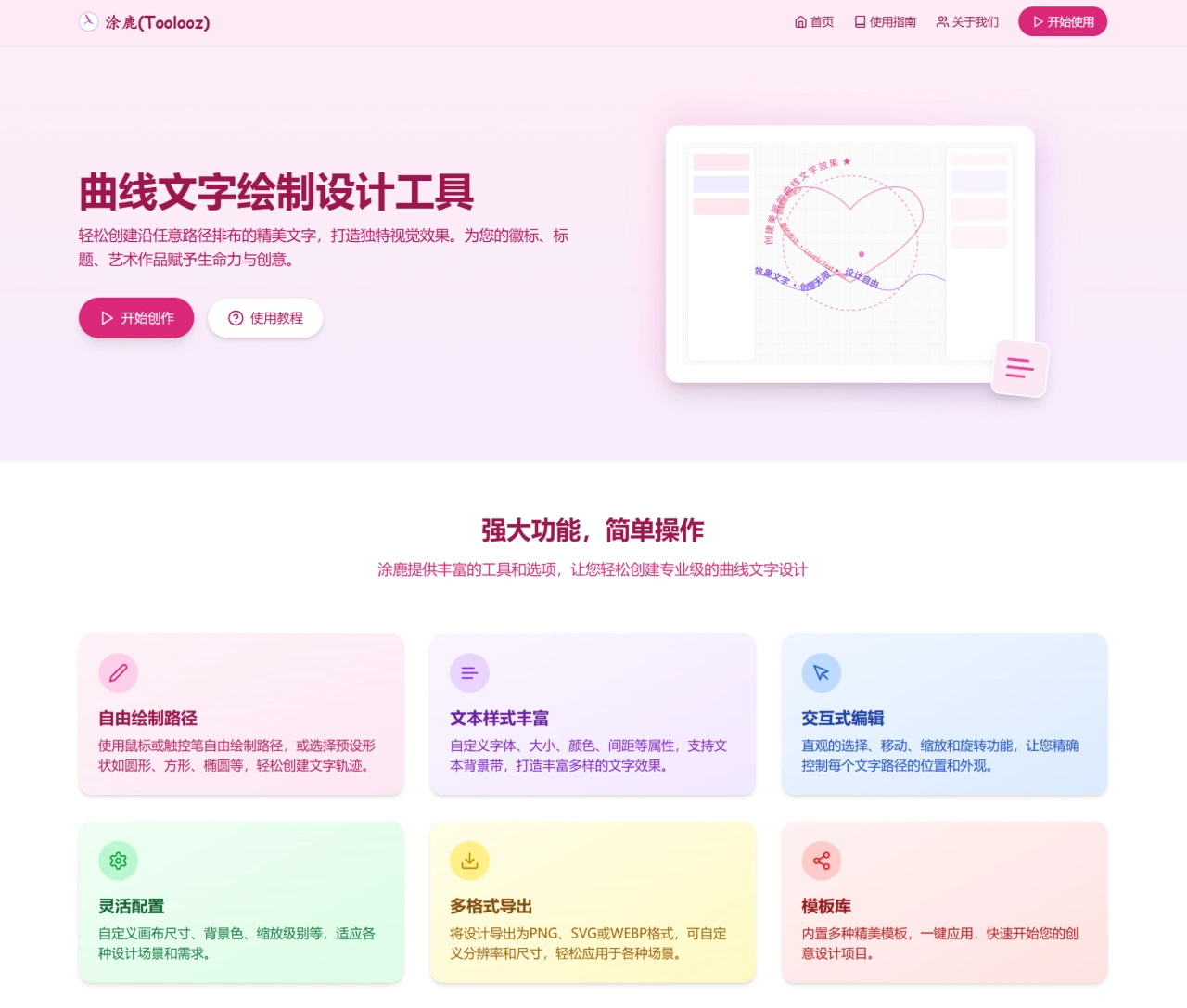
Free-form path drawing: Draw your own paths with a mouse or stylus, or choose preset shapes like circles, squares, and ellipses to quickly determine the text arrangement trajectory.
Rich text styles: You can customize font, size, color, spacing, and other attributes, and even add backgrounds to text for more varied text effects.
Interactive editing: Through intuitive selection, moving, scaling, and rotation operations, you can precisely control the position and appearance of each text path.
Flexible configuration: Customize canvas size, background color, zoom level, and more to meet various design needs.
Multi-format export: Finished designs can be exported in PNG, SVG, or WEBP format, with customizable resolution and dimensions for use in various scenarios.
Template library: Contains many beautiful templates that can be applied with a single click, helping you kickstart your creative design quickly.
Use Cases for Toolooz
Brand logos: Create circular or custom-shaped brand logos that make your brand more recognizable.
Social media: Design eye-catching curved text images for social media platforms to make your content more engaging.
Creative poster design: Create unique posters and promotional materials to add creative elements to events or products.
How to Use Toolooz
Visit the official website: Open your browser, enter Toolooz's URL, and go to its homepage.
Start creating: Click the "Start Creating" button on the page to enter the design interface.
Choose a path: In the design interface, you can select preset path shapes such as circles, squares, and ellipses, or draw your own path with a mouse or stylus.
Enter text: Type the text content you want on the selected path.
Adjust styles: Customize the font, size, color, spacing, and other attributes of the text, and add a background to the text to achieve the effect you want.
Edit path: Use selections, movement, scaling, and rotation operations to precisely control the position and appearance of each text path.
Preview effect: During design, you can see the real-time arrangement effect of text on the path to ensure the design matches your expectations.
Export your work: After finishing the design, click the "Export" button to export your work in PNG, SVG, or WEBP format for use in different scenarios.
Advanced operation tips
Use the template library: Toolooz has many beautiful templates that can be applied with a single click, helping you kickstart your creative design quickly.
Custom canvas: Based on your design needs, customize the canvas size, background color, and zoom level to suit different design scenarios.
Notes
No registration required: Toolooz doesn't require registration or payment. Just open the webpage and use it directly.
Multi-language support: This tool supports multiple languages, including Chinese, making it convenient for users with different language backgrounds.















