
 Script Planner Assistant▸
 AI Apps
 AI News

AudioTextHub: Free AI Text-to-Speech Platform
AudioTextHub: Free AI Text-to-Speech PlatformIntroduction
AudioTextHub is a free aitext-to-speech platform whose core strength is its proprietary AI style prompt technology, capable of controlling voice emotion, intonation, speech rate, and special effects. AudioTextHub offers TTS services in over 30 languages, achieves 98% accuracy in speech-to-text, provides more than 500 voice options, quickly produces audio, supports export in MP3, WAV, OGG and other formats, and can be integrated into other applications via API.
AudioTextHub now has over 10,000 users and is widely used in scenarios including podcasts, educational content, mobile applications, and web accessibility, converting up to 2,000 characters of text for free per session.
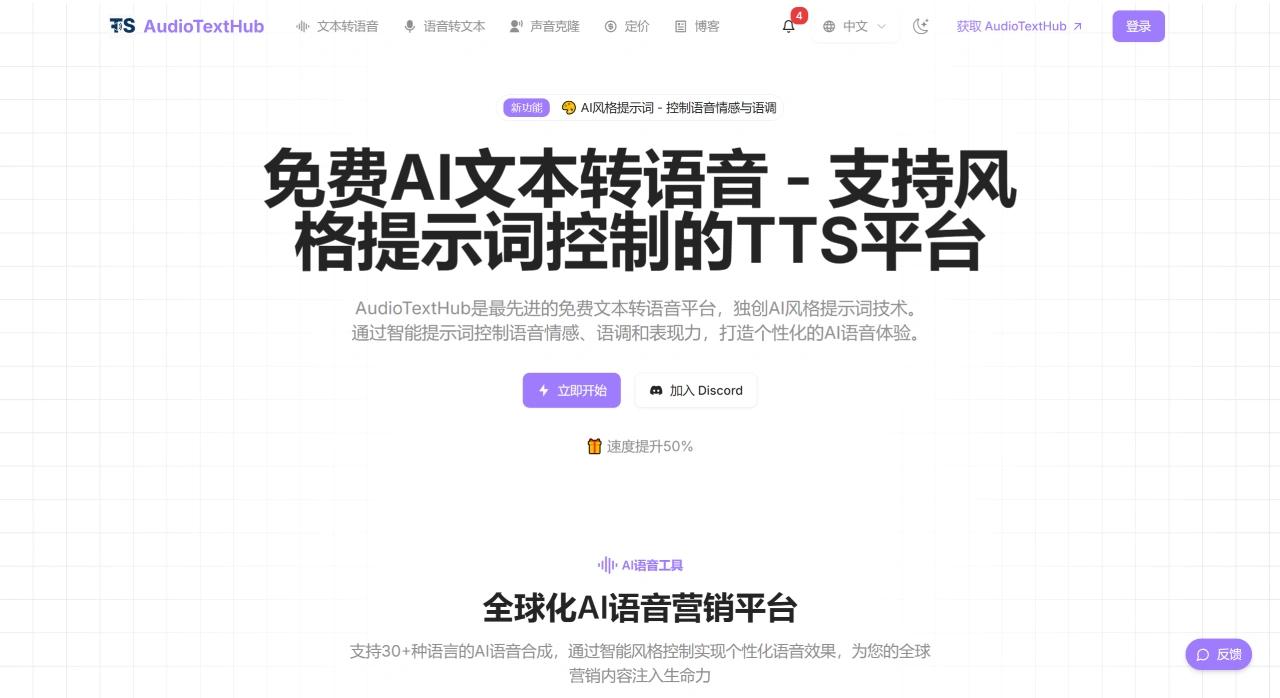
AudioTextHub Core Features
AI Voice Synthesis: Uses advanced artificial intelligence models to generate speech with appropriate intonation and emotion, sounding natural and fluid, just like a real person speaking.
Multilingual & Voice Selection: Supports over 100 languages and regional accents, with more than 400 different style voices, including various regional accents, male and female voices, and voices for different age groups.
Voice Customization & Export: Users can adjust speech rate, pitch, and emphasis according to their own needs, and audio can be exported in MP3, WAV, or OGG formats.
API Integration & Security: Provides easy-to-use API interfaces, allowing text-to-speech functionality to be embedded into your own applications or websites. All text data is protected by enterprise-grade encryption.
AudioTextHub Usage Advantages
Lightning-Fast Conversion & Batch Processing: Most text conversions are completed within 5 seconds, and even long texts can generate high-quality audio within a few minutes. Batch processing is also supported.
Free to Use & Convenient Experience: No account registration required, with up to 200 free text conversions per day and up to 2,000 characters per conversion.
AudioTextHub Usage Scenarios
Content Creators: Generate natural, fluid speech for podcasts, videos, or educational content.
Businesses: Leverage multilingual support to produce internationalized content.
Developers: Integrate text-to-speech functionality into applications via API.
Educators: Add voice to teaching materials to enhance the learning experience.
How to Use AudioTextHub
Visit the AudioTextHub official website.
Text Preparation: After opening the platform, enter or paste the text to be converted (such as a podcast script or article excerpt). You can edit the text (such as modifying sentences, segmenting) and format it (such as adjusting paragraph structure).
Voice Selection: Enter the voice library and select a suitable voice based on the target language (such as Chinese, English, Spanish, etc.), gender (male/female), and accent (such as American English, British English)—for example, preset voices like Michelle, Steffan, etc.
Parameter Adjustment & Generation: Enter your requirements through AI style prompts (such as "full of energy, slightly faster speech rate" or "steady and formal, speech-paced, level intonation"), or manually adjust basic parameters like speech rate, pitch, and emphasis. After confirming the settings, click the "Generate Audio" button, and the platform can produce studio-quality audio in as little as 5 seconds.
Export & Use: Once generation is complete, select your preferred audio format (MP3/WAV/OGG) to download the file. You can share it directly on social platforms or use it for personal content creation (such as inserting into videos or producing audio programs).
Key Parameter Description
During use, you can optimize voice effects by adjusting the following key parameters:
Style Prompts (Core Parameter): Control emotion (such as energetic, calm, friendly), intonation (such as formal, relaxed, serious), and special effects (such as slight pauses, emphasized accents).
Basic Voice Parameters: Such as speech rate to adjust playback speed, avoiding too fast or too slow; pitch to raise or lower the voice tone, matching the content atmosphere (e.g., higher pitch for children's content); emphasis to highlight key sentences, such as core product selling points.
Voice Match: Choose voices based on the content scenario—e.g., a "warm and clear" voice for educational content, an "energetic and enthusiastic" voice for promotional content—so the voice aligns with the content's theme.
AudioTextHub Application Scenarios
Content Creators: Can save a great deal of recording time, and the naturally flowing voices generated are suitable for podcast introductions and educational content. Listeners can hardly tell it is AI-generated.
Businesses (with Language Needs): Multilingual support is a highly practical feature, enabling educational content production in 10+ languages without hiring voice actors for each language, with excellent audio quality.
Independent Developers: The API feature meets requirements, is easy to integrate, has clear documentation, and allows integration to be completed in a short time.
Web Operators: Can enhance the accessibility of web content, with natural voices and personalization options that make users more willing to listen to article audio versions.
Multi-Channel Operators: Voice technology has broad applications, suitable for social media content, commentary videos, and IVR systems. A unified voice can strengthen brand image.
YouTube Creators: From script to audio in just a few minutes, no recording or editing required, quickly generating professional narration.
Frequently Asked Questions
Is AudioTextHub really a free platform? — Yes! It offers free TTS services with AI style prompts, allowing free conversion of up to 2,000 characters of text per session, including advanced style control features.
What languages and voices does AudioTextHub support? — Supports 100+ languages and more than 400 voice options, covering the world's major languages with multiple voice and tone choices.
Why is AI text-to-speech unique? — It is the first free TTS reader with AI style prompts, capable of controlling emotion, intonation, and expressiveness during text-to-speech conversion, providing personalized, natural-sounding voices.
Can style prompts be used for all TTS languages? — AudioTextHub supports style prompt control for voice tones in over 30 languages, maintaining consistent emotion and intonation control across these languages.
Can voices be customized to match a brand? — Absolutely! AudioTextHub offers extensive customization options, allowing adjustment of parameters such as speed, pitch, and emphasis to make the voice fit your brand image and specific needs.














