
 Script Planner Assistant▸
 AI Apps
 AI News

Build It: A Resource Platform for Minecraft Builders
Build It: A Resource Platform for Minecraft BuildersIntroduction
Build It is a platform that provides various building and design resources for Minecraft players, currently featuring 370 online building projects. Users can search for specific projects or browse by styles such as houses, medieval, natural, modern, etc. It also offers a community posting feature where users share their own creations using hashtags. The Build It building catalog includes different categories of building projects such as houses, medieval buildings, portals, lighthouses, natural landscapes, farms, and modern architecture.
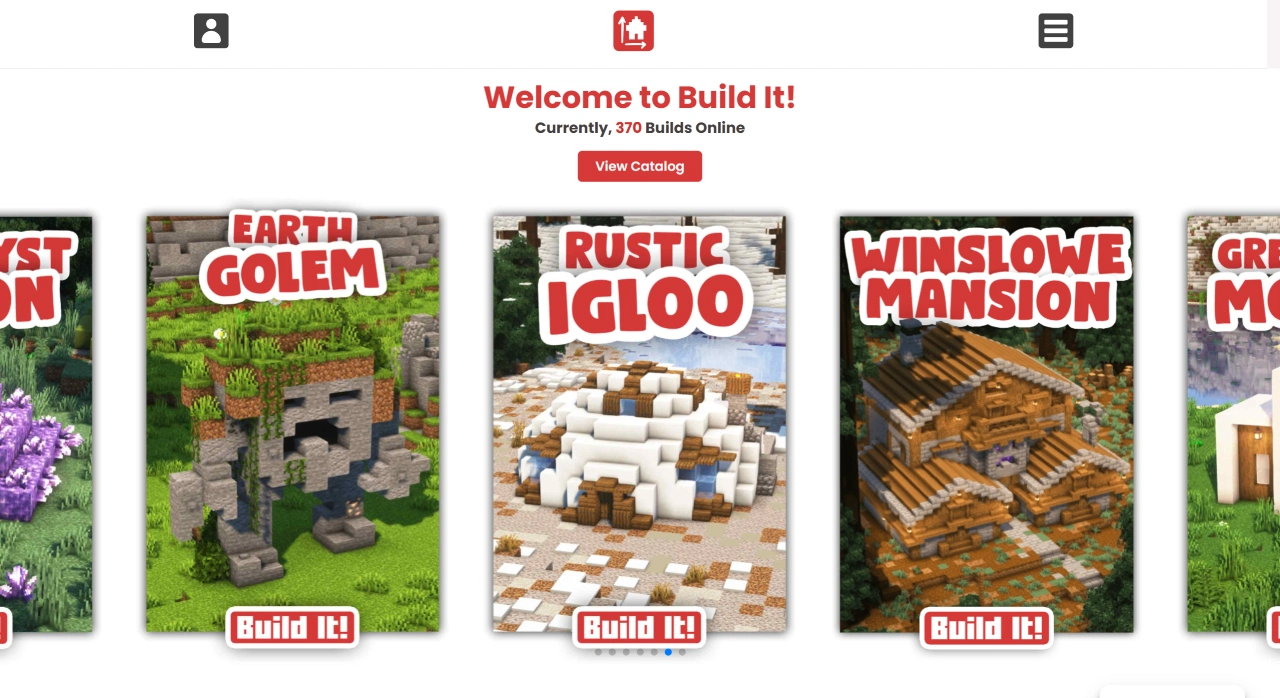
Build it Features
Abundant Building Resources: Build it offers a wide variety of building models in different styles, such as houses, medieval buildings, modern architecture, natural landscapes, farms, statues, etc., allowing users to choose appropriate models based on their needs.
Community Sharing: Users can share their creations with others through community posts and categorize their works using hashtags, promoting interaction and communication within the community.
Category Browsing: The website offers a category browsing feature, allowing users to filter by different building styles and uses to quickly find resources of interest.
Search Function: Users can use the search function to find specific building models or resources, making it easy to quickly locate the content they need.
Online Catalog: An online catalog is available, allowing users to see all available building resources, including both free and paid ones.
Build it Use Cases
Game Development: Game developers can use these building resources to quickly construct scenes and buildings within game worlds.
Virtual Design: Virtual Reality (VR) and Augmented Reality (AR) developers can leverage these resources to create realistic virtual environments.
Education and Training: Educational institutions can use these resources to create virtual building models for teaching and training purposes.
Personal Creation: Individual users can use these resources to build their own virtual worlds for artistic creation.
How to Use Build it
Enter Core Categories and Identify Needs: Open the Build it official website. There are two ways to access categories from the top of the homepage. First, click the category icons below "What do you feel like building?" on the homepage (such as "HOUSES" or "REDSTONE") to go directly to the corresponding type of works list. Second, click the "View Catalog" button on the homepage to enter the full catalog, then select a sub-category (such as "Medieval Houses" or "Natural Farms").
Filter Styles to Accurately Match Preferences: If you have a clear style preference (such as Japanese or modern), you can go through the "Browse by style" entry and select the corresponding style (such as "Asian" or "Modern"), and the platform will display all building works under that style.
View Work Details and Get Building References: Click on a target work (such as "ELVISH HOUSE" or "SURVIVAL FARM") to see specific details about the work (such as structural diagrams, material suggestions, and building steps. The webpage does not display a detail page, but based on the platform's positioning, this information should be available). Plan your own Minecraft building based on these details.















