
 Script Planner Assistant▸
 AI Apps
 AI News

MindNotes: An AI Note-Taking Tool Combining LLMs with AI Memory Algorithms
MindNotes: An AI Note-Taking Tool Combining LLMs with AI Memory AlgorithmsIntroduction
MindNotes is an AI note-taking and learning tool that combines large language models with AI memory algorithms. Its core features include AI smart card-flicking for browsing knowledge cards by swiping, AI smart conversations for analyzing weak learning points, and AI smart notes for generating structured content. It builds an intelligent review system based on the Ebbinghaus forgetting curve and the SM-2 and FSRS algorithms, supports multi-device cloud sync, multimedia content embedding, and personalized settings, and offers web, desktop, and mobile versions. In actual use, taking a photo of a wrong question generates a corresponding card in just 3 seconds, and some features are free.
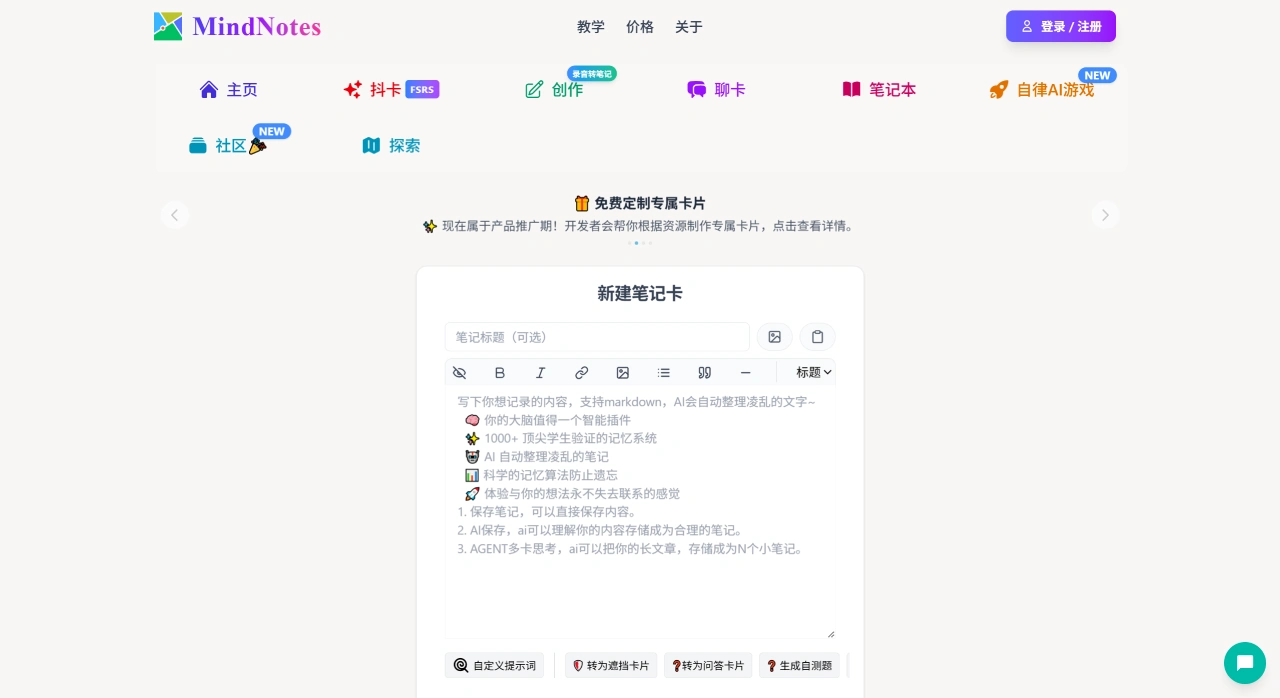
MindNotes Features
Flexible note management: Supports creating categories for scenarios such as work, study, and life. You can customize category folder covers, and note locks and category locks (supporting fingerprint, pattern, and password locks) are provided to protect privacy.
Powerful note editing: Allows creating rich-text notes, adjusting font size, color, highlighting, bold, and other formatting, and supports handwriting features (you can draw simple shapes or annotate on images).
Reliable data sync: Notes can be synchronized across multiple Android devices, and you can back up notes online or offline at any time to ensure data security.
Other practical features: Supports adding attachments such as images, audio recordings, and hand-drawn content. Notes can be exported as PDF and image formats for easy sharing. A notes widget can be added to the home screen with one tap. Multiple sorting options are provided for easy searching, and multi-language versions are supported.
MindNotes Use Cases
Work scenarios: Record customer information, meeting content, tasks, and progress, and manage notes for different projects through categories and tags.
Study scenarios: Take notes for various subjects, create study plans and to-do lists, and add images, audio, and other materials to aid understanding and memory.
Life scenarios: Make shopping lists, travel plans, diaries, and record life events. You can set alarm reminders to avoid forgetting.
How to Use MindNotes
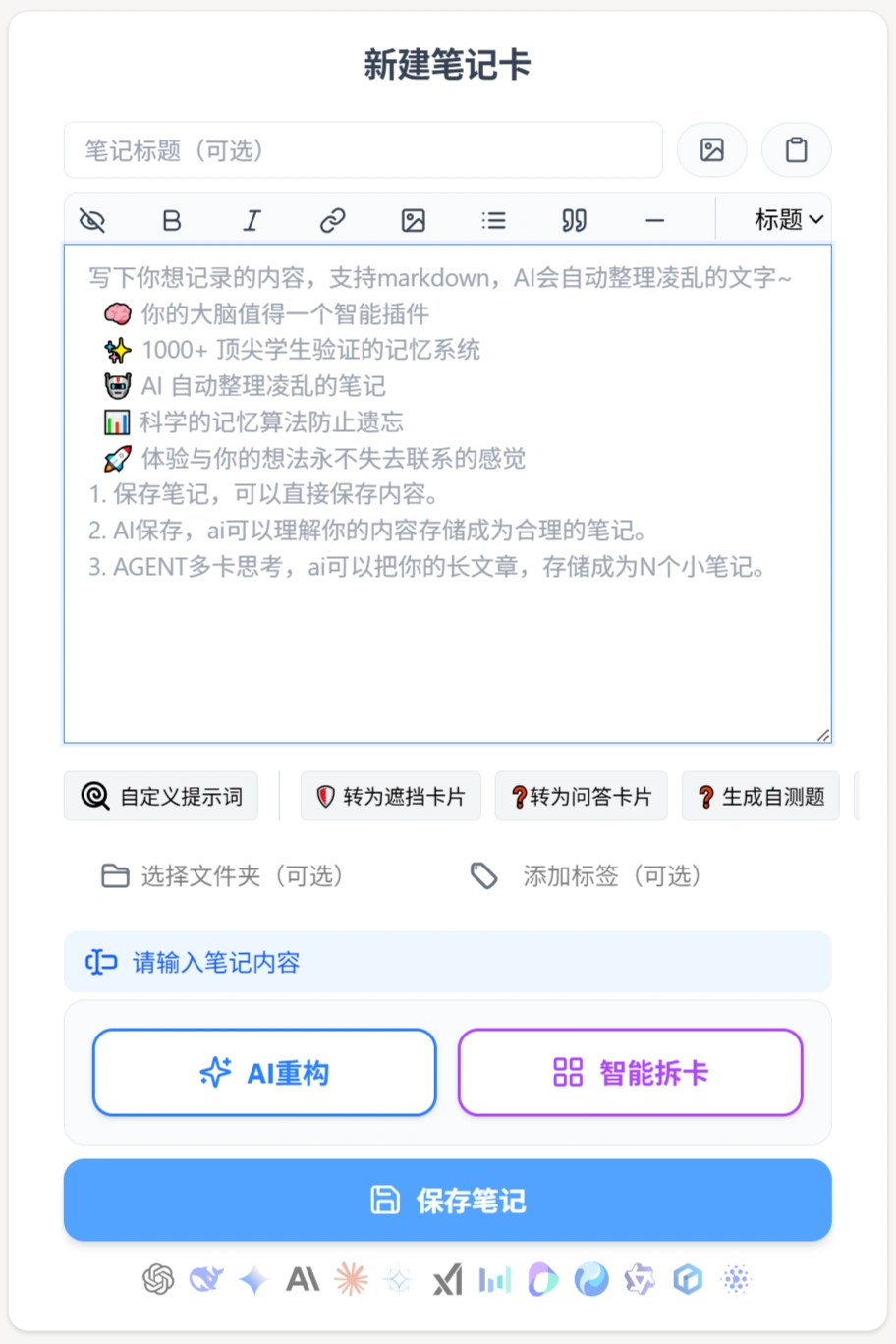
Create a note: Open the app and tap "New Note." After entering text, you can adjust font formatting and add attachments such as images, audio recordings, and hand-drawn content.
Manage notes: Organize notes by creating category folders. Tap a folder to view notes or create new ones.
Set reminders: Add an alarm to important notes, and set the reminder time and repeat cycle.
Protect privacy: Set a lock (fingerprint, pattern, or password lock) for notes or categories containing private information.
Data sync: Notes are automatically synced across multiple devices after logging into your account, or you can sync manually.
Export notes: Tap "More" in the upper right corner of a note and select "Export." You can save it as PDF or image format for sharing.
Key Questions
Question 1: What is the technical principle of the intelligent review system, and how effective is it for learning?
Answer: It is based on the Ebbinghaus forgetting curve (the principle that memory decays over time) and modern cognitive science, using the SM-2 and FSRS algorithms. It can customize personalized review plans, optimize learning pace, help convert short-term memory into long-term memory, and improve knowledge retention.
Question 2: What features does MindNotes offer to improve learning efficiency, and what is the user feedback?
Answer: Features include: ① AI smart card-flicking makes learning as easy as scrolling social media, reducing pressure; ② AI smart conversations analyze learning blind spots to avoid ineffective study; ③ Taking a photo of a wrong question generates a knowledge card or error card in 3 seconds, eliminating manual organization. User feedback includes "taking a photo of a wrong question generates a card in 3 seconds, efficiency is noticeably improved," and student users also consider the software practical and a way to access more knowledge.
Question 3: Which devices and version features does MindNotes support?
Answer: It supports web, desktop (Windows 10+, macOS 12+), and mobile (iOS, Android) versions. The web version requires no download, updates in a timely manner, and has full features, making it suitable for users who don't want to occupy storage and want to learn anytime via a browser. The desktop version is adapted for computers, suitable for users who engage in deep learning and organization (such as for office or home use). The mobile version is adapted for phones, convenient for learning in fragmented time (such as commuting or waiting in line).















