
 Script Planner Assistant▸
 AI Apps
 AI News

WePlayRetro: An Online Retro Gaming Platform
WePlayRetro: An Online Retro Gaming PlatformIntroduction
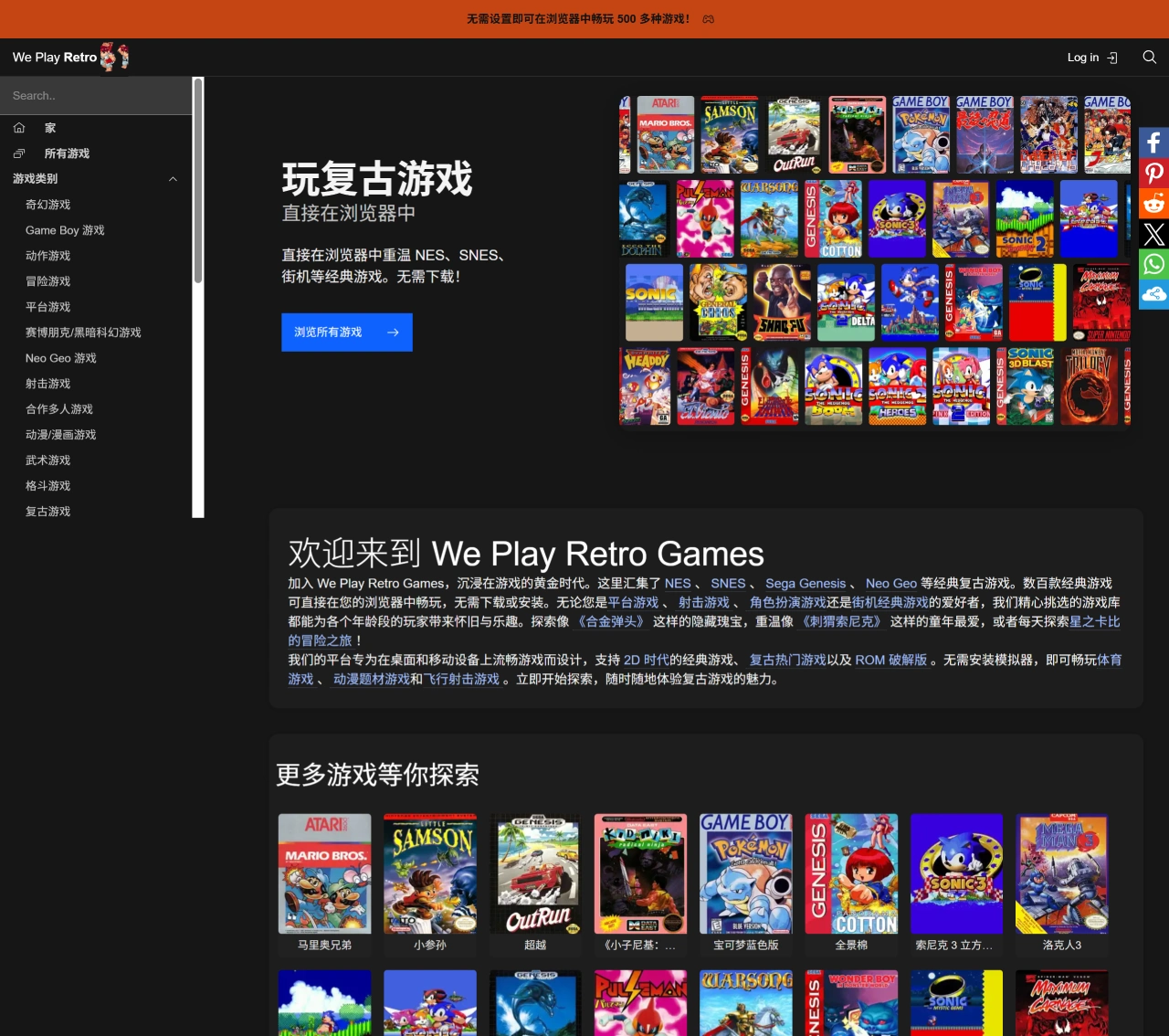
WePlayRetro is an online retro game platform that lets users play hundreds of classic games directly in the browser without downloading anything. It supports multiple platforms including NES, SNES, Sega Genesis, and Neo Geo, and works on both desktop and mobile devices, featuring many well-known series such as "The Legend of Zelda," "Sonic," and "Final Fantasy."
WePlayRetro Features
Extensive game library: Includes games ranging from early arcade titles to home console classics, covering classic consoles such as Atari 2600, Game Boy, NES, SNES, and Mega Drive.
Convenient search functionality: Search by keyword, genre, console type, or developer. Each game's thumbnail is well-designed, mostly featuring the original cover art from the original release.
Save game feature: Users can save game progress and download it to their own computer. After registering for free, cloud storage is also available.
Multi-device support: Works on both mobile phones and computers. The mobile version automatically displays virtual buttons, while the computer version supports connecting external controllers.
WePlayRetro Advantages
Play instantly: No need to download clients or emulators; games launch directly in the browser.
Rich content: Offers a variety of genres such as platformers, shooters, RPGs, and arcade classics.
Nostalgic experience: Allows players to relive the classic games of their childhood.
Free to use: All games are free to play.
Cross-device compatibility: The site is designed with both desktop and mobile gaming experiences in mind.
How to Use WePlayRetro
Visit the website: Go to the WePlayRetro website at https://weplayretro.games/.
Browse the game library: The homepage displays popular and recommended games. Simply click on a game cover to start playing. To find a specific game, use the search function to enter a game name or keyword, such as "Super Mario" or "Contra." You can also filter by genre (such as platformers, shooters, RPGs), console type (such as NES, SNES, Mega Drive), or developer.
Start playing: Click on a game cover of interest, and the game will load automatically. Once loading is complete, you can play directly in the browser. The mobile version automatically displays virtual buttons, while the computer version supports keyboard controls and can also connect an external controller for a better experience.
Save game progress: Save progress at any time during gameplay. Click the "Save" button in the game interface, and progress will be saved locally. After registering an account, progress can also be saved to the cloud, making it easy to continue playing on different devices.
Download game progress: If needed, game progress can be downloaded to your local computer for easy continuation later.















