
 Script Planner Assistant▸
 AI Apps
 AI News

Lucy Edit AI: The World's First Text-Guided Video Editing Platform
Lucy Edit AI: The World's First Text-Guided Video Editing PlatformIntroduction
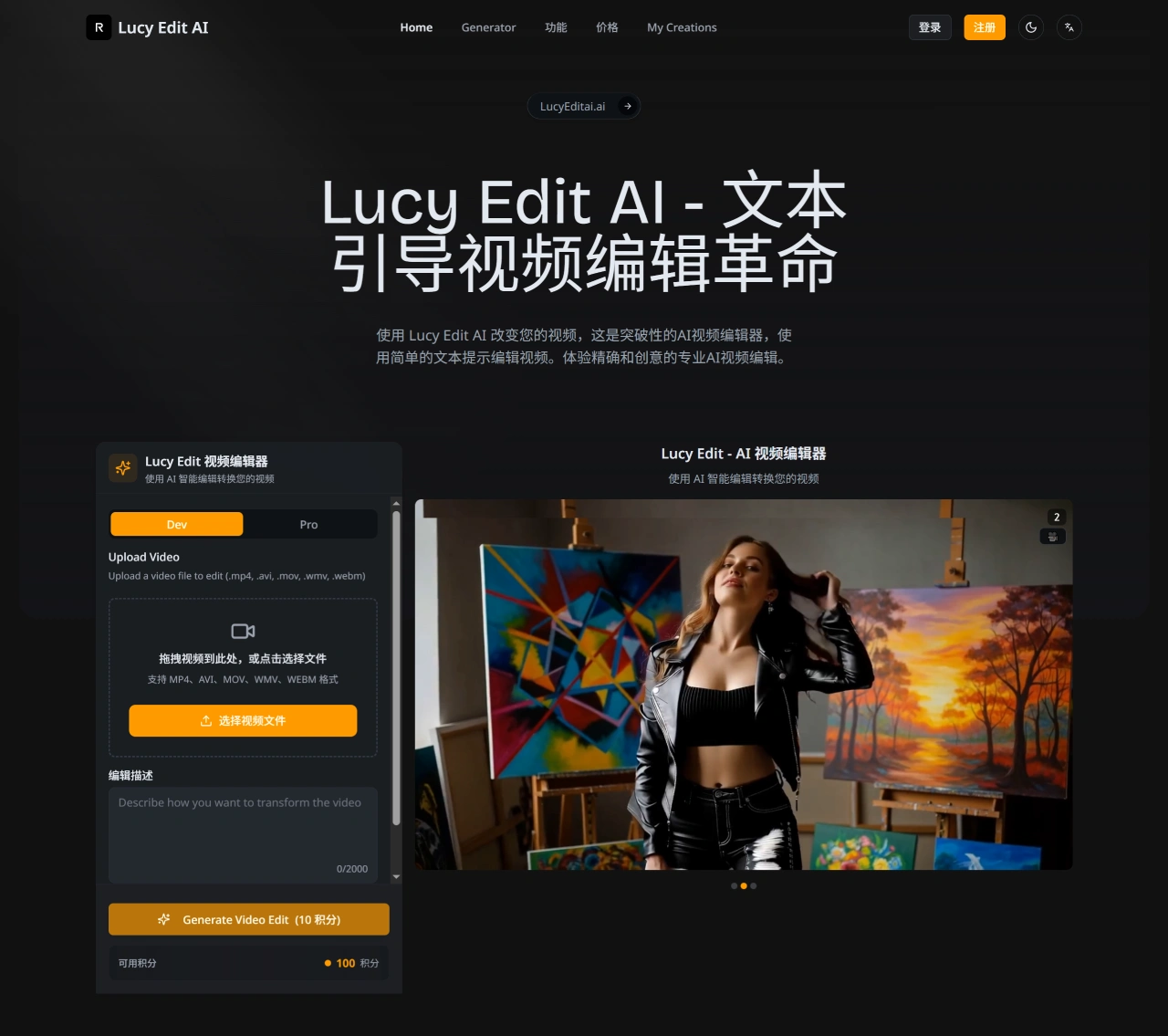
Lucy Edit ai is the world's first video editing platform that can use text prompts to transform videos while preserving the original motion and timing. Unlike traditional video editing tools, Lucy Edit AI can understand natural language instructions, perform precise edits, and perfectly preserve motion effects. Users can change clothing, transform characters into animals or fictional creatures, modify backgrounds, and add objects through simple text descriptions. Lucy Edit AI excels in clothing changes, character transformations, scene modifications, and style transfers, with outstanding motion preservation that maintains the original video's timing and dynamics.
Lucy Edit AI Features
Clothing and Accessory Editing: Users can easily change the clothing of people in videos using text prompts, and add or remove accessories such as glasses, hats, and jewelry.
Character Replacement: Video characters can be replaced with animals, fantasy creatures, or celebrities, for example. Entering "replace the person with a polar bear" enables seamless character transformation.
Scene and Background Editing: Entire scenes can be converted to new artistic styles, such as turning realistic footage into 2D cartoons, or changing scene locations, all through natural language instructions.
Text Prompt Editing: Complex video-to-video editing can be performed using only plain text instructions, without fine-tuning, masking, or manual operations, making AI video editing as simple as describing what you want to see.
Lucy Edit AI Highlights
Open-Source AI Video Editor: Lucy Edit AI is the world's first open-source text-guided AI video editor, easy to integrate into creative workflows.
Advanced Architecture: Built on the Wan2.2 5B architecture, with high-compression VAE and DiT technology, it adapts easily to existing AI video editing scripts and pipelines.
Precise Motion Preservation: Unlike other traditional video editing tools, its AI model perfectly preserves motion and composition, ensuring edited videos remain fluid and coherent without losing detail or quality.
Reliable AI Performance: Its editing system delivers more reliable results than common inference methods, delivering consistent performance across different video scenes and artistic styles.
Lucy Edit AI Use Cases
Content Creation: Used for producing content on social media platforms such as YouTube and TikTok.
Commercial Marketing: Enables ad adjustments, A/B testing, and rapid updates.
Professional Production: Suitable for post-production fixes and style adjustments in film/video.
Education and Training: Enables localization and content updates for instructional videos.
How to Use Lucy Edit AI
Create an Account: Visit the Lucy Edit AI official website and click "Sign Up" to register. You can use an email address or a Google account.
Choose a Version: There is a free version, Lucy Edit Dev, and a paid version, Lucy Edit Pro. The free version can process videos up to 15 seconds long with resolution no higher than 720p, supporting basic text-guided editing and motion preservation features. The paid version offers advanced features such as longer video processing, higher resolution support, higher quality output, and faster processing times.
Upload Video: After logging in, click "Create" and select the "Video" option, then upload the video file you want to edit. It supports multiple formats including MP4, AVI, and MOV.
Enter Text Instructions: Type instructions describing the desired edits in the text box. For example, if you want to change a character's clothing from casual wear to a formal suit, enter "change casual wear to formal suit, keeping all original actions".
AI Processing: Click the "Create" button and Lucy Edit AI will start processing the video. Processing time depends on the video length and complexity; short videos are usually processed quickly.
Review and Adjust Results: View the edited video once processing is complete. To make further adjustments, return to the editing page to modify the text instructions or make other changes.
Export Video: When you are satisfied with the editing results, click the "Download" button, choose a suitable format and resolution, and save the edited video to your local device.
Lucy Edit AI FAQ
Q1: What is the core difference between Lucy Edit AI and traditional video editing software (such as PR)?
A1: The core difference lies in the interaction method. Traditional software relies on manual frame-by-frame operations, while Lucy Edit completes editing automatically based on text instructions and AI algorithms, offering higher efficiency and being particularly adept at creative content transformations such as changing clothing and transforming characters.
Q2: What exactly is "motion preservation technology" in Lucy Edit AI, and why is it so important?
A2: This technology can accurately track and reproduce the character poses, movements, and camera motions from the original video while modifying visual elements (such as changing clothing). It is also the core competitive advantage of Lucy Edit AI, ensuring editing results look natural and fluid while avoiding common jitter or misalignment issues.
Q3: For commercial users, where is the ROI of Lucy Edit AI reflected?
A3: It is mainly reflected in time cost and creative efficiency. It can significantly shorten video production cycles, reduce labor costs, make rapid creative iteration and A/B testing possible, and accelerate content launch and market feedback.
Related Information:












