
 Script Planner Assistant▸
 AI Apps
 AI News

Eaglercraft: Unofficial Web-Based Version of Minecraft
Eaglercraft: Unofficial Web-Based Version of MinecraftIntroduction
Eaglercraft is an unofficial web-based version of "Minecraft" made by developer LAX1DUDE. No download or client installation is required—you can play it directly in your browser.
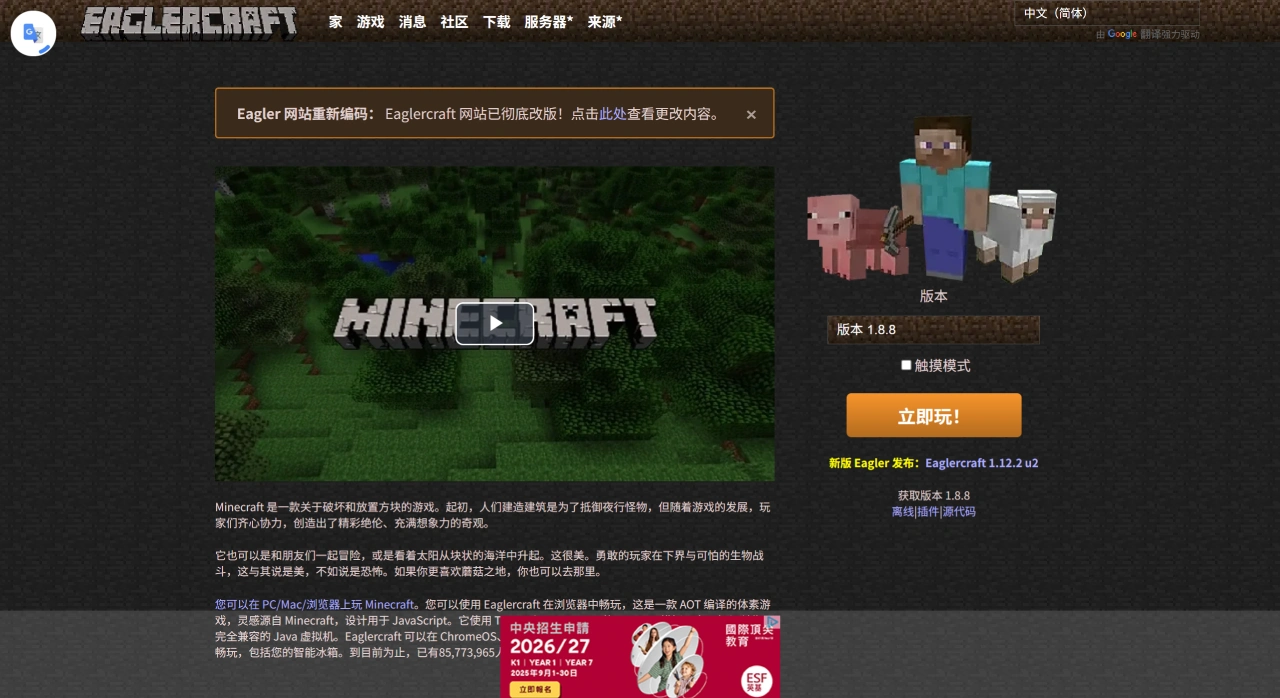
Eaglercraft Game Features
Runs directly in the browser: Entirely web-based, no software installation needed. Any device with a browser can use it, making it ideal for school Chromebooks or low-spec devices.
Supports multiple versions: Offers two versions of "Minecraft"—1.5.2 and 1.8.8. Version 1.5.2 supports singleplayer mode, while 1.8.8 supports multiplayer.
Full-featured: You can choose Survival, Creative, or Hardcore mode, and it also supports custom servers—you can host your own server or join someone else's to build, explore, and interact together.
Simple controls: Controls are similar to the original—WASD to move, right-click to attack, left-click to place blocks, and E to open the inventory.
Who Eaglercraft Is For
Students and users with low-spec devices: Since no download is required, it's especially suitable for playing on school Chromebooks and similar devices.
People who want a quick try: If you don't want to install a client, you can use this to play "Minecraft" directly.
Eaglercraft Technical Features
Eaglercraft uses Java-to-JavaScript compilation technology (such as TeaVM and OpenGL emulation) to convert the "Minecraft" code into JavaScript that can run in the browser. It also uses WebGL rendering to deliver relatively smooth 3D graphics in the browser. For example, version 1.12.2 compresses the entire client into a 30MB HTML file, allowing it to run smoothly in modern browsers without any plugins.
How to Use Eaglercraft
Open the Eaglercraft official site: eaglercraft.com
Once on the page, you'll see multiple version options (such as 1.5.2, 1.8.8, 1.12.2)—pick the one you want and click in.
Start the game
Singleplayer: Some versions support offline play. Select "Singleplayer" and create a world to start.
Multiplayer: Select "Multiplayer," enter a server address to connect to a public server, or join a private server set up by a friend to play together.
Controls
PC: Same as the original—use the keyboard WASD to move, Space to jump, mouse to control the view, and number keys to switch items;
Mobile/Tablet: Virtual joysticks and buttons will appear on the screen, adapted for touch operation.
Eaglercraft was started by developer lax1dude in 2020, originally based on "Minecraft" version 1.5.2, which only supported multiplayer mode at the time. Later, because of its convenient gameplay, it attracted many players. With help from people like aonami2000, EaglercraftX based on version 1.8.8 was also developed.















