
 Script Planner Assistant▸
 AI Apps
 AI News

PhotoFox AI: Instantly Generate Product Photography, Videos & Ad Creatives
PhotoFox AI: Instantly Generate Product Photography, Videos & Ad CreativesIntroduction
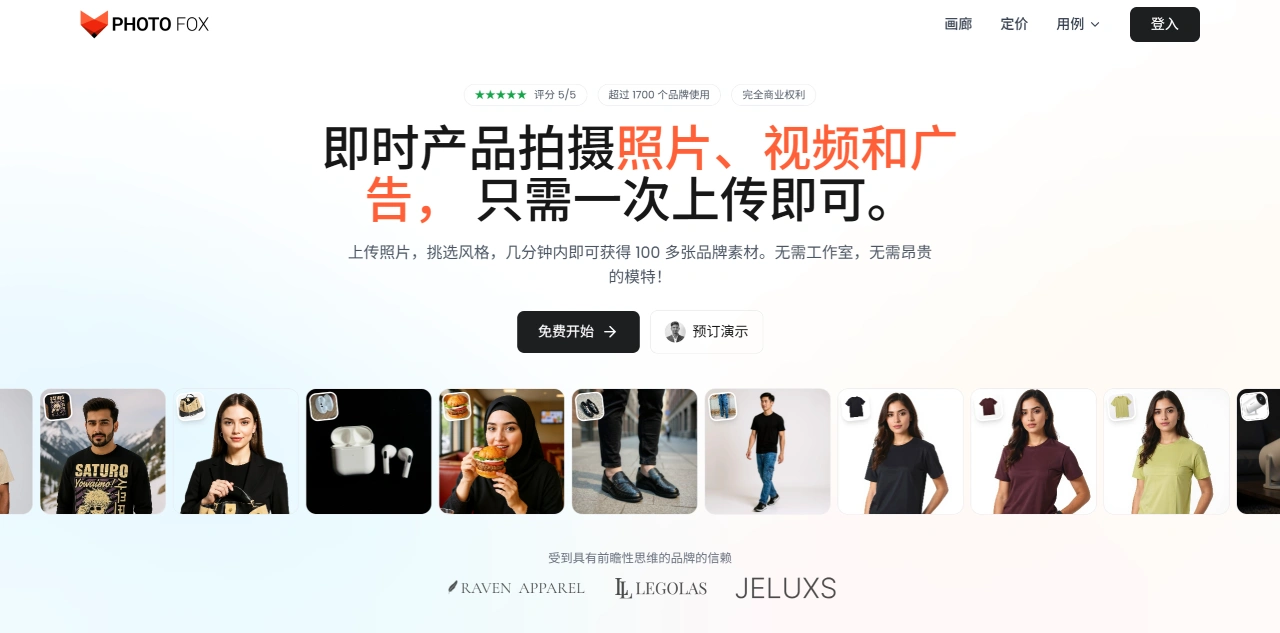
PhotoFox ai is a tool that can quickly turn product photos into a variety of practical assets, mainly helping small and medium-sized businesses and e-commerce sellers solve the hassle and high cost of photographing products.
The core function of PhotoFox AI is to take a single product photo and, in a short time, turn it into studio-style photos, lifestyle photos, scrolling display videos, and other assets, while keeping a consistent brand style. For example, it can automatically preserve the product logo and edge details, which remain clear even when enlarged. No professional photo studio or complex setup is required, cutting costs by up to 90% and achieving 10 times the efficiency of traditional methods.
PhotoFox AI features include:
One-click generation of multiple assets: Upload a product image, and PhotoFox AI can quickly create studio photos, lifestyle shots, scrolling videos, and other product-related assets without the need for traditional shooting setups.
Batch output: PhotoFox AI can batch-generate content in different sizes and aspect ratios, suitable for e-commerce detail pages, social media, and other scenarios.
Brand customization: It remembers brand elements such as logos, colors, and product shapes, ensuring generated content stays consistent with the brand image.
Fashion try-on: Turn flat product images into model try-on effects without re-shooting.
AI video creation: Automatically generate videos that introduce products and showcase their features.
8K ultra-high-definition upscaling: Logos and edges remain clear after enlargement, with support for batch processing.
How to use PhotoFox AI:
Go to the PhotoFox AI website and upload a product photo;
Choose the desired style (such as studio style or lifestyle style) and format (photo or video);
Click generate, and within minutes you'll get a variety of brand-consistent assets;
Download and use them in e-commerce, social media, or advertising.
PhotoFox AI use cases:
E-commerce marketing: Quickly turn a single product image into multiple assets;
Social media: Generate images and videos tailored to different platforms;
Ad creation: Rapidly produce high-quality advertising assets;
Creative design: Use AI to swap backgrounds and styles, turning ordinary photos into distinctive pieces.
Key advantages of PhotoFox AI:
Low cost, high speed: PhotoFox AI is 90% cheaper than traditional photography and 10 times faster;
Consistent brand style: All assets match the brand's look and feel;
Fast turnaround: From uploading a photo to receiving assets takes only minutes—no need to wait weeks.
Frequently Asked Questions:
What is PhotoFox AI's core service? Mainly instant AI product photography, AI video creation, and AI ad creative asset generation—all centered around product visual content.
What are PhotoFox AI's efficiency characteristics? Strong "instant" capability—it can quickly generate various types of content, dramatically shortening production time.
What skill level does PhotoFox AI require from users? It lowers the professional barrier—no photography, editing, or design skills needed; even ordinary users can create high-quality product assets.














