Script Planner Assistant▸
 AI Apps
 AI News

TimeAndDate: Time Zone & Calendar Management Tool
TimeAndDate: Time Zone & Calendar Management ToolIntroduction
TimeAndDate provides time zone lookup for over 200 cities worldwide, holiday calendars, and daylight saving time adjustment features, and supports multi-time zone comparisons. It is an essential tool for scheduling international meetings and logistics shipments.
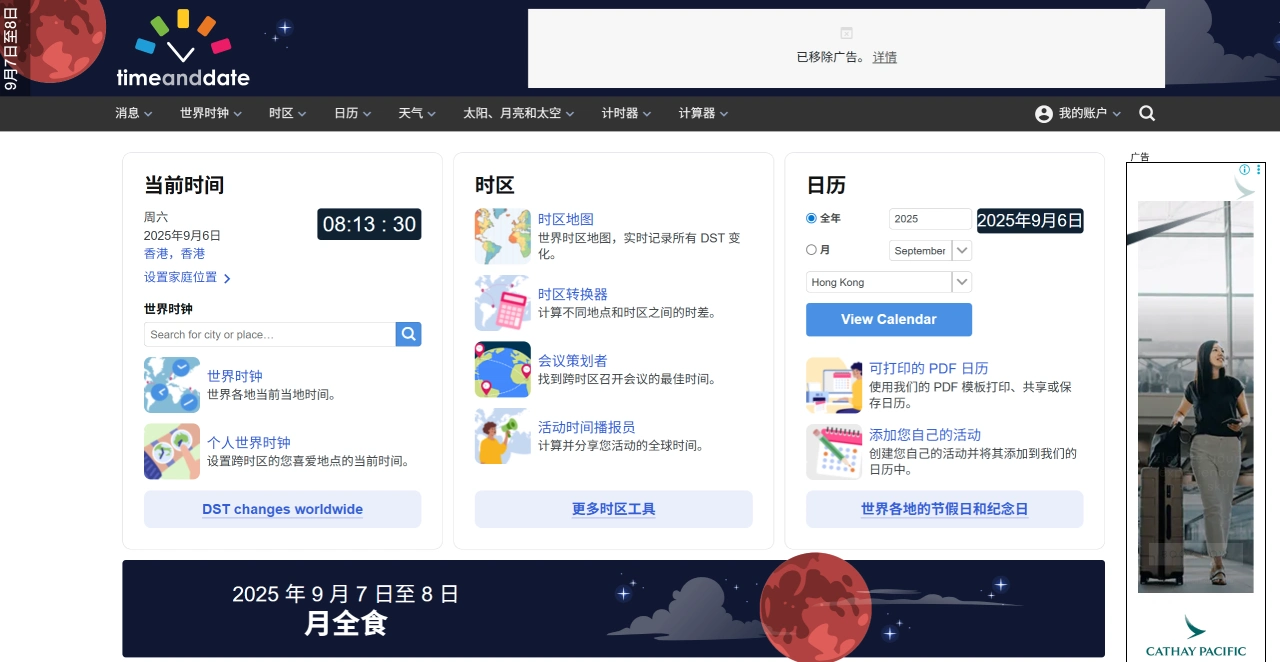
TimeAndDate Features
Time Zone Lookup: TimeAndDate provides real-time clocks, holiday calendars, and daylight saving time adjustment information for over 200 cities worldwide, and supports multi-time zone comparisons.
Time Zone Conversion: Use the time zone converter to quickly calculate the time difference between different cities and display the local time.
Perpetual Calendar API: The data is comprehensive and accurate, allowing you to retrieve information such as holidays, anniversaries, and lunar-to-solar calendar conversions within a specified date range.
Date Calculation Tool: Supports date addition/subtraction and day-of-week calculations.
World Clock: Displays the current time, currency, temperature, and time difference for locations around the world.
Sunrise and Sunset Information: TimeAndDate provides sunrise and sunset times for various locations, making it convenient for planning trips.
International Calling Guide: Includes instructions for placing international calls.
Main Uses of TimeAndDate
International Business: Coordinate international meetings and logistics shipment times through time zone lookup and conversion features.
Travel Planning: Check sunrise and sunset times and holidays at your destination to help arrange your itinerary.
Cultural Exchange: Learn about holidays and anniversaries in different countries.
Personal Life: International students and remote workers can use the time zone feature to calculate call times with family and colleagues.
How to Use TimeAndDate
Time Zone Lookup: Enter a city or country name on the website, select a specific city, and view the local time, currency, temperature, and time difference.
Time Zone Conversion: Select two or more cities to view the time difference and local time.
Perpetual Calendar API: Call the interface to retrieve holidays, anniversaries, and other information.
Date Calculation: Use the date addition/subtraction and day-of-week calculation tools.
World Clock: Directly view the current time around the world.
Sunrise and Sunset Information: Search for a city to display sunrise and sunset times.
Calling Guide: Search for a city to obtain international calling instructions.
Example of Scheduling a Cross-Time Zone Meeting
For example, to organize a meeting between Beijing (UTC+8) and New York (UTC-5) on timeanddate.com, you can use the "Meeting Planner" tool. Steps: After entering the names of both locations, the tool automatically syncs the real-time zones (including daylight saving time adjustments), and based on regular working hours (e.g., Beijing 9:00-18:00, New York 9:00-18:00, with a 13-hour time difference), it filters suitable time slots for both sides, excludes early morning or late night slots, and ultimately generates a list of optimal meeting times.