Script Planner Assistant▸
 AI Apps
 AI News

ListDifference: Free Online List Comparison Tool
ListDifference: Free Online List Comparison ToolIntroduction
ListDifference is a free online tool designed to compare two lists, allowing you to quickly identify differences, common items, and entries unique to each list. ListDifference runs directly in the browser, with options to enable or disable case sensitivity and automatically remove duplicates. It also automatically trims whitespace at the start and end of every line. ListDifference is very easy to use, requires no sign-up, and performs all calculations locally on your device, so there's no need to worry about privacy. It's well suited for a wide range of scenarios including shopping, office work, and study.
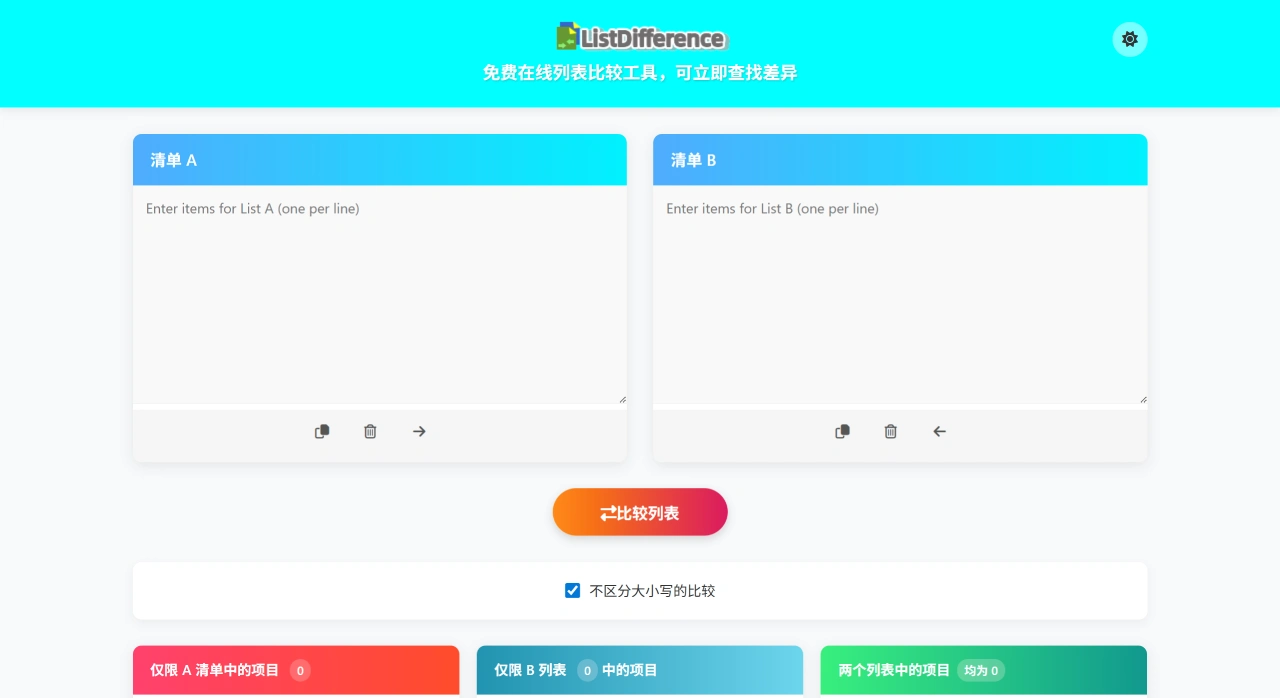
ListDifference Features
Fast Comparison: Paste the contents of two lists and instantly see the differences, common items, and entries unique to each list.
Case Sensitivity Setting: You can check "Case insensitive" to display results in lowercase, avoiding mistakes caused by capitalization differences.
Automatic Deduplication: Only unique entries are shown in the comparison results; duplicate content is automatically removed.
Whitespace Handling: Leading and trailing whitespace on each line is automatically trimmed to ensure accurate comparison.
Convenient Operations: Buttons for copy, clear, and move up/down are provided to make operations more efficient.
Privacy & Security: All calculations are performed locally in the browser; data is not sent to any server.
Simple & Easy to Use: Completely free, no sign-up required.
How to Use ListDifference
Visit the official website ListDifference.com.
On the page there are two text boxes labeled "List A" and "List B".
Paste the content you want to compare into these two boxes, ideally with one item per line.
If you want a case-insensitive comparison, check the "Case insensitive comparison" option.
Click "Compare List" and the tool will immediately display the comparison results.
The results are divided into three categories:
Content that only appears in "List A".
Content that only appears in "List B".
Content that appears in both lists.
All results are automatically deduplicated, presented clearly, and help you quickly spot the differences.
Use Cases for ListDifference
Shoppers: Compare two shopping lists to quickly see what's different.
Office Workers: Cross-reference task or inventory lists and automatically find the differing content.
Students and Teachers: Compare homework, exam materials, or study materials and analyze the differences.
Project Managers: Track task changes across different phases and record updates.
Code Comparison: Compare code snippets or configuration files to identify differences.
Product Parameter Review: Compare product specifications to quickly find differences.
Platforms Supported by ListDifference
ListDifference supports web-based operation and works in browsers on computers, tablets, or phones, with no additional software installation required.
Pricing
Completely free, no sign-up required.
ListDifference FAQ
Will my data be uploaded to a server?
All operations are performed locally in the browser; data is not uploaded to any server, ensuring your privacy.
Is sign-up or payment required?
No sign-up is needed to use all features, with zero-friction access.
Is mobile supported?
You can access it directly through the browser on your phone or tablet, and it remains convenient to use on mobile.