
 Script Planner Assistant▸
 AI Apps
 AI News

Movely AI: AI Video Generator and Photo Editor
Movely AI: AI Video Generator and Photo EditorIntroduction
What is Movely ai?
Movely AI is an online tool developed by FES2 Inc. that can turn photos into videos and also edit photos. Pick a template, upload an image, and with a single click you can generate a dynamic video within 1 minute. You can also modify photos with text instructions. The advantages of Movely AI are: over 1,000 professional templates, video effects that look very realistic and won't distort, fast generation speed, and continuous updates of trending content templates. Movely AI is great for making dancing videos, romance-themed videos, pet animations, or adding special effects to photos.
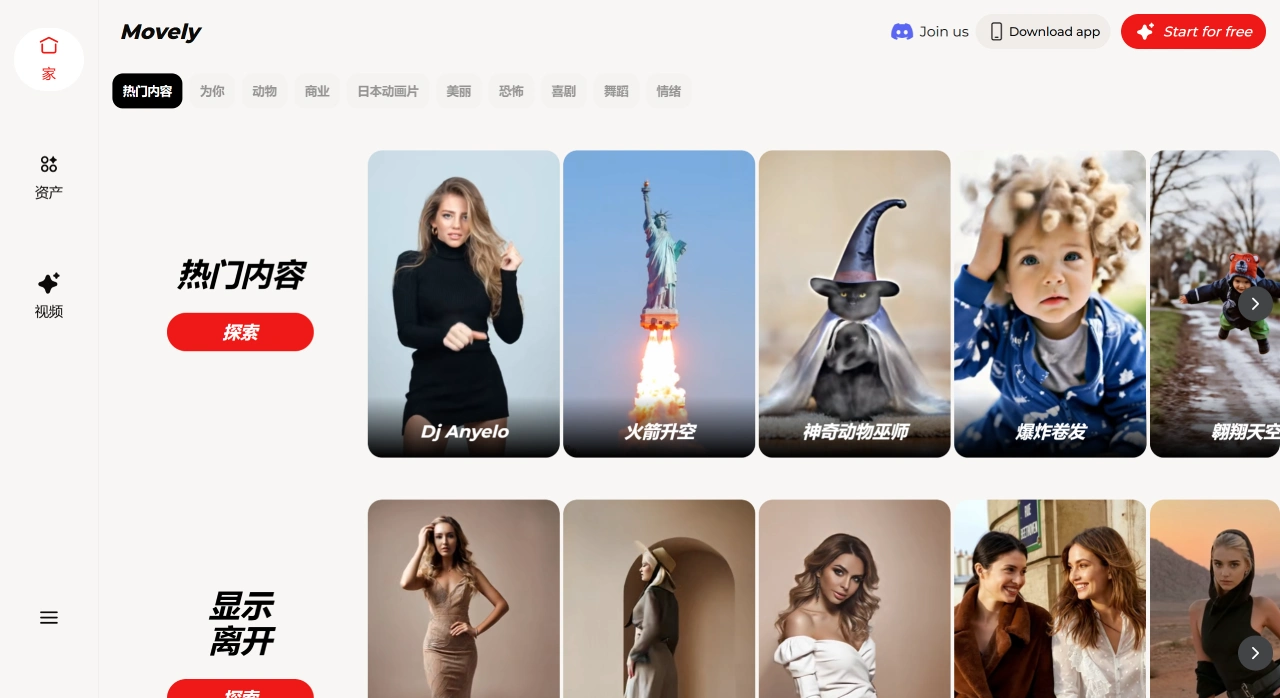
Main Features of Movely AI
Photo to Video: Use AI to convert static photos into dynamic videos with very realistic image quality.
Edit Photos with Text: Edit photos using simple text instructions, no complex operations needed.
Lots of Templates: Over 1,000 templates, with frequent updates of trending ones (such as dancing and special effects templates).
Fast Generation: Pick a template, upload an image, click generate—the workflow is fast, and high-definition videos can be exported.
No Ads or Watermarks: Videos exported from the paid version have no watermarks and no ads.
Where Can Movely AI Be Used?
Create dance videos that can go viral on social media.
Generate romance-themed videos, such as AI kissing or hugging.
Make animations of pets, such as cats or tigers hugging.
Add special effects, such as zombie transformations or outfit changes.
Turn ordinary photos into dynamic content shareable on social media.
Quickly edit images using text instructions to boost efficiency.
How to Use Movely AI?
Pick a Template: The platform offers over 1,000 professional templates covering various themes such as animals, business, and anime.
Upload a Photo: Choose a photo that matches the template's pose, theme, and angle for better generation results.
Generate Video: Click the generate button and get your personalized AI video within 1 minute.
Share: You can share directly to social media and include a Movely tag.
What Are the Differences Between Movely AI's Paid Plans?
Question 1: What are the differences between the various paid versions in terms of "credits" and "commercial use"?
Answer: In terms of credits, the Movely AI Basic plan includes 350 credits per month, with an additional 2 credits restored every hour (up to 90); the Pro plan includes 2,880 credits per month, with an additional 4 credits restored every hour (up to 2,880 per month, and you can get an extra 10% credits when recharging); the MEGA plan includes 4,320 credits per month, with an additional 6 credits restored every hour (up to 4,320 per month, and you can get an extra 20% credits when recharging). In terms of commercial use, only the Pro and MEGA plans allow commercial use; the Basic plan cannot be used for commercial video creation.
Question 2: For ordinary users creating social media content (such as pet animations or dance videos), which paid plan is suitable?
Answer: The Basic plan is recommended ($7.9/month, or $94.99 for a yearly subscription). That's because for ordinary users making this type of content, the main needs are "watermark-free videos, sufficient credits, and basic special effects." The Basic plan includes 350 credits per month (assuming 5–10 credits per video, that's about 35–70 videos per month). Movely AI allows unlimited use of all special effects, exports watermark-free HD videos, and includes benefits such as priority generation and early access to new effects—all of which are more than enough. The Pro and MEGA plans offer more credits (2,880/4,320 credits/month), support working on multiple videos at once, and allow commercial use, but these aren't necessary for ordinary users and are more expensive (the Pro plan costs more than 3 times the Basic plan). If you later want to create videos for a brand, you can upgrade to the Pro or MEGA plan.












