
 Script Planner Assistant▸
 AI Apps
 AI News

ScreenCoder: Convert Design Screenshots into Clean, Editable HTML/CSS Code
ScreenCoder: Convert Design Screenshots into Clean, Editable HTML/CSS CodeIntroduction
ScreenCoder is an open-source AI tool that can convert any design screenshot into well-structured, editable HTML/CSS frontend code. It uses a modular multi-agent architecture, combining visual understanding, layout parsing, and code generation techniques to produce code with accurate semantics and precise layouts. Users can easily adjust the interface structure and styles, enabling a seamless transition from design mockups to runnable frontend interfaces. It is ideal for rapid prototype development and projects requiring pixel-perfect fidelity, significantly boosting development efficiency.
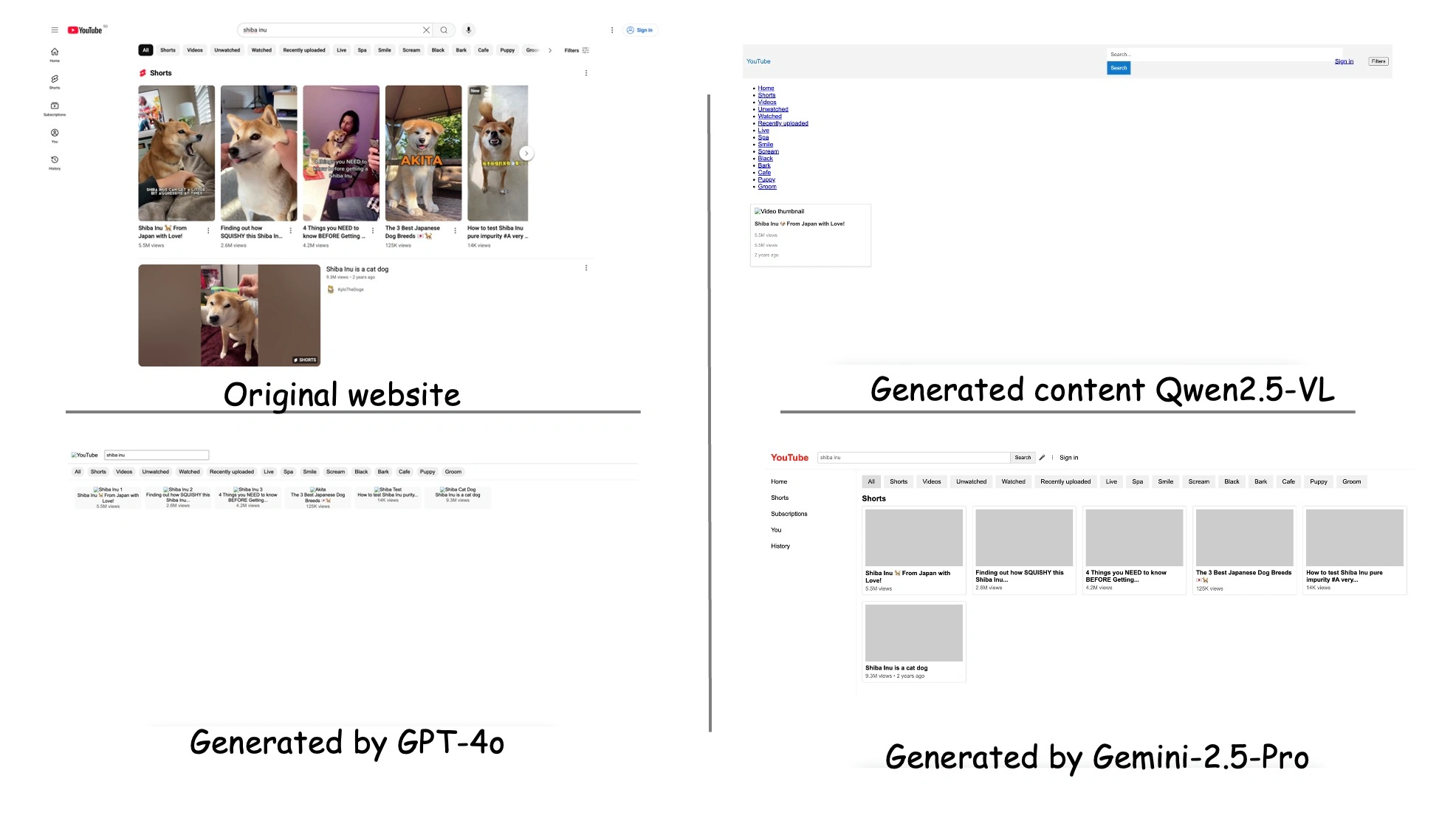
ScreenCoder Main Features
Screenshot-to-frontend code: ScreenCoder supports converting UI screenshots or design mockups into well-structured HTML and CSS code with a single click.
High-fidelity reproduction: The code generated by ScreenCoder closely matches the original design in both visual layout and semantic structure, ensuring pixel-level alignment and functional completeness.
Flexible and editable: Users can freely modify the generated layout structure and style properties for easy follow-up development and customization.
Multi-model integration: Compatible with a variety of mainstream large models, such as Doubao, Qwen, GPT, Gemini, etc., allowing users to select the generation engine as needed.
Ready-to-use output: The generated code reaches production-grade quality and can be used directly in projects, supporting rapid prototype construction or complete frontend interfaces.
ScreenCoder Technical Architecture
ScreenCoder's core technology breaks down the complex UI-to-code task into three specialized sub-tasks, each handled by a dedicated agent:
Grounding Agent: Uses a vision-language model (VLM) to detect and label key components in the UI interface.
Planning Agent: Organizes these components into a hierarchical layout tree based on frontend engineering best practices.
Generation Agent: Adaptively generates high-quality code based on the layout tree and user instructions.
ScreenCoder Use Cases
Frontend development acceleration: Quickly convert UI design screenshots into high-quality HTML/CSS code, shortening the frontend development cycle.
Design and development collaboration: Convert design screenshots directly into operable code, enabling seamless collaboration between design and development teams.
Rapid prototyping: Instantly transform design concepts into interactive frontend prototypes, accelerating early-stage product design validation and user testing.
Education and training: Serves as an educational tool to help students and novice developers understand the relationship between UI design and frontend code.
Small teams and startups: Provides an efficient code generation solution for resource-constrained small teams and startups.
How to Use ScreenCoder
Installation and Deployment
1. Clone the repository: Run the following command in the terminal to clone the ScreenCoder project to your local machine:
git clone https://github.com/leigest519/ScreenCoder.git
cd ScreenCoder
2. Create a virtual environment: To avoid dependency conflicts, it is recommended to create a Python virtual environment:
python3 -m venv .venv
source .venv/bin/activate
Windows users use: source .venv\Scripts\activate.
3. Install dependencies: Install the Python libraries required by the project:
pip install -r requirements.txt
4. Configure the model and API keys:
Create a plain text file in the project root directory corresponding to the selected model (e.g., doubao_api.txt, qwen_api.txt, gpt_api.txt, gemini_api.txt) and paste the API key into the file.
Set the desired model in block_parsor.py and html_generator.py. Supported options are: Doubao (default), Qwen, GPT, Gemini.
Usage
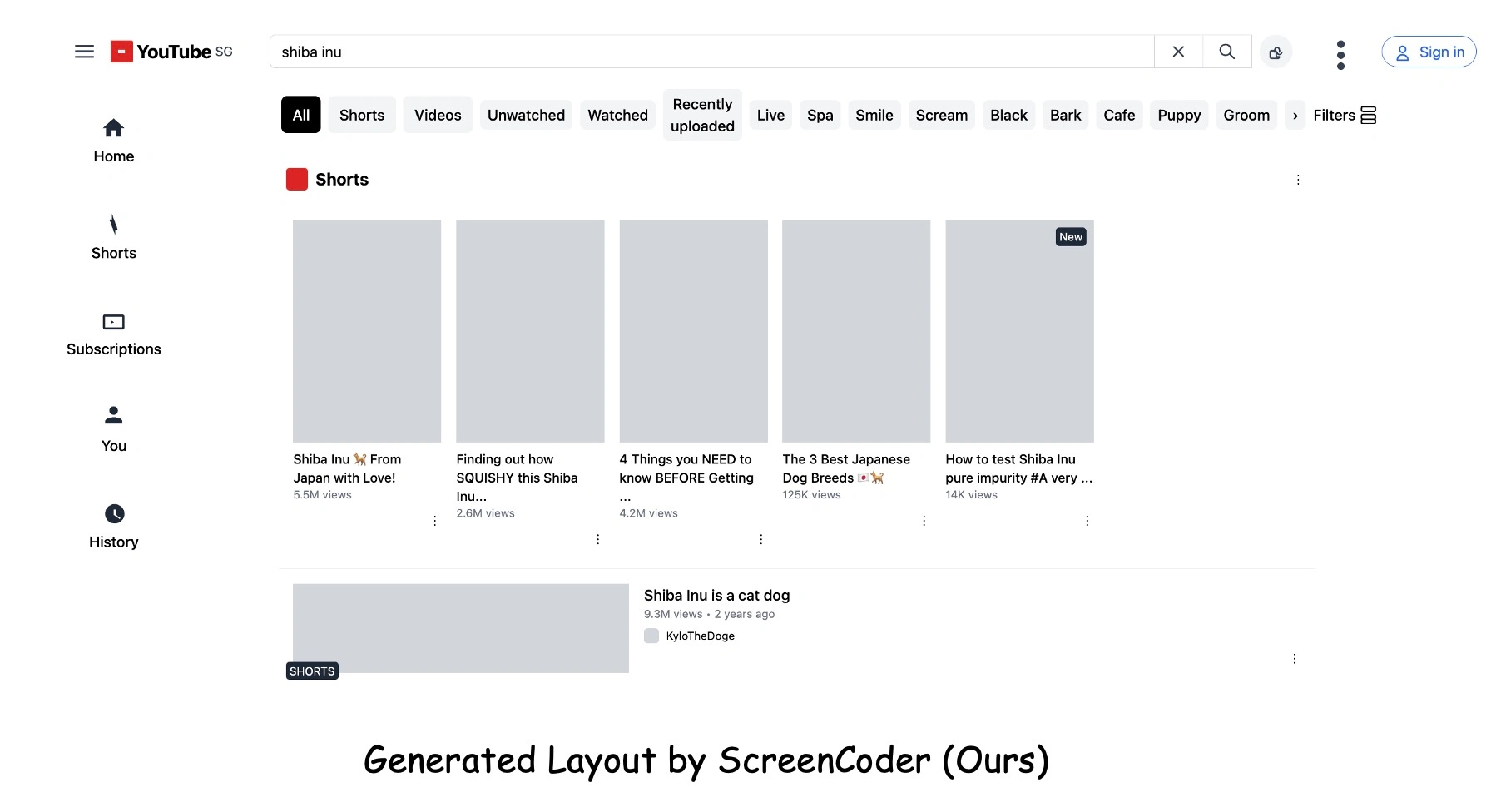
1. Initial generation with placeholders:
Block detection: Run the following command to analyze the input UI screenshot and identify key components:
python block_parsor.py
Generate initial HTML with placeholders: Run the following command to generate initial HTML code with placeholders (such as gray image blocks):
python html_generator.py
2. Generate the final HTML code:
Placeholder detection: Run the following command to detect the image regions that need to be replaced:
python image_box_detection.py
Run UIED to detect specific UI elements: Run the following command to detect specific UI elements in the screenshot:
python UIED/run_single.py
Map placeholders to actual elements: Run the following command to map and align placeholders with actual UI elements:
python mapping.py
Replace placeholder images: Run the following command to replace placeholders with real cropped images:
python image_replacer.py
3. Simple run: If you don't want to execute step by step, you can simply run the following command to generate the final HTML code with one click:
python main.py
The output files will be saved in the output/ directory, containing index.html along with the corresponding css/ and images/ assets.












