
 Script Planner Assistant▸
 AI Apps
 AI News

Photodot AI: AI-Powered Online Photo Editor
Photodot AI: AI-Powered Online Photo EditorIntroduction
What is Photodot ai?
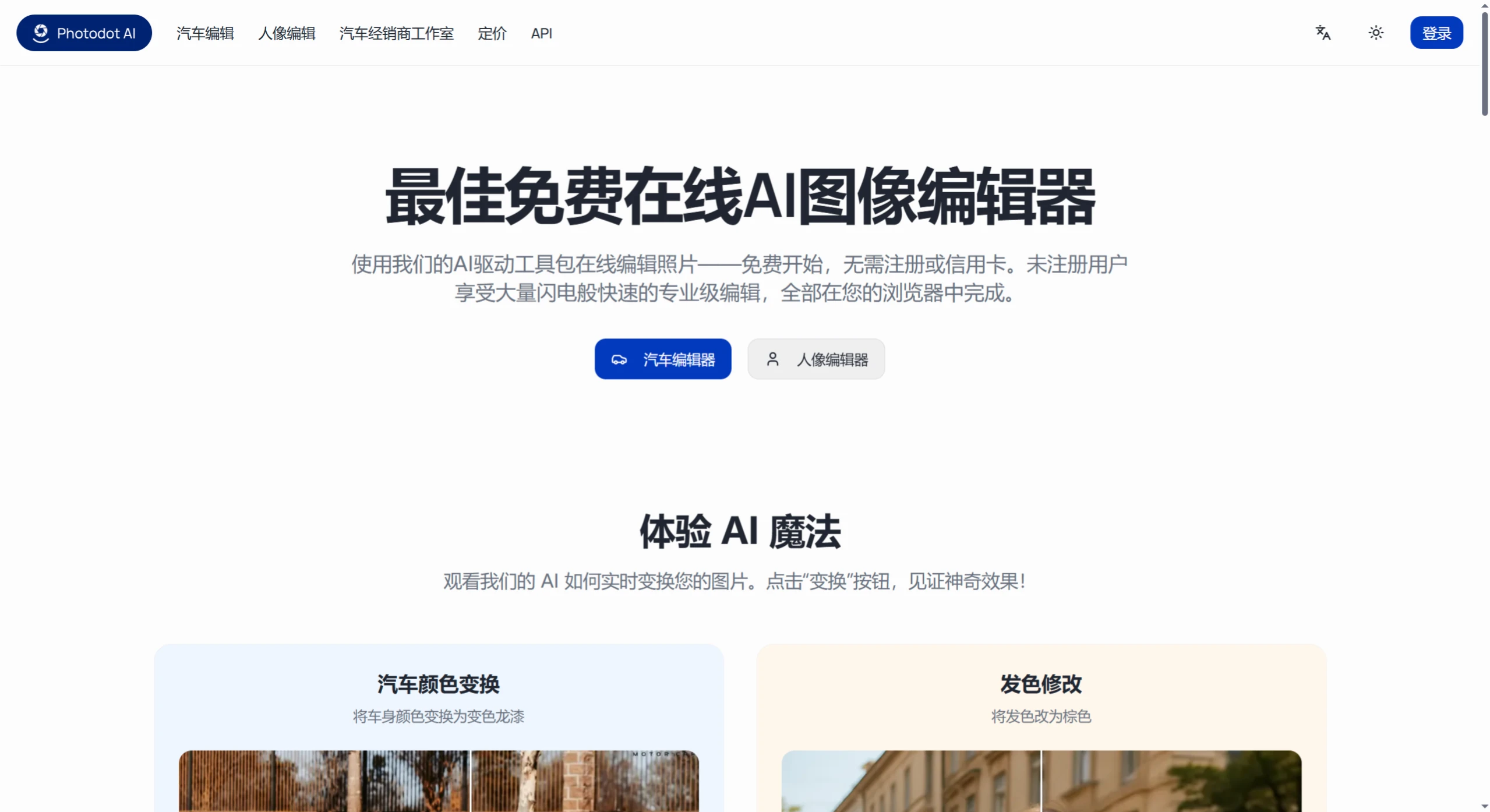
Photodot AI is an online photo editing tool that requires no download or installation — just open the webpage and get going. You tell it in plain text what you want to change — for example, change a car's color, swap the rims, add a rear spoiler, or smooth a portrait's skin, change the hairstyle, add glasses, swap clothes — and it handles it. Drop in a JPG, PNG, or WEBP image (files must be under 5MB), pick a preset template or just type in your request, and download the finished image in high resolution. Photographers, bloggers, businesses, and other people who frequently work with images can all use it.
Why Choose Photodot AI?
1. Zero barrier to entry — jump right in
No sign-up and no card required: open it directly and start using it; even unregistered users can try the basic features for free (such as editing a few images to test the effect).
Everything runs in the browser: no software or plugins to download, just open the webpage to retouch photos. It doesn't take up space on your phone or computer, and you don't have to worry about device compatibility.
2. Smart and professional AI
Automatically identifies key areas: the AI can instantly tell which parts of an image need optimization — like a car's paint and rims, or a portrait's skin and hairstyle — then adjusts automatically, so you don't have to tweak parameters manually.
Results rival professional work: the edited images match the quality of professional designers' manual edits in terms of lighting and detail — the car shines where it should, and portrait skin looks natural and not overdone.
3. Fast editing without sacrificing quality
Normal editing can take hours (like manually adjusting a car's lighting or smoothing portrait skin), but Photodot AI has optimized its AI model — it produces results in anywhere from a few seconds to tens of seconds, fast without being blurry, and details are preserved very well.
What Can Photodot AI Edit?
📌 The platform mainly helps with editing in two scenarios, plus some everyday common functions, as detailed below:
1. Car photo enhancement (editing after shooting a car)
Designed for car enthusiasts, car dealership salespeople, and online auto sellers — solving the previous problems of being "time-consuming" and looking "fake" when editing car photos.
Simulated modification effects:
Use AI to change a car's key parts directly — for example, swap the paint from black to red, change the rims to a sporty or luxury style, change the brake caliper color to bright orange or matte black, and even add spoilers, aerodynamic kits, and other modification parts.
Who it's for: you want to swap modification parts but worry about not liking them after buying — try the effect with AI first before deciding, so you don't waste money.
More advanced background replacement:
It can pair your car with different backgrounds — for example, warm lighting in a luxury showroom, dynamic motion blur at a racetrack, warm sunset tones by the sea — making the image look more upscale, perfect for posting on social media or creating ad materials.
Before-and-after comparison to see the effect:
There's a "before-and-after comparison" feature so you can clearly see what changed, making sure every adjustment matches your taste.
2. Portrait beautification and avatar editing (editing after shooting a person)
📌 For everyday people, influencers, and e-commerce sellers who need model images, offering both "fast beautify" and "creative customization" modes.
Basic retouching features:
One-click skin smoothing (natural, not overly pale), automatic acne/blemish removal, hairstyle changes (short/long/curly), beard styling (full beard/goatee), glasses try-on (black-frameless/rimless/sunglasses), clothing changes (top/bottom/shoes), and adding hats, earrings, and other accessories.
Who it's for: optimizing ID photos, beautifying social media avatars, and changing clothes/backgrounds for models in e-commerce product images.
Filters and background adjustments:
Offers preset filters like cinematic (darker colors/lower saturation), retro (with film grain/warm yellow tones), and fresh (bright colors/soft light), as well as the ability to change the background (solid color/scenery/blurred) or blur the background to make the person stand out, giving the image more style.
High-definition and re-editable:
The edited images stay high-definition, and the original information isn't destroyed (for example, if you want to adjust a specific part later, you can re-edit it), suitable for saving for later use or further processing.
3. Everyday general editing functions
📌 Covers some common editing needs:
Automatic optimization: AI automatically adjusts lighting (brightening dark areas without overexposing bright ones), sharpening contrast (fixing color casts), and detail (making textures clearer), producing near-professional results in around 10 seconds, without you having to adjust anything manually.
Multiple format export: you can choose formats like JPG (universal/small file), PNG (supports transparent background), WEBP (small file with high definition), suitable for posting to the web, printing, or sharing on social media.
Friendly upload limits: each image can be up to 5MB (most high-definition photos taken on phones can be uploaded), and the common JPG/PNG/WEBP formats are supported.
Who Is Photodot AI For?
Car-related people: car dealership salespeople (quickly create marketing images), car bloggers (showcase modification effects), and regular car owners (preview what their beloved car looks like after modification).
People who need portrait editing: photographers (efficiently process client photos), e-commerce sellers (optimize model images), and everyday people (beautify ID photos/social media avatars).
Creative content creators: designers (quickly produce concept images), content creators (batch-produce high-quality supporting images), and marketing teams (create advertising and promotional images).
How Much Does Photodot AI Cost?
📌 The platform has both free and paid plans — choose based on your needs:
Free version: 2 free edits per month (2 opportunities), suitable for people who only occasionally edit one image (like quickly beautifying a portrait or car photo).
Paid version:
Basic plan: 100 edits per month (100 opportunities), priced at $10/month or $100/year (annual payment is more cost-effective), suitable for small and medium businesses or individuals who edit images frequently (such as e-commerce shop owners editing 2-3 images per week).
Pro plan: 500 edits per month (500 opportunities), priced at $40/month or $400/year, suitable for professional photographers, marketing teams, and others who need to edit images in large volumes (such as ad agencies processing 10+ images per day).
What Do Users Say About Photodot AI?
📌 Car photographer: "Previously, manually adjusting car lighting and backgrounds took hours. Now with Photodot AI, I get stunning results in seconds — it's perfect for creating marketing images. My efficiency has doubled!"
📌 Portrait photographer: "AI portrait editing has saved me so much time. My clients are very happy with the skin texture and hairstyle effects, and my approval rate has noticeably improved."
📌 Creative director: "Whether it's modifying car photos or editing avatars, Photodot AI's quality is professional enough. Our team uses it regularly now, and I recommend it to anyone who wants to produce images efficiently."














