
 Script Planner Assistant▸
 AI Apps
 AI News

Typing Words: Combine Typing with Vocabulary Learning
Typing Words: Combine Typing with Vocabulary LearningIntroduction
Typing Words is an online English learning tool, mainly used for memorizing vocabulary and practicing typing. It offers two practice modes: one is to look at a word and choose its meaning (recognition), and the other is to directly spell it out from memory (spelling). During practice, you can listen to either American or British pronunciation, helping you connect the spelling, meaning, and pronunciation of words together. Words you misspell are automatically saved to a mistake list, while words you get right are skipped, helping you quickly find the ones you haven't mastered yet.
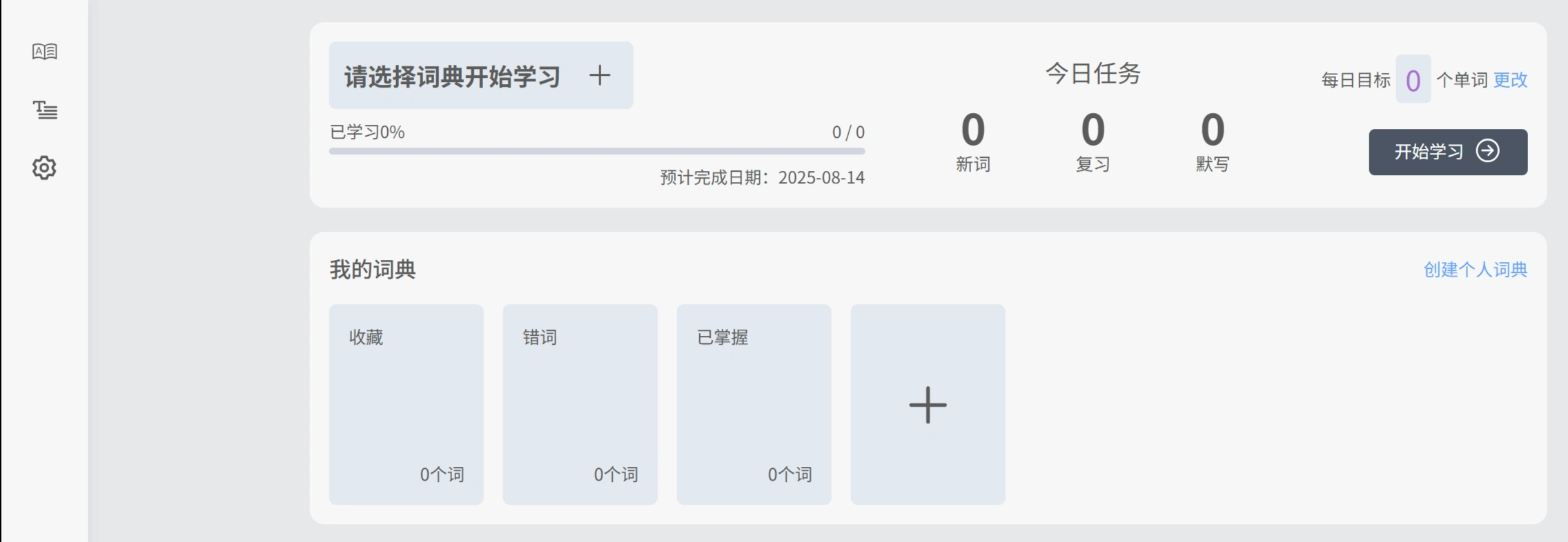
Typing Words automatically organizes your mistake list and new word list for you. You can prioritize reviewing words you frequently get wrong, and mark words you've already mastered as "easy words" so they get skipped during practice, saving time. It comes with many built-in word libraries, including vocabulary from primary and secondary school textbooks (such as the PEP version and FLTEP version), common exams (CET-4/6, postgraduate entrance exams, IELTS), and programming-related terms (Python, Java terminology). You can also upload your own articles to practice bilingual typing.
Typing Words is extremely convenient to use—no download required, and you can study anytime on the webpage. You can rearrange chapter order and toggle pronunciation on or off. Typing practice is easier than handwriting and is more suitable for fragmented learning on phones and computers.
Students can use it to memorize vocabulary that aligns with their textbooks (such as primary and secondary school textbook word libraries), helping with classroom learning; those preparing for CET-4/6 or postgraduate entrance exams can directly practice exam word libraries to boost test-taking ability; those learning programming can improve their professional English through technical word libraries (such as Python-related vocabulary). Office workers, stay-at-home parents, and other adults with fragmented schedules can open the webpage anytime to practice; those who want to improve grammar and language sense can also practice by typing out articles.
📌 How exactly do you use Typing Words?
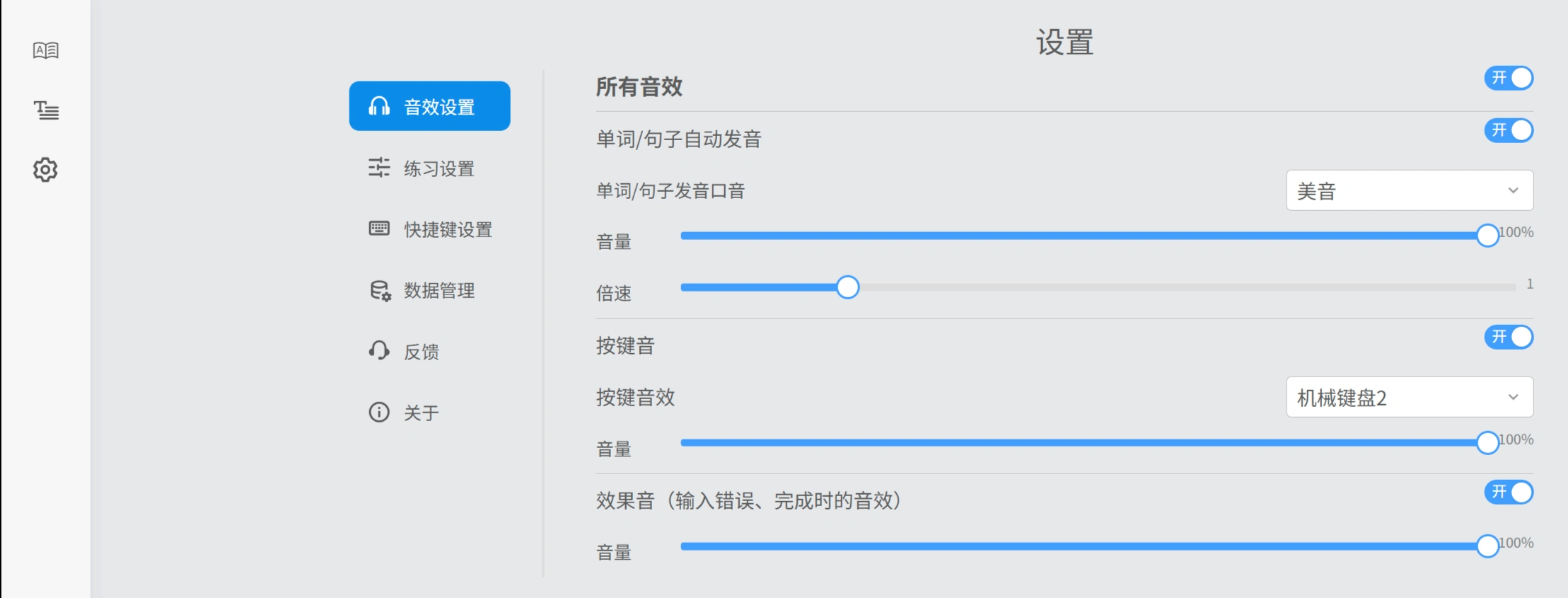
Open the website, select the "Memorize Words" or "Memorize Articles" module, then choose between "Recognition" or "Spelling" mode. You can adjust the word order yourself (default or random), pronunciation type (American/British), and whether to display the translation. If you want to import your own materials, click "Custom Article" and upload a txt or docx file to generate a bilingual practice. Words you got wrong can be focused on in the "Mistake List," and if family members or a class use it together, you can switch accounts. During practice, press Enter to quickly submit an answer and Esc to pause. Your progress is automatically saved so you can pick up where you left off next time you log in.















