
 Script Planner Assistant▸
 AI Apps
 AI News

Peeps.ui8: Free Online 3D Avatar Generator by UI8
Peeps.ui8: Free Online 3D Avatar Generator by UI8Introduction
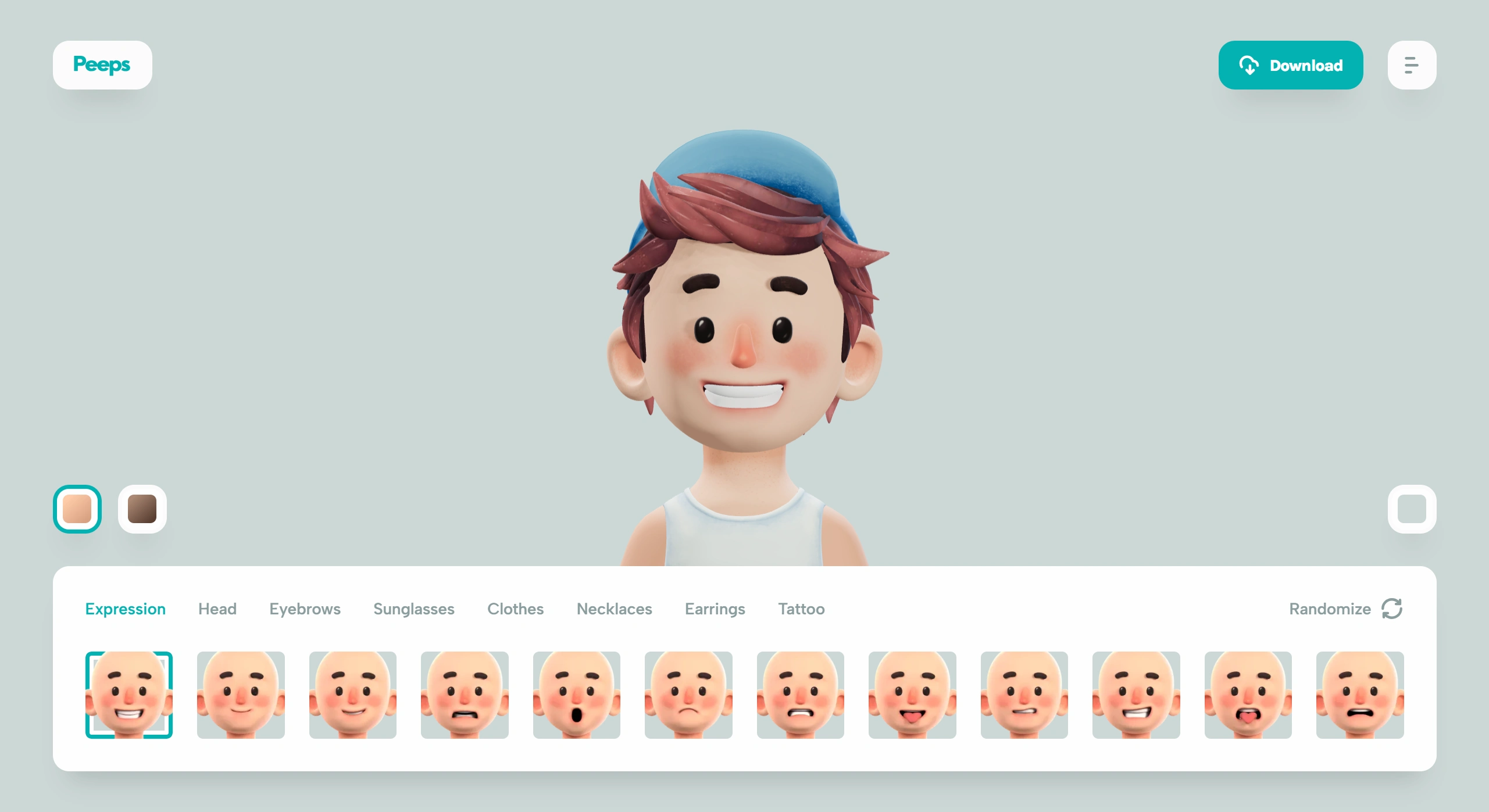
Peeps.ui8 is a free online 3D avatar tool developed by the UI8 team, available for both personal and commercial use. It comes with over 100 customizable modules—including expressions, hairstyles, clothes, accessories, and more—that can be randomly generated or manually adjusted, and you can also change skin tone and background. Avatars can be downloaded as 1000×1000 pixel transparent PNGs or JPGs with a background. Peeps.ui8 can be used without signing up, but to save your work you'll need to log in with a UI8 account (domestic email addresses work for registration).
What Can Peeps.ui8 Do
✅It offers a high degree of freedom—over 100 editable modules, including skin tone, facial features, and accessories (such as necklaces, earrings, and tattoos), all of which can be adjusted, either randomly generated or manually fine-tuned; it can export transparent-background PNGs or JPGs with backgrounds, adapting to different scenarios;
✅Real-time preview of avatar effects, with quick switching of skin tone, background, or random regeneration;
✅Completely free to use, with no additional licensing required for personal or commercial projects.
📚 Peeps.ui8 Has Many Applications:
✅Social platform avatars: quickly create personalized 3D avatars for use on platforms like WeChat and Weibo;
✅Design project assets: useful for ppt illustrations, poster designs, or digital human imagery—the transparent background makes it easy to fit into any scene;
✅Branding and marketing: companies can customize a unified style of virtual characters for brand promotion or customer interaction.
📚 How to Use Peeps.ui8
Open the official site: https://peeps.ui8.net/—you can use it right away, no registration required;
Customize your avatar: choose from various elements (expressions, head shapes, eyebrows, sunglasses, clothes, necklaces, earrings, tattoos—plenty of options for each), adjust the angle (drag it on the canvas to see the face from different angles), and change the background color (click the "Color" button on the right to pick your favorite);
Download your avatar: once you're done, click the "Download" icon in the top-left corner—you'll need to register a free account first (fill in your name, surname, email, and password, click SIGN UP, verify through your email by clicking the "Confirm" link in the message, then return to the site), and finally click "Download" again to save it to your phone or computer.
🎨 Tips for Creating More Personalized 3D Avatars:
✅Mix and match elements: with over 100 customizable modules, freely combine different hairstyles, expressions, clothes, and accessories, or even try mixing cartoon and realistic styles;
✅Fine-tune the details: carefully adjust facial expressions, clothing folds, accessory positions, and other details—color, size, and opacity can all be modified;
✅Match background and style: choose a background that fits your avatar's theme (solid color, pattern, or scene background), and try different styles like minimalist or vintage.
🌍Peeps.ui8 Official Site:https://peeps.ui8.net/















