
 Script Planner Assistant▸
 AI Apps
 AI News

AutoPiano – Free Online Piano Simulator
AutoPiano – Free Online Piano SimulatorIntroduction
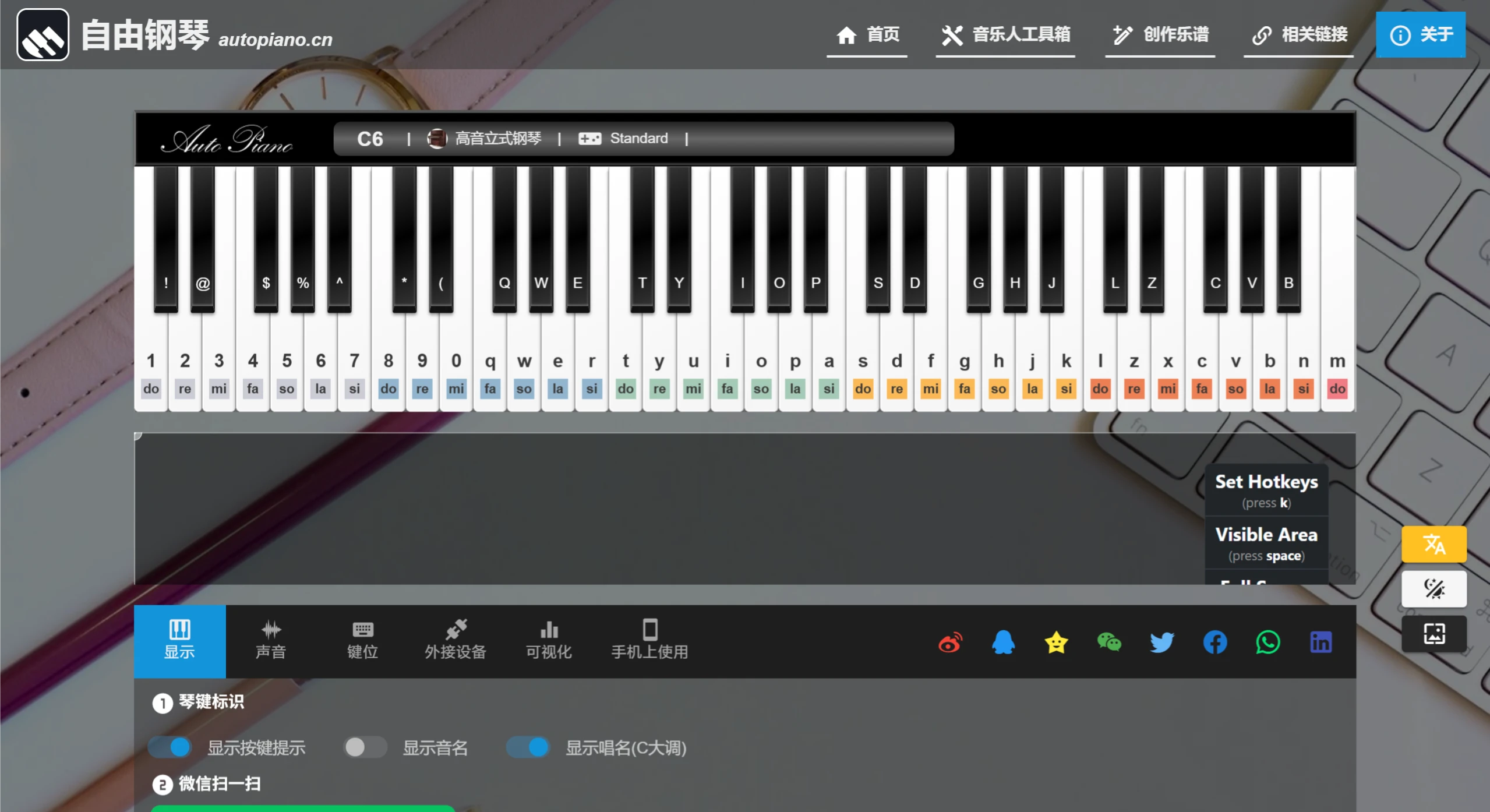
AutoPiano (自由钢琴) is a free online piano simulator — no installation needed, just open the page and start playing. It supports playing with your computer keyboard or a MIDI keyboard, and lets you switch between different instrument sounds, such as piano, guitar, violin, and more.
📚 AutoPiano Main Features
🎹 Play Piano Online
Computer keyboard playing: Use keyboard keys to simulate piano keys — for example, A S D F for the low range, Q W E R for the mid-high range, and Z X C V for the high range.
MIDI keyboard connection: If you have an electronic keyboard or MIDI keyboard, you can plug it into your computer and use it (Chrome/Opera browser recommended).
Multiple instrument sounds: Dozens of sounds to choose from, including piano, electric piano, guitar, violin, saxophone, drums, and bird sounds.
🎹 Key Mapping Settings
Default mapping: Keyboard keys correspond to piano pitches in order, compatible with FreePiano and VirtualPiano.
Other mappings: Supports different layouts such as FreePiano and EveryonePiano (EOP).
Key hints: Can display the note name (e.g., C4) and solfège (e.g., Do) corresponding to each key, making it easier to learn.
🎹 Play Songs & Create
Built-in sheet music: Includes popular songs like "Sunny Day," "Canon," and "Insects Flying," as well as classics such as "Castle in the Sky" and "Wedding in Dream."
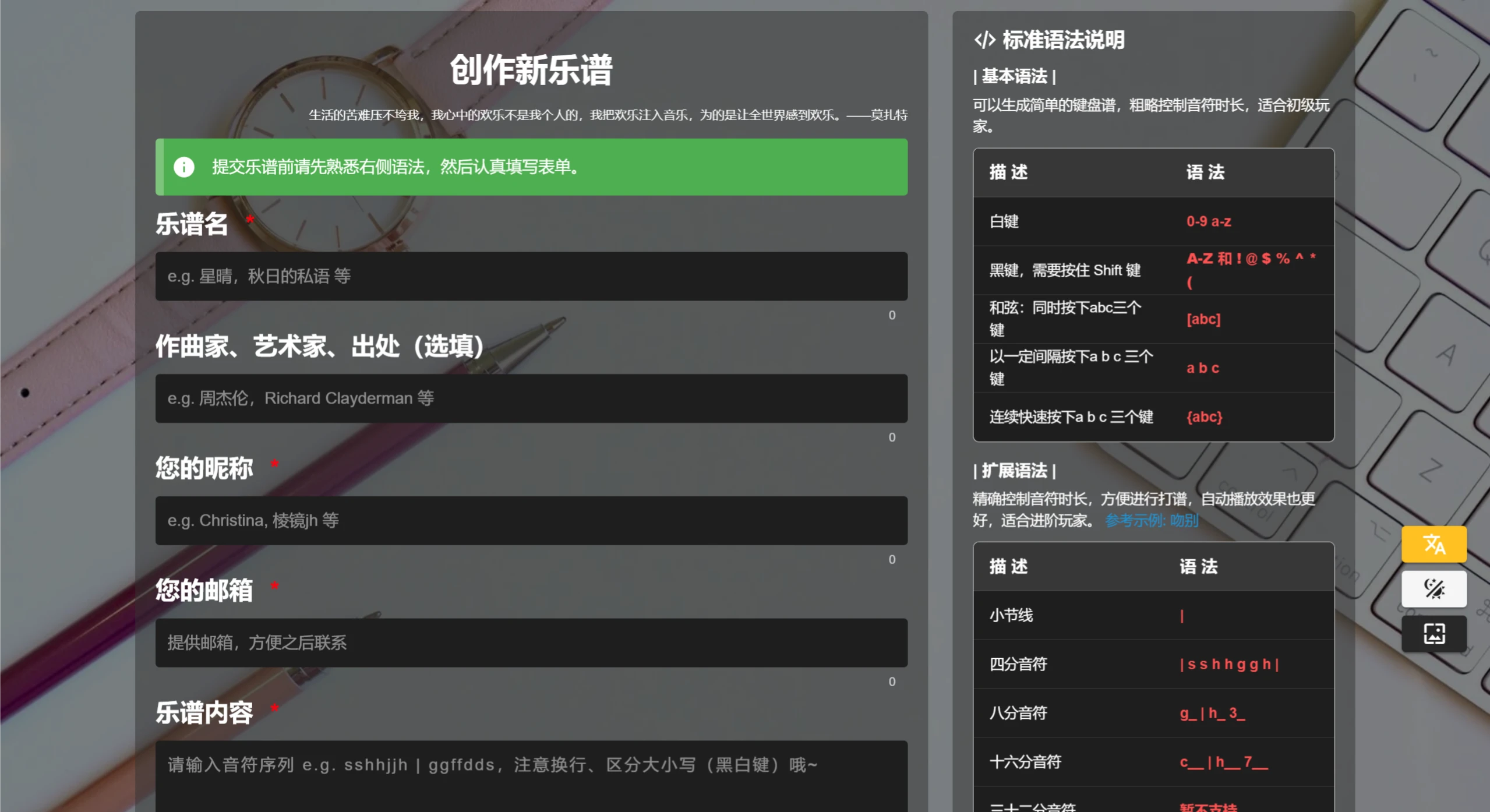
Create your own arrangements: Customize sheet music and share it with others to play.
Import MIDI files: Supports uploading local MIDI files for playback.
🎹 Other Useful Features
Key highlight: The corresponding piano key lights up when played, making it easy to follow along.
Volume control: Adjust the volume (default 0.5).
Works on mobile: WeChat Mini Program, mobile web version, and an official App are available.
Great for learning music: Displays C major solfège and note names to help with piano learning.
Browser support: Chrome, Opera, and Edge are recommended; some features require Speed Mode (no Flash needed).
📚 What Can You Do with AutoPiano?
🎹 Learn Piano & Practice
Beginner practice: Use the computer keyboard or MIDI keyboard to practice fingering and learn note names and solfège.
Play your favorite songs: Such as popular pieces like "Canon," "Senbonzakura," and "Sunny Day."
🎹 Entertainment & Relaxation
Play for fun: Play piano online and relax.
Share your playing: Share your performance clips on QQ, WeChat, or Weibo.
🎹 Music Creation
Write your own songs: Create your own sheet music and try different instrument combinations.
Modify MIDI files: Upload MIDI files and rearrange them.
🎹 Teaching & Demonstration
For piano teachers: Demonstrate playing, and students can practice online following along.
Hear different instruments: Switch sounds to compare the differences between piano, guitar, and violin.
📚 How to Use AutoPiano?
🎹 Play with Computer Keyboard
Open the website: https://www.autopiano.cn
Choose an instrument: The default is high piano; you can switch to electric piano, guitar, etc.
Start playing:
Low range: A S D F G H J K L ;
Mid-high range: Q W E R T Y U I O P
High range: Z X C V B N M , . /
Change mapping: Select FreePiano or EveryonePiano mode in the "Key Settings" section.
🎹 Connect MIDI Keyboard (Advanced)
Plug in your MIDI keyboard (USB interface).
Use Chrome/Opera browser.
Click "Connect MIDI Keyboard" and select your device to test.
🎹 Play Popular Songs
Enter the song name (such as "Canon" or "Sunny Day") in the "Latest Sheet Music" section or search box.
Click on the sheet music, and key hints will automatically appear — just follow along.
🎹 Play Piano on Mobile
WeChat Mini Program: Search for the "自由钢琴" Mini Program.
Mobile web: Open autopiano.cn in your browser.
🎹 Create Your Own Music
Click "Create New Sheet Music," set your own key-to-note mapping, save, and share.
Github Address: https://github.com/AutoPiano/AutoPiano (partially open source)
Official Website: https://www.autopiano.cn
(No installation required, open and play — great for practice, entertainment, and creation!) 🎹
Related News:















