
 Script Planner Assistant▸
 AI Apps
 AI News

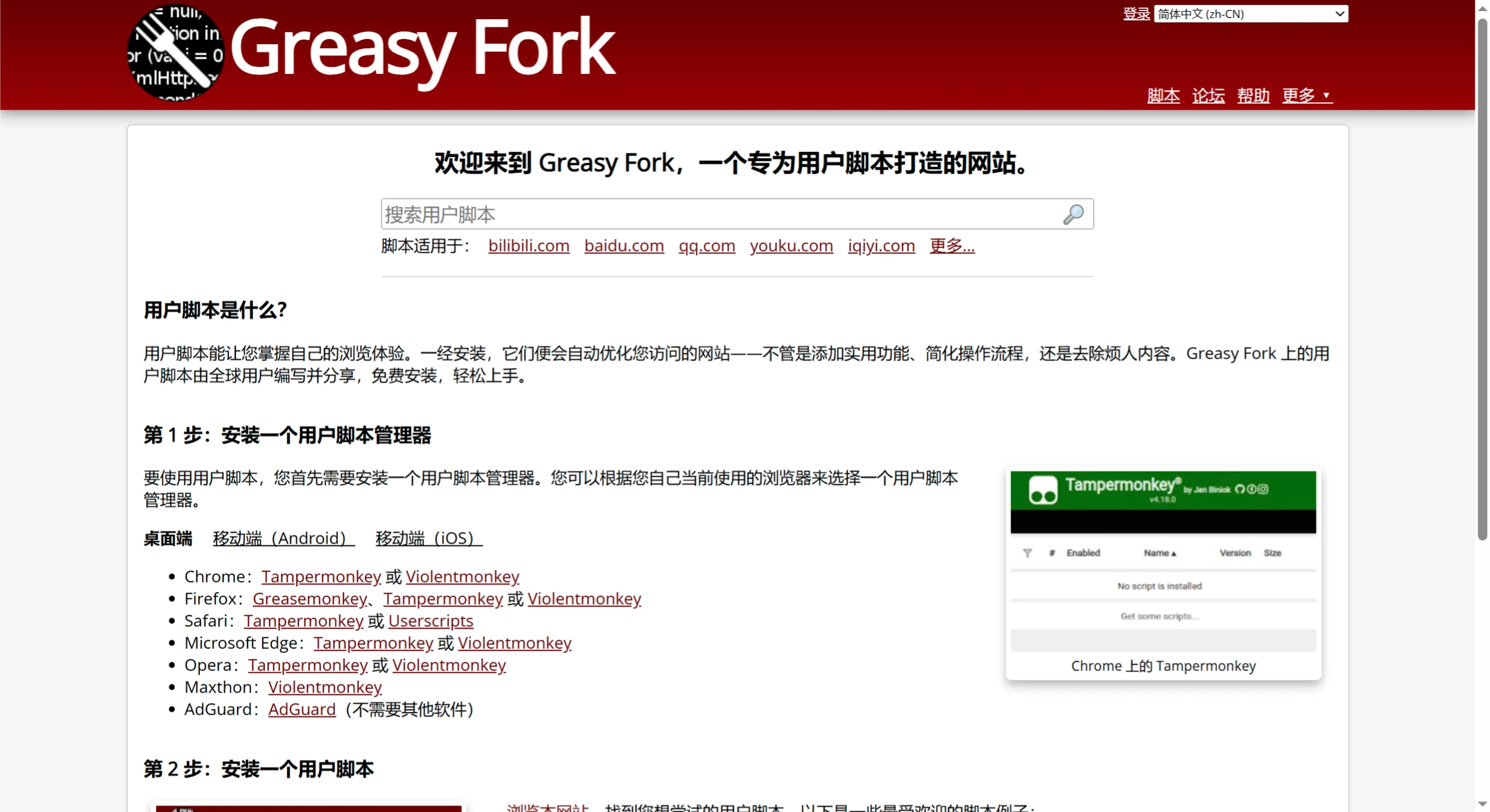
Greasy Fork – A Safe and Practical User Scripts Website
Greasy Fork – A Safe and Practical User Scripts WebsiteIntroduction
Greasy Fork is a website that provides safe and practical user scripts that can help you optimize your web browsing experience, such as adding useful features, simplifying operations, or blocking ads. All scripts are user-created and freely shared.
📚 Features of Greasy Fork
1. Wide Variety of Scripts
Useful features: control web timers, skip ads (on almost all websites), speed up video playback (fast-forward/slow-motion).
Learning aids:
College exam web scripts: auto-quiz, local question bank testing (supports my exam, grade analysis, etc.).
All-platform auto-answer scripts: support Chaoxing, Zhihuishu and other platforms, auto-update question banks, no need to follow public accounts, permanently free.
Download optimization:
Baidu Netdisk direct link download assistant: no VIP required, high-speed download (supports Windows/Mac/Linux/Android).
Other practical scripts:
Bilibili video download: supports subtitle/danmaku download.
External link redirect assistant: auto-redirect to real link, no manual clicking required.
Bilibili IP location display: view IP directly on the web version of Bilibili.
VIP video parser: watch VIP content from Tencent/iQiyi/Youku for free.
Bing points script: auto-earn Bing search points.
2. Completely Free
All scripts can be downloaded and used for free, no payment required.
3. Easy Installation
Find the script you want on the Greasy Fork website, click the green "Install" button, confirm, and you're ready to use it.
📚 How to Install and Use Greasy Fork Scripts?
Step 1: Install a User Script Manager (Required!)
User scripts require a script manager to run. Different browsers are recommended with different managers:
Chrome / Edge / Safari → Tampermonkey (most commonly used)
Firefox → Violentmonkey or Tampermonkey
Android → Tampermonkey (requires browser support)
iOS → Stylus or User Scripts (partial support)
Installation method: Go to the official website of the corresponding manager (such as the Tampermonkey official website), download and install the browser extension.
Step 2: Install Greasy Fork Scripts
Open the Greasy Fork official website
Search or browse for the script you need (such as "Baidu Netdisk Download Assistant").
Go to the script page and click the green "Install" button.
The script manager will pop up a confirmation window; click "Install" to proceed.
Step 3: Use the Script
After installation, visit the corresponding website (such as Baidu Netdisk), and the script will run automatically.
If it doesn't take effect, check whether the script is enabled in the script manager.
📚 Popular Script Recommendations
bilibili video download: supports multiple download methods and formats, including subtitle and danmaku download.
redirect external link redirect: auto-redirect to the target link, eliminating the need for manual clicking.
Bilibili web version IP location display: display IP location on the web version of Bilibili.
Free VIP video viewing - VIP video parser: parse VIP videos from Tencent, iQiyi, Youku and other websites.
<Microsoft Bing points auto script: earn points through searching.
📚 Understanding User Scripts
💼 What are User Scripts?
User scripts are small browser applets that can modify the functionality or appearance of web pages to make your browsing experience smoother. For example, auto-redirecting links, blocking ads, batch downloading images, etc.
💼 What Can User Scripts Do?
Optimize functionality: auto-redirect links, auto-fill forms, batch download images, etc.
Beautify web pages: modify colors, fonts, and layouts to better suit your preferences.
Protect privacy: block ads, trackers, and hide content you don't want to see.
Simplify operations: auto-login, auto-page turning, reducing repetitive actions.
💼 How Do User Scripts Run?
A manager is required: First install a script manager (such as Tampermonkey or Violentmonkey), which is a browser extension used to install and manage scripts.
Install scripts: Find the script you want from a website (such as Greasy Fork) and install it using the manager.
Auto-run: When visiting specific web pages, the script will automatically take effect and modify the page content.
💼 What Do User Scripts Look Like?
File format: .user.js (essentially JavaScript code).
The beginning of the script contains metadata (such as script name, applicable websites, author information, etc.), for example:
// ==UserScript==
// @name         示例脚本
// @version      1.0
// @description  这是一个示例脚本
// @author       Kimi
// @match        https://example.com/*
// @grant        none
// ==/UserScript==
(function() {
    'use strict';
    // 这里是脚本的主要代码
})();
💼 Where Can User Scripts Be Used?
Video sites: download videos, remove ads, bypass VIP restrictions.
Social media: redirect links, hide ads, enhance commenting features.
Learning sites: auto-display answers, optimize notes features.
Shopping sites: price comparison, auto-collect coupons.
📚 Are User Scripts Safe?
✅ Safe usage recommendations:
Only download from trusted websites (such as Greasy Fork).
Read the script functionality carefully (check the description before installation; don't install unknown scripts randomly).
Update regularly (avoid outdated scripts becoming invalid or causing issues).
⚠️ Note: Installing random scripts may lead to privacy leaks or account risks; try to only install what you need.
Summary
User scripts = tools that make web pages smoother to use, enabling automation, ad removal, and page beautification.
Installation method: First install Tampermonkey, then download scripts from Greasy Fork.
⚠️ Pay attention to safety, only install reliable scripts! 🚀
Give it a try and make your browser more powerful! 🚀













