Script Planner Assistant▸
 AI Apps
 AI News

Xingwen App: Text Layout & Beautification App
Xingwen App: Text Layout & Beautification AppIntroduction
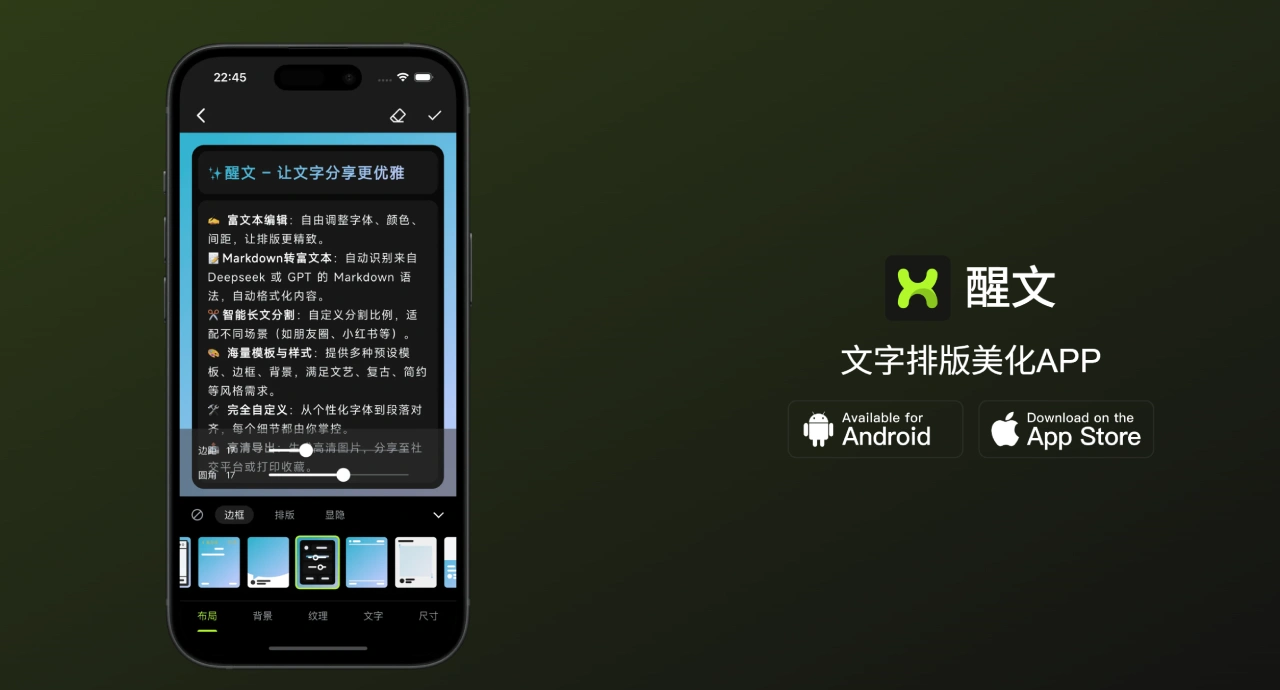
醒文APP is a tool specifically designed for long-form text typography as text cards. It supports rich text editing, Markdown conversion, and other features, offers a variety of templates and styles, and is suitable for scenarios such as social media creation, writing, work, study, and life journaling.
Main Features
Rich text editing allows you to freely adjust fonts, colors, spacing, and more, making text typography more refined. Ideal for typesetting poetry, prose, and other delicate content. How to use: Select the text while editing and adjust styles via the toolbar.
Markdown Conversion: Paste Markdown text and click "Convert" to automatically turn it into rich text format for easy typesetting and sharing. Ideal for users familiar with Markdown syntax.
Smart Long-Text Splitting supports automatic pagination and manual adjustments, adapting to platforms like WeChat Moments and Xiaohongshu, avoiding issues with long-text display. How to use: Select "Smart Split" while editing for automatic pagination, or manually adjust the position.
Super Long Image Export can convert long texts into high-resolution images (approximately 10,000 characters), perfect for sharing or archiving. How to use: After finishing editing, click "Export" and select the image format.
Link Content Extraction directly pulls content from platforms such as WeChat Official Accounts and Xiaohongshu for quick editing and secondary creation. How to use: Paste the link and click the "Extract" button to load the content.
Personalized Decoration
Highlight: Select text and click "Highlight" to mark it.
Stickers: Click "Stickers" to choose your favorite styles and drag them to the desired position.
Custom Background: Upload an image or select a template as the background, and adjust transparency and position.
Templates & Fonts
Templates: Offers preset templates such as literary, retro, and minimalist styles. Click the "Templates" button to select and automatically apply the style.
Fonts: 50+ personalized fonts available with continuous updates. Select the text and click the "Font" button to choose.
HD Export generates high-resolution images that can be shared to any social platform. Operation is the same as Super Long Image Export.
Applicable Scenarios
Social Media: Create eye-catching graphics and text for Xiaohongshu, WeChat Moments, and Weibo.
Writing & Creation: Elegantly typeset poetry, prose, and letters.
Work & Study: Notes, reports, and journals with highlighted key points.
Life Journaling: Travel diaries, book reviews, movie reviews, greeting cards, and more, adding a sense of ceremony.
Usage Steps
Download & Install: Search for "醒文" in the App Store, then download and install.
Create a Card: Open the app and click "New" to enter the editing interface.
Edit Content: Enter text and use the toolbar to adjust font/color, etc.; paste Markdown and click "Convert"; enter a link and click "Extract"; select "Smart Split" for pagination; use "Highlight," "Stickers," and "Background" to decorate; select a template to apply styles.
Export & Share: After editing, click "Export," select the image format, and share to platforms or save locally.
Membership Subscription Pricing
1-Month Auto-Renewal: 9 yuan for the first month, 18 yuan per month thereafter;
1-Year Auto-Renewal: 128 yuan (one-time payment);
Lifetime Membership: 168 yuan (one-time purchase, no renewal required).