
 Script Planner Assistant▸
 AI Apps
 AI News

Typing Duck: Free Online Typing Practice Platform
Typing Duck: Free Online Typing Practice PlatformIntroduction
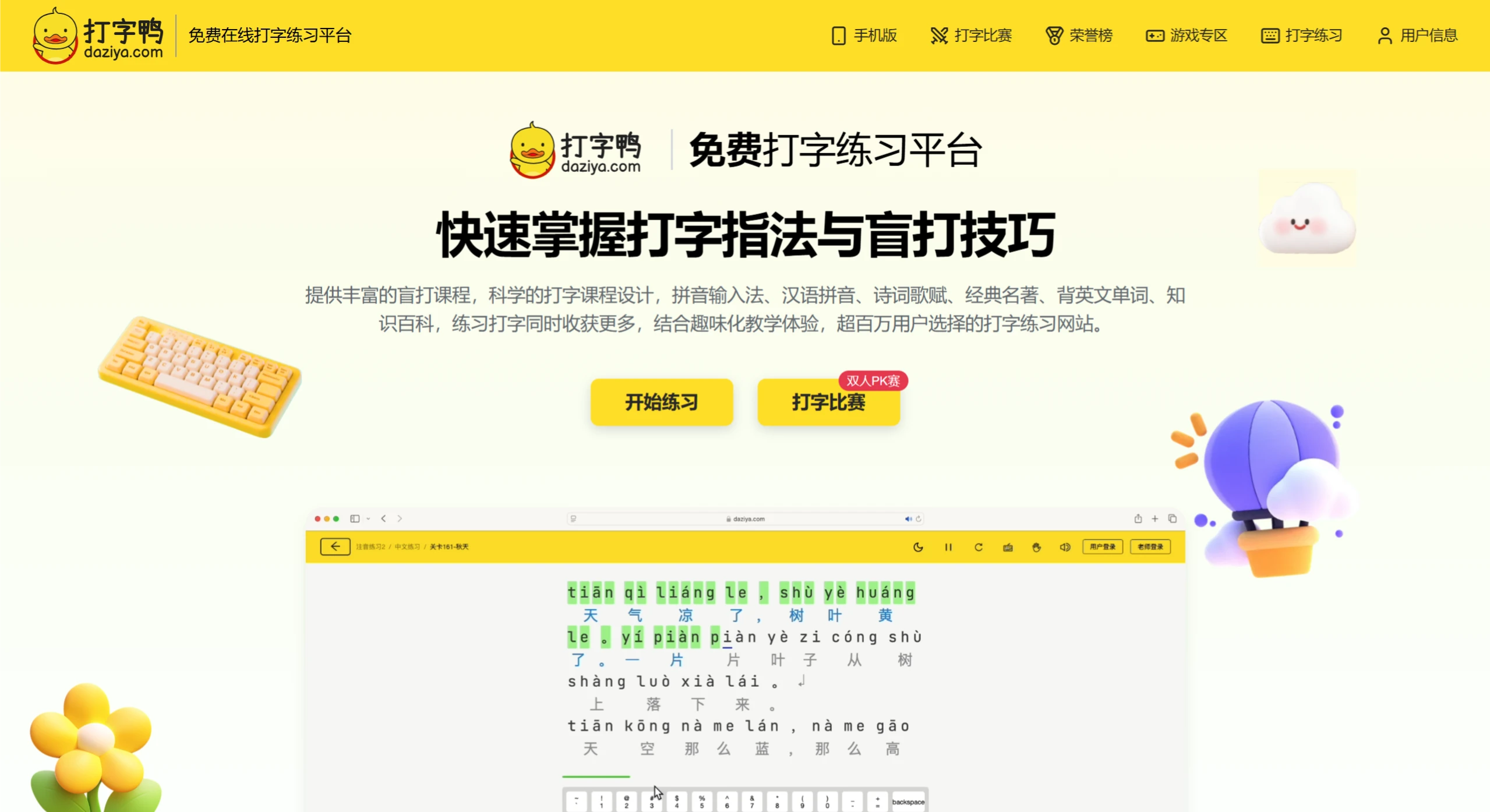
Typing Duck is a free online typing practice platform with over 400 courses and more than 5,000 word banks, allowing you to practice letters, Pinyin, Chinese characters, English, and more. It also offers scientific finger placement tips, fun interactive games, and detailed data reports. No installation is required—just open a browser to use it, and a WeChat Mini Program version is also available. Teachers can use it to manage classes and students, customize courses, create question banks, and automatically generate grade reports and leaderboards.
Features of Typing Duck
Rich Course Selection: Offers a wide range of courses including Pinyin input method, Chinese Pinyin, poetry, classic literature, English vocabulary memorization, and knowledge encyclopedia, meeting various practice needs.
Scientific Design: Practice in a progressive touch-typing mode, starting from letters and Pinyin, helping you gradually master typing skills.
Fun Interaction: Game-based elements make learning easier and more enjoyable.
Detailed Data: Real-time typing statistics with professional ratings and comprehensive ability data to help you track your progress.
Class Management: Teachers can view the overall practice status of students for easier management.
Use Anytime: No software installation required—just open a browser to practice; also available on mobile devices.
How to Use Typing Duck?
On PC:
Open a browser and visit the Typing Duck official website.
Click "Login" in the top right corner, and log in via WeChat or register a new account.
After logging in, choose a suitable course, such as "Basic Typing Practice," "Pinyin Practice," or "English Article Practice."
Click "Start Practice" and type according to the on-screen prompts; the system will provide real-time guidance on proper hand posture.
Check the report after practice to understand data such as typing speed and accuracy.
On Mobile:
Open WeChat, tap the "+" icon in the top right corner, select "Scan," and scan the Mini Program QR code; or search for "Typing Duck Mini Program" within WeChat to open it directly.
After entering, choose a course to start practicing, with content including Pinyin pronunciation, Pinyin practice, Chinese practice, and more.
Who is Typing Duck Suitable For?
Students: Practice typing during spare time to improve speed and accuracy, laying the foundation for future study and work; teachers can use it to assign personalized training to students and manage class learning progress. For example, students preparing for primary-to-middle school transition can practice essential vocabulary.
Workplace Newcomers: Improve typing skills to adapt to work faster and boost efficiency; jobs requiring large amounts of text input, such as secretaries and editors, can also enhance professional abilities through practice.
Teachers: Use the management backend to customize courses, create question banks, and track student learning; gamified teaching makes practice more engaging, and grade reports and leaderboards are automatically generated.
Self-Media/Office Users: Self-media creators can improve typing speed for more efficient content creation; office workers can enhance daily work efficiency.
Personal Interest: Those looking to develop typing skills or learn through play can improve their abilities in an entertaining way through fun games and diverse courses.
Frequently Asked Questions
Q: Who is Typing Duck suitable for?
A: Anyone looking to improve their typing skills can use it, including students (practicing Pinyin, Chinese characters, English, etc., such as primary-to-middle school transition students practicing essential vocabulary), teachers (managing student practice), and other computer or mobile users who want to improve their typing.
Q: What management features does Typing Duck provide for teachers?
A: It offers a professional class and student management platform, allowing students to be added in multiple ways; courses can be customized and standard question banks can be created; after students complete practice, grade reports and leaderboards are automatically generated, making it convenient for teachers to track learning progress.
Q: What makes Typing Duck special in improving typing skills?
A: It features scientific finger placement practice, with correct hand posture prompted for every keystroke; engaging interactive games; scientifically designed courses covering multiple practice types that allow you to apply what you learn; and detailed data reports that help you improve in a targeted way.















