Script Planner Assistant▸
 AI Apps
 AI News

3DTuning: 3D Car Customization & Visualization App
3DTuning: 3D Car Customization & Visualization AppIntroduction
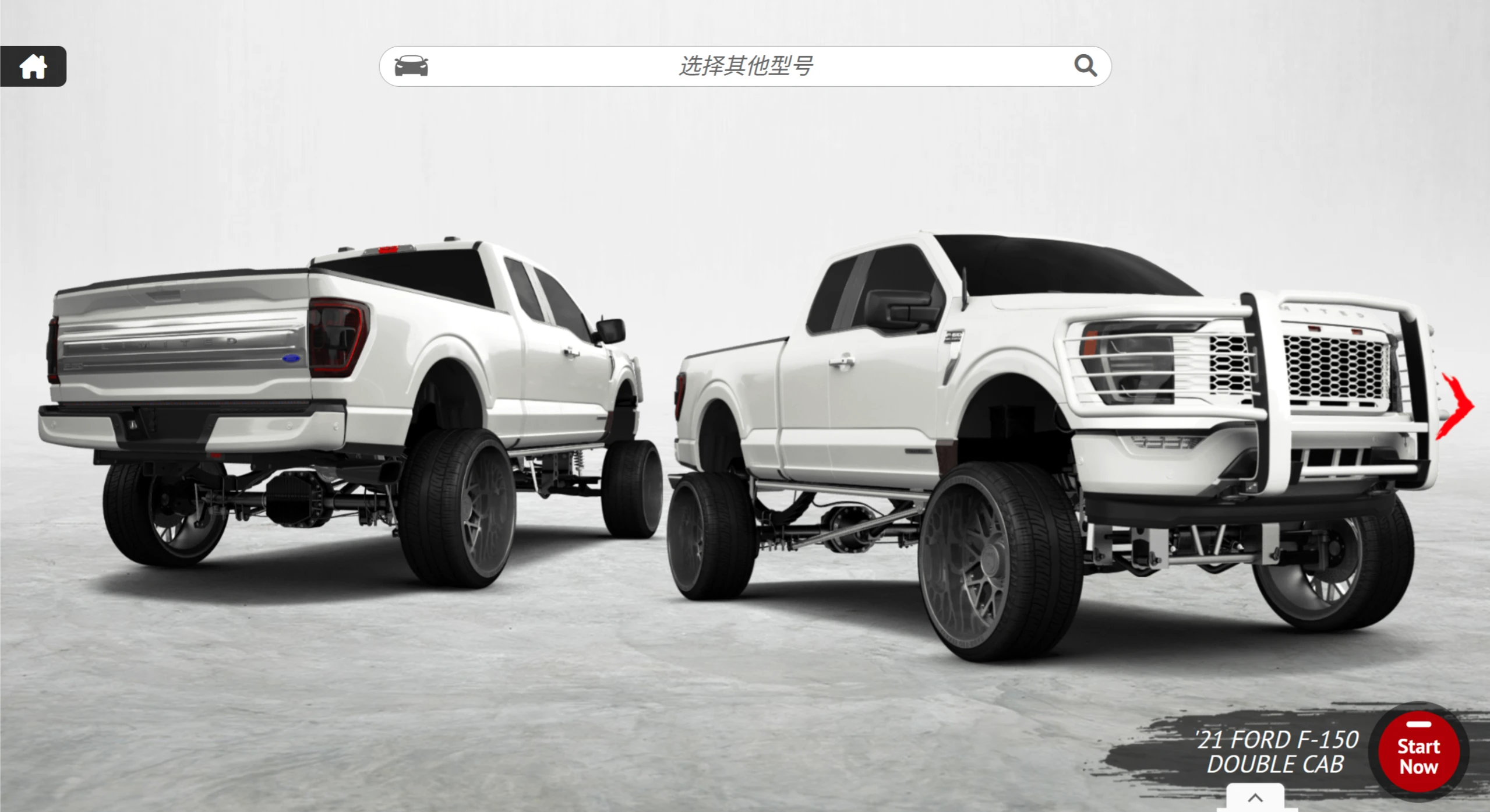
3DTuning is a 3D car modification application that enables vehicle visualization simulation, personalized configuration, and user interaction. Users can select their favorite car brands and models and configure them by themselves. The platform also features a "GALLERY" containing millions of cars modified by other users, which can be viewed, commented on, liked, and shared.
Technical Principles
✅High-precision 3D Modeling and Rendering: Industrial-grade 3D scanning is used to recreate vehicles, with details such as panel gaps and interior stitching rendered photo-realistically. The rendering engine optimizes lighting, materials, and reflection effects, simulating realistic visual effects like metallic paint textures and light reflections.
✅Parametric Modification System: Allows precise, millimeter-accurate adjustments to vehicle components, with professional parameters such as suspension height, wheel ET value, and tire aspect ratio all being user-configurable.
✅Real-time Physics Engine Feedback: After modifications are made, the physics engine provides a real-time view of how the car looks in different scenarios.
Application Scenarios
✅Car Enthusiasts: Can unleash their creativity here, building unique modified cars to showcase their personality.
✅Beginners: Those who want to learn about car modification but have no experience can use it to familiarize themselves with the modification process and various parts—ideal for getting started.
✅Teaching and Training: Design schools and modification technician training programs can use it as a demonstration or supplementary tool to help students understand and master related knowledge.
✅Commercial Display: Car manufacturers and modification brands can use it to showcase their latest models and products, attracting potential customers.
How to Use 3DTuning
✅Choose a Model: Over 600 cars are available, including sedans, sports cars, SUVs, pickups, trucks, and motorcycles.
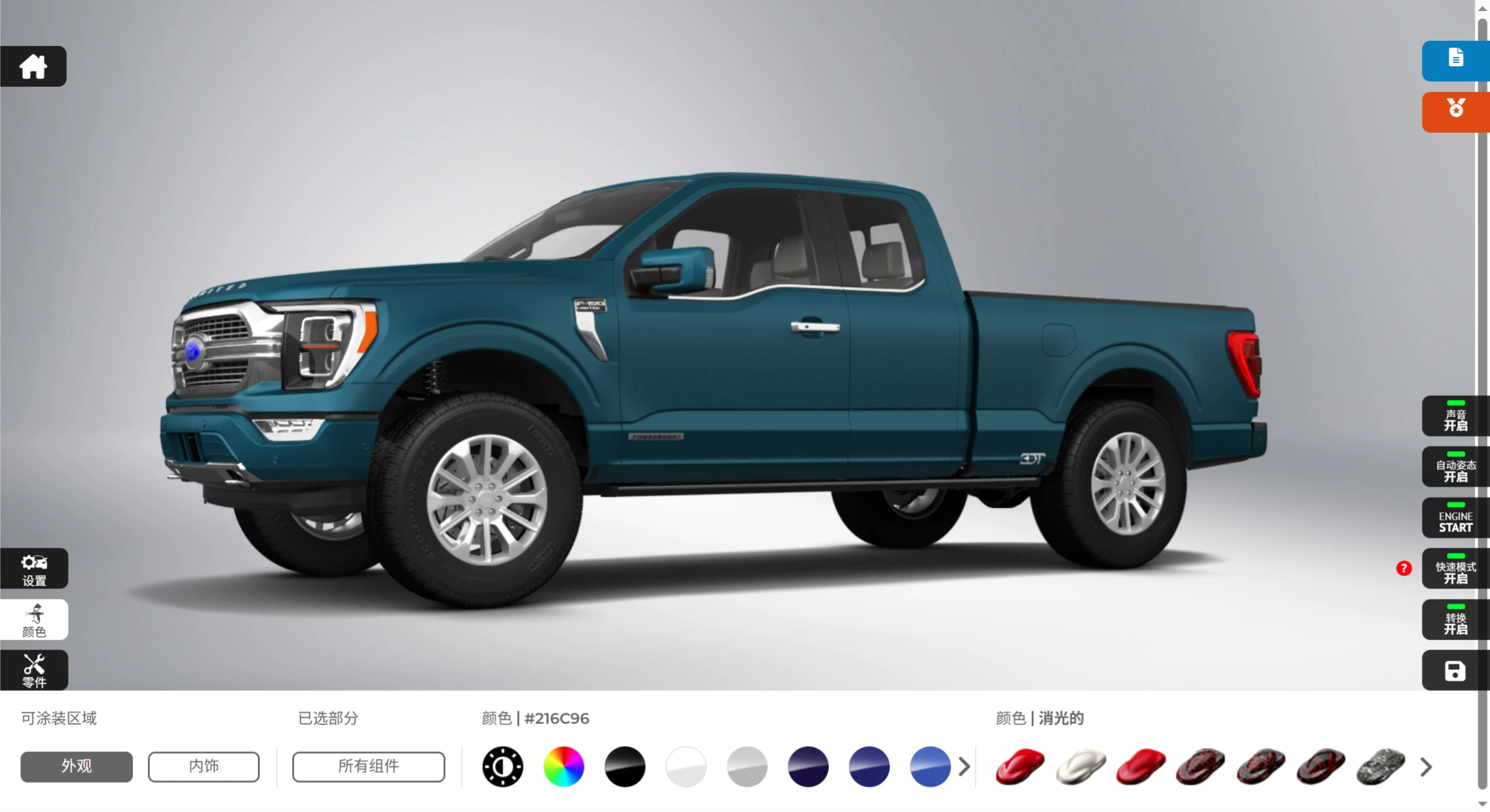
✅Exterior Customization: Swap front and rear bumpers, wheels/tires, light assemblies, air intakes, hoods, roof components, spoilers, exhausts, and more to create a personalized exterior.
✅Paint and Decals: Customize the body color, racing livery, and graphic patterns to give the car a unique look.
✅Performance Tuning: For some models, you can modify ride height (adjust suspension), track width, and body camber to simulate common performance modifications.
✅Sharing and Interaction: Modified cars can be shared with one click to social platforms like WeChat, Weibo, Instagram, and Facebook, and you can engage with other users in the community by liking and commenting.
Frequently Asked Questions
Why can't I find the model I want?
Answer: 3DTuning is constantly adding new models, and new models are decided by votes on social networks. To learn more, check out the Facebook and VK.com pages.
What modification options are available?
Answer: There are over 600 car models, of which more than 200 have individual modification options (marked "FT"), and 100 popular models have the latest modification features (marked "NT"). These two categories of models will continue to grow—to stay updated, you can subscribe to the newsletter.
How do I save a modification?
Answer: You need to log in to 3DTuning first. On the "Modification" page, in the upper right corner above the color control panel, there is a "Save" icon that looks like a small disk. Click it to save, and the saved car will be placed in the "Garage."
How do I change the background?
Answer: After logging in, on the "Modification" page, there is a "Background" button in the lower left corner that looks like a small mountain. When using a custom background, press the button to the left of "Background" to also change the menu icon color theme.
How do users share and interact?
Answer: After logging in, click on any user's avatar/username anywhere on the 3DTuning website to enter their "Garage." In the upper left corner, slightly below the user's avatar, you can find the "Send Message" and "Send Friend Request" buttons.