
 Script Planner Assistant▸
 AI Apps
 AI News

Luvvoice: A Free Online Text-to-Speech (TTS) Tool
Luvvoice: A Free Online Text-to-Speech (TTS) ToolIntroduction
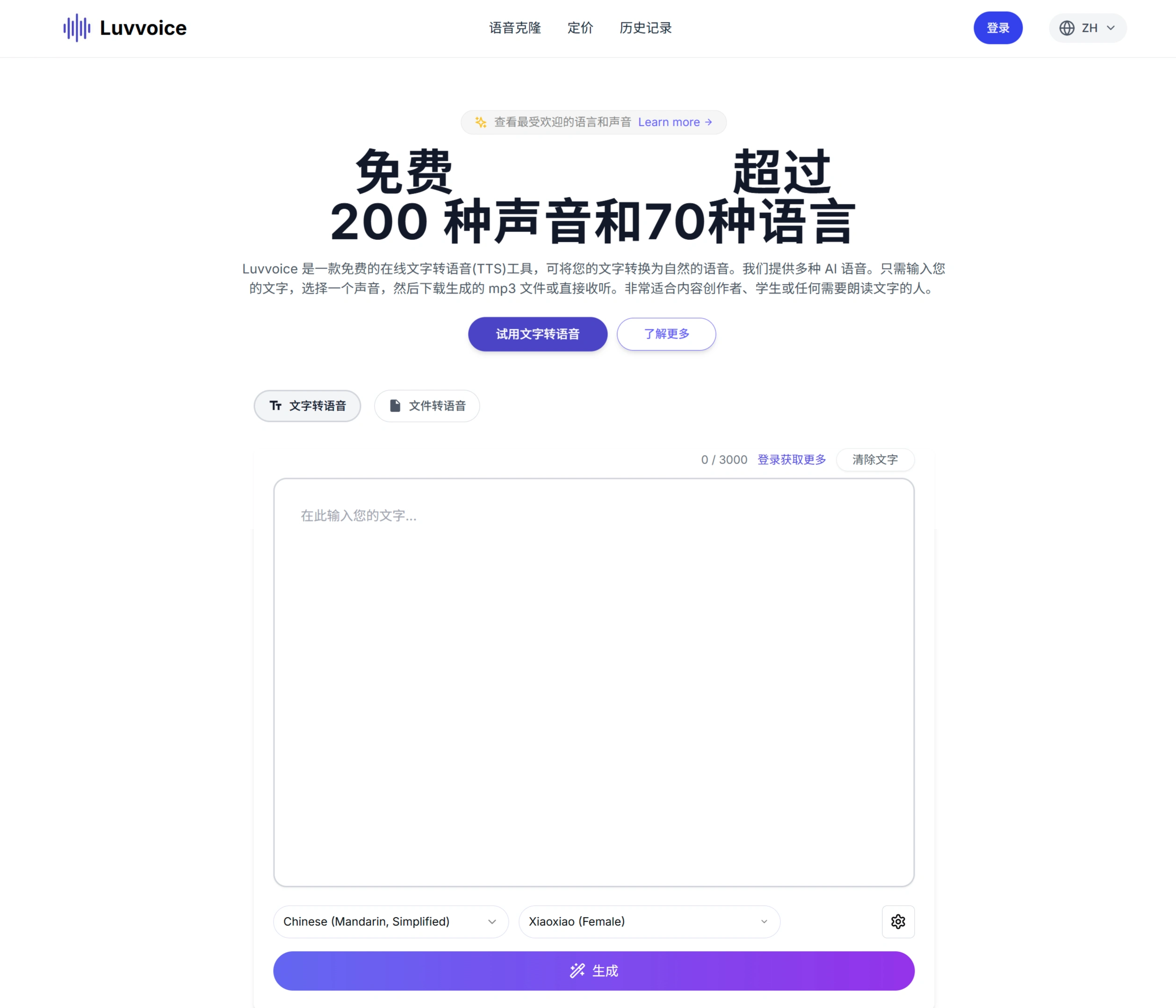
Luvvoice is a free online text-to-speech tool that converts text into natural speech, with multiple AI voices to choose from. Users can enter text, pick a voice, and then download the MP3 file or listen directly — ideal for content creators, students, and anyone who needs text read aloud.
Core Features
Realistic AI Voices: Powered by deep learning and AI technology, the generated voices sound very similar to real people.
Multilingual Support: Offers over 70 languages and 200+ voices to meet different language needs.
Text to Speech: Copy-paste or directly input text, then choose your preferred voice.
File to Speech: Supports PDF and TXT formats, converting file content into speech.
Extended Character Limit: Logged-in or paid users can generate up to 20,000 characters at a time.
Voice Settings: Adjustable speech speed and pitch; generated audio can be saved for 72 hours.
Use Cases
Creative and Commercial: Generate a variety of character voices for marketing and social media (such as YouTube and TikTok).
Learning and Education: Help users learn new languages or read books aloud.
Accessible Content: Create easy-to-use content for visually impaired users.
Main Supported Languages
Includes English, Spanish, Chinese, German, French, Italian, Japanese, Korean, Portuguese, Russian, Thai, Turkish, Vietnamese, Arabic, Hindi, Bengali, Catalan, Czech, Danish, Dutch, and more.
How to Use Luvvoice
✅Visit the Official Website
Open the Luvvoice official website, then log in / sign up.
✅Text-to-Speech Steps
Method 1: Directly Enter Text
Enter or paste text into the text box (up to 20,000 characters; free users are limited to 20,000 characters per month). Choose a language (such as Chinese, English, Japanese, etc.), then select an AI voice (such as the female voice Xiaoxiao, or other male/female voices). You can also adjust speech speed (fast/slow) and pitch (high/low); logged-in users can add 0.5–5 second pauses (up to 20 times). Click "Generate" or "Submit," wait for the AI to generate the speech, and then you can preview it and download the MP3 (the audio can be stored for 72 hours).
Method 2: Upload a File (PDF/TXT)
Click "File to Speech," upload a file (it can handle millions of characters, though free users may have a character limit). Select the language and voice, click "Generate," and download the MP3 once the conversion is complete.
✅Voice Cloning Feature
Select "Voice Cloning" or "Custom Voice," upload a sample of the voice you want to imitate, let the AI learn and train from it (this may take a while), then enter your text and use the cloned voice to generate speech, and finally download the MP3.
✅Note: This feature is not available to free users.
Frequently Asked Questions
1. How do I add pauses?
Answer: For logged-in users, use the pause button in the toolbar, place the cursor where you want the pause, select a duration from 0.5 to 5 seconds, and click "Submit."
2. What are the steps for text-to-speech?
Answer: Paste or type text into the text box, choose a language and voice style, click "Submit," and download the audio when it's done.
3. What is the character limit on the free plan?
Answer: Up to 20,000 characters per month.
4. Can it be used for commercial purposes?
Answer: It depends on the subscription plan; premium plans include commercial usage rights. See the terms of service for details.
5. What format is the audio downloaded in?
Answer: MP3, which works on most devices.
6. What makes Luvvoice special?
Answer: It uses advanced AI that understands the meaning of text, generating speech that sounds like a real person, with natural pitch and emotion, making it more pleasant to listen to.
7. What causes the "Something went wrong" error?
Answer: It may be caused by browser extensions; try turning off your translation plugin and refreshing the page.
8. Why can't text be extracted from a PDF file?
Answer: Most PDFs can be extracted normally; only PDFs that contain images or are scanned may not work.














