
 Script Planner Assistant▸
 AI Apps
 AI News

PinMe: A Simple Decentralized Deployment Tool
PinMe: A Simple Decentralized Deployment ToolIntroduction
PinMe is a simple and practical decentralized deployment tool that lowers the technical barrier for personal websites and portfolio showcases. Users can publish websites or files with a single command, without complex server configuration, and obtain a tamper-proof permanent access URL with support for binding ENS domain names. Key features include: one-line deployment, access security, ENS integration, ease of use, and fast global access.
Key Features:
✅Quickly upload files and directories to IPFS
✅Support for multiple file types and sizes
✅View and manage upload history
✅Automatically generate accessible IPFS links
✅Built-in pinning service to keep content durable
✅Simple and intuitive command-line interface
✅Support for various configuration options
Why Choose PinMe:
✅No server or subscription required: Eliminates the dependence on traditional hosting servers, no subscription fees, reducing costs
✅Permanent hosting: Provides permanent hosting service, keeping websites available long-term
✅Regain control: Websites reside on a decentralized network, not on any single company's server, avoiding lock-in and takedown risks, giving users greater control over their sites
✅Easy deployment: No need to configure pipelines or dashboards; deploy with simple terminal commands, making the process fast and hassle-free
✅Speed advantage: Websites are delivered through a global peer-to-peer network with optimized loading speeds across regions
✅Permanently free: Free for independent developers, side projects, and all kinds of construction projects.
How to Deploy a Static Website with PinMe?
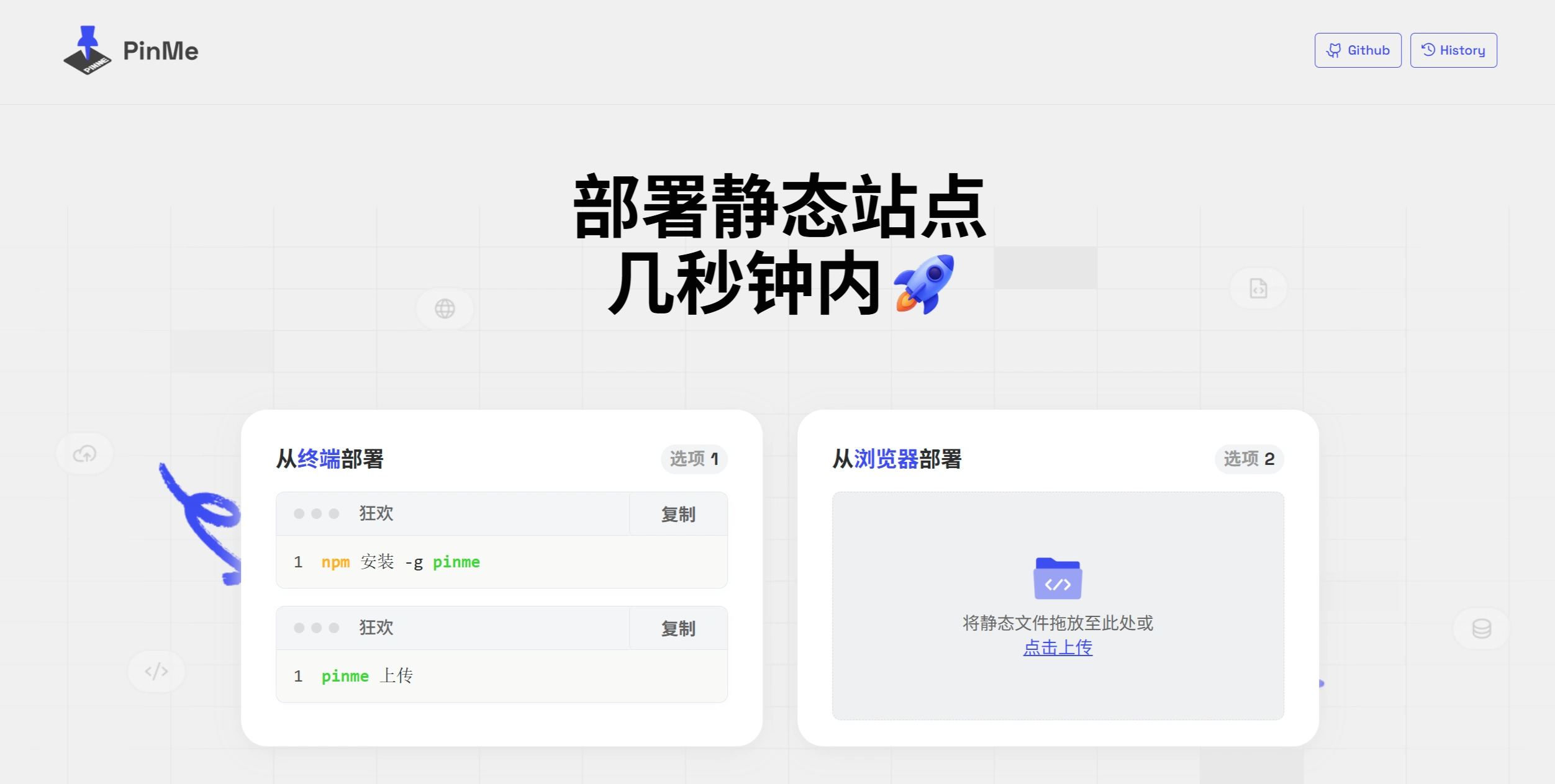
1. First, install the tool by entering the following command in the terminal:
npm install -g pinme
2. After installation is complete, upload your website files or folder using the command:
pinme upload <your file or folder path>
3. Once the upload is successful, an access link will be automatically generated. You can use this link directly to open the deployed website.
Key Questions:
Question 1: As a hosting platform, what is PinMe's core function?
Answer: PinMe's core function is to provide free IPFS hosting service for static websites, enabling decentralized frontend deployment. Users can quickly upload and host frontend content through simple terminal commands.
Question 2: What steps are required to deploy a static website with PinMe?
Answer: Just two steps. First, run npm install -g pinme in the terminal to install, then run pinme upload <folder/file-path> to upload the specified folder or file path, and the deployment is complete.
Question 3: Compared to traditional website hosting methods, what outstanding advantages does PinMe have?
Answer: Outstanding advantages include: no server or subscription required, reducing costs; websites on a decentralized network give users greater control with no lock-in or takedown risks; easy deployment via terminal commands without complex configuration; fast speeds delivered through a global peer-to-peer network with optimized loading; permanently free, suitable for all kinds of projects.
✅Github address:https://github.com/glitternetwork/pinme












