
 Script Planner Assistant▸
 AI Apps
 AI News

Oldswf: A Website Dedicated to Classic Flash Games
Oldswf: A Website Dedicated to Classic Flash GamesIntroduction
Oldswf is a website dedicated to classic Flash mini-games. It offers multiple categories including casual, puzzle, action, shooting, sports, chess & card, strategy, and unconventional, with a collection of over 50,000 different games. You can find escape, management, horror, and adventure games, as well as popular titles like Papa's Freezeria Chinese Invincible Version, Dr. Stanley's House, and Fireboy and Watergirl Chinese Invincible Version. No Flash plugin installation is required—you can play directly in modern browsers.
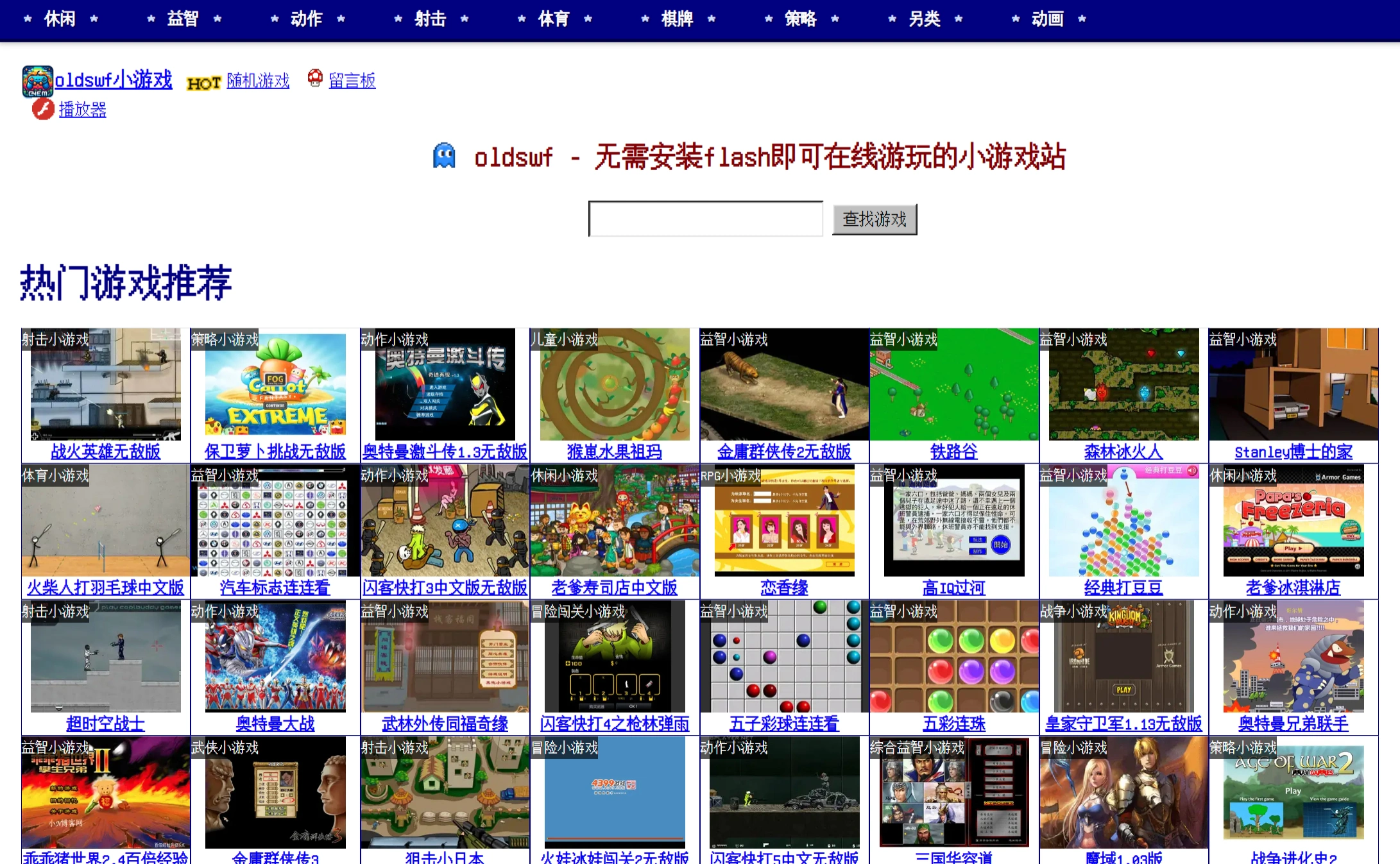
Website Features:
✅ Nostalgic classics with many old Flash mini-games that let you relive the fun of the past
✅ Uses Ruffle emulator technology, allowing Flash games to run smoothly in modern browsers
✅ Wide variety of games, including action, adventure, strategy, casual, and more
✅ Simple interface that's easy to operate, with support for multiple languages worldwide
Game Categories:
✅ Casual: Casual, two-player, pinball, spot-the-difference, Tetris, and other mini-games
✅ Puzzle: Puzzle, maze, jigsaw, pipe-connecting, Sokoban, and other mini-games
✅ Action: Action, adventure, adventure challenges, Metal Slug, fighting, and other mini-games
✅ Shooting: Shooting, CS shooting skills, aerial battles, tank battles, naval warfare, and other mini-games
✅ Sports: Sports, basketball, soccer, billiards, bowling, and other mini-games
✅ Chess & Card: Poker, Chinese chess, mahjong, Gomoku, comprehensive board games, and other mini-games
✅ Strategy: Strategy, war, and management mini-games
✅ Unconventional: Interactive, horror, detective, escape mini-games and animations
Website Functions:
✅ Oldswf offers multiple game categories for easy browsing by preference
✅ Oldswf supports game search to quickly find what you want to play
✅ Oldswf features popular game rankings so you can see what others are currently playing
How to Use Oldswf:
Visit the official website https://oldswf.com/
Browse the website or search for your favorite games
No plugin installation required—just click to play. Once the game loads, follow the on-screen instructions. For example, in "Sue's Thanksgiving Feast," after loading click "Start Game," then click "Let's Get Started," and click "Start" twice to begin playing. In "Jump Out!" click "START" to begin, use the mouse to click and hold the black ball, pull it down, adjust the angle and release, making the black ball bounce off the purple ball and land on the red platform to clear the level.















