
 Script Planner Assistant▸
 AI Apps
 AI News

AutoClip: An AI-Powered Smart Video Clip Generator
AutoClip: An AI-Powered Smart Video Clip GeneratorIntroduction
AutoClip is an intelligent video clipping tool that can automatically download Bilibili videos, edit highlights, and generate collections. It is suitable for clipping content such as podcasts, livestreams, and lectures.
Give it a Bilibili link, and it can automatically download the video and subtitles. Through analysis, it can find highlights from long videos and automatically generate titles. It recommends suitable collection topics, which you can also manually adjust. All clips and collections can be packaged and downloaded with one click. Its processing success rate is over 95%, it can clip 8-15 videos per hour, and each clip is 3-8 minutes long. It is suitable for various scenarios such as content creators and educational institutions. The automatic Bilibili upload feature is still in development.
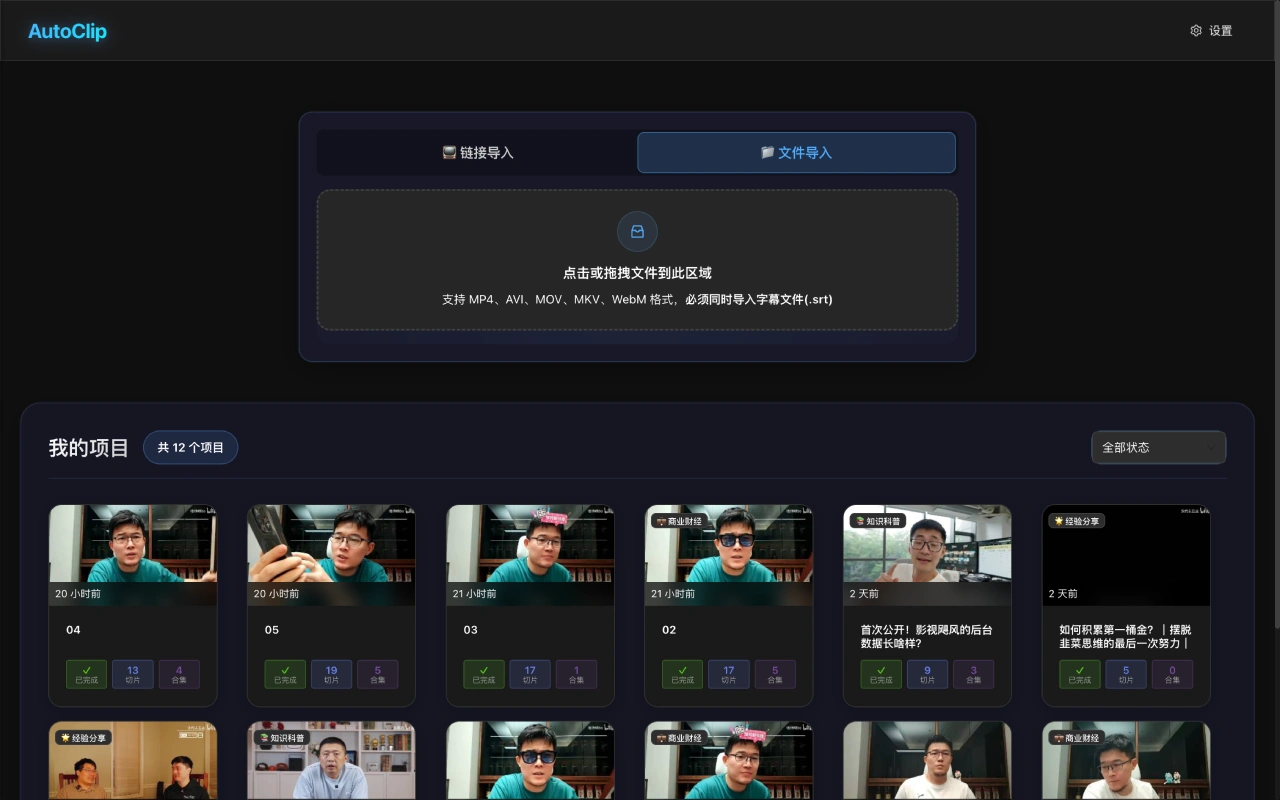
Core Features
✅ Intelligent Video Clipping: Automatically identifies highlights and generates high-quality clips.
✅ Bilibili Video Download: Automatically downloads videos and subtitles for easy material access.
✅ Intelligent Collection Recommendation: Recommends related collections to help you quickly organize videos.
✅ Manual Collection Editing: Allows you to drag and drop to reorder, add, or remove clips.
✅ One-Click Package Download: Package all clips and collections with one click.
✅ Real-Time Processing Status: Displays progress and logs in real time.
Target Users
✅ Content Creators: Quickly extract highlights, create short videos, organize collections, and extract subtitles.
✅ Educational Institutions: Clip course videos, organize learning resources, and assist with learning.
✅ Corporate Marketing: Create ad clips, organize product showcase videos, and generate social media content.
✅ News Media: Extract news clips, organize feature reports, and assist with subtitles.
✅ Self-Media and Bloggers: Quickly update content, organize series videos, and extract subtitles.
✅ Video Editing Teams: Quickly extract material, process subtitles, and generate collections.
✅ Individual Users: Organize family videos, create travel videos, and extract subtitles.
✅ Bilibili Users: Extract UP主的 video clips, organize fan collections, and extract subtitles.
✅ Academic Research: Extract research material, organize literature, and assist with subtitles.
✅ Sports Events: Extract highlights, organize event collections, and assist with subtitles.
✅ Film and TV Production: Create trailers, organize clips, and process subtitles.
✅ Online Learning Platforms: Clip course videos, plan learning paths, and assist with subtitles.
✅ Game Livestreams: Extract highlights, organize livestream clips, and assist with subtitles.
✅ Social Media Operations: Quickly update content, organize topic collections, and assist with subtitles.
AutoClip Tutorial
Upload Local Video
✅ Visit the AutoClip official website.
✅ Click the "Upload Video" button.
✅ Select the video file and subtitle file.
✅ Fill in the project name and category.
✅ Click "Start Processing".
Download Bilibili Video
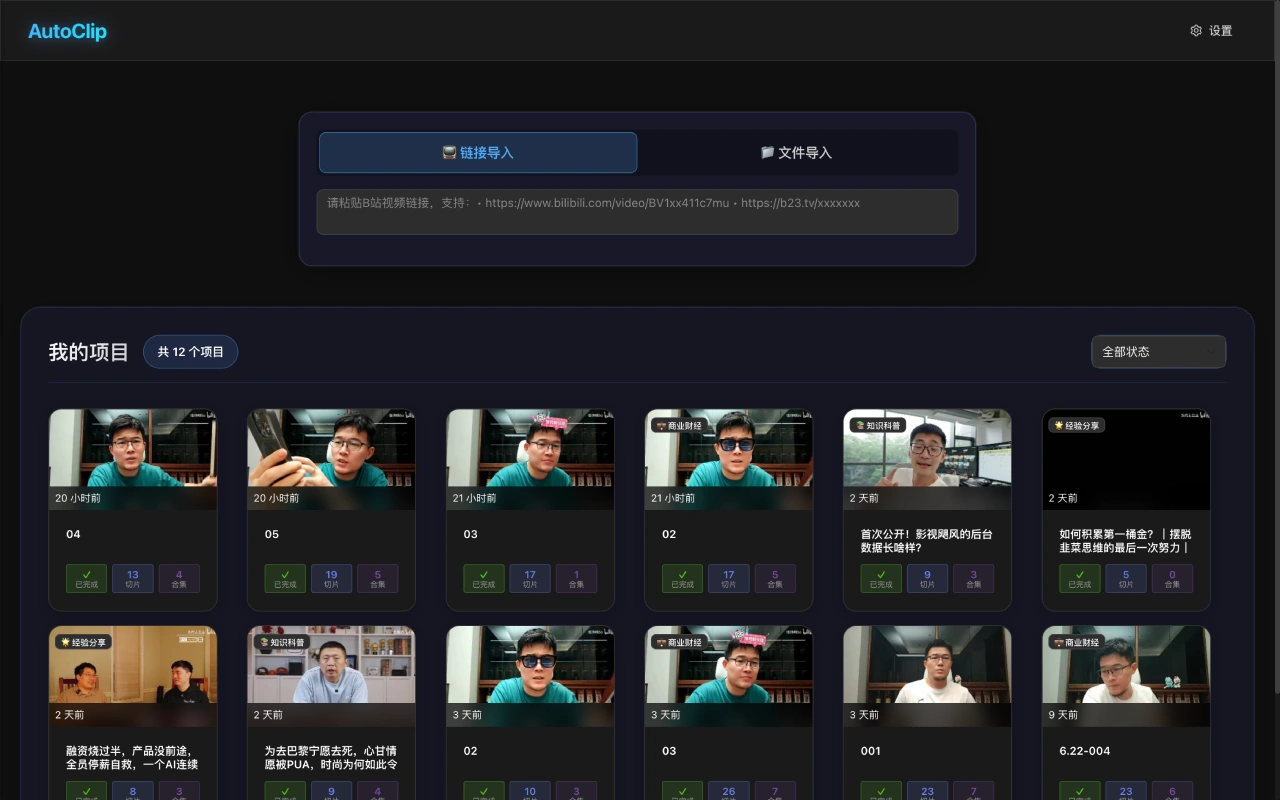
✅ Click "Bilibili Video Download" on the homepage.
✅ Enter the Bilibili video link (must have subtitles).
✅ Select the browser.
✅ Click "Start Download".
Edit Collection
✅ Enter the project details page.
✅ Click the collection card to enter edit mode.
✅ Drag and drop clips to adjust the order.
✅ Add or remove clips.
✅ Save changes.
Download Project
✅ Click the download button on the project card.
✅ Automatically package all clips and collections.
✅ Download the complete zip file.
Key Questions
✅ Question 1: What are the core features of AutoClip? What benefits can these features bring to users?
Answer: Core features include intelligent video clipping, intelligent collection recommendation, automatic title generation, content quality assessment, multi-project management, etc., as well as the Bilibili automatic upload feature under development. Intelligent video clipping can automatically identify valuable clips, saving screening time; intelligent collection recommendation can categorize related content and enhance content value; automatic title generation helps improve dissemination effect; content quality assessment ensures content quality; multi-project management supports handling multiple projects simultaneously, improving efficiency; Bilibili automatic upload enables full-process automation for user convenience.
✅ Question 2: How is AutoClip's processing capability? What specific aspects does it reflect?
Answer: The processing capability is strong, with a success rate of over 95%, 8-15 clips per hour, clip duration of 3-8 minutes, and a 6-step ai processing workflow. These reflect its efficient and stable processing, capable of meeting the needs of batch video processing.
Open Source Address:https://github.com/zhouxiaoka/autoclip_mvp















