Script Planner Assistant▸
 AI Apps
 AI News

Freesound: Free Sound Effects Download Library
Freesound: Free Sound Effects Download LibraryIntroduction
Freesound is a very popular free sound effects website, developed and maintained by a research team at Pompeu Fabra University in Barcelona, Spain. It provides a large library of royalty-free audio resources for musicians, game developers, sound designers, and video creators.
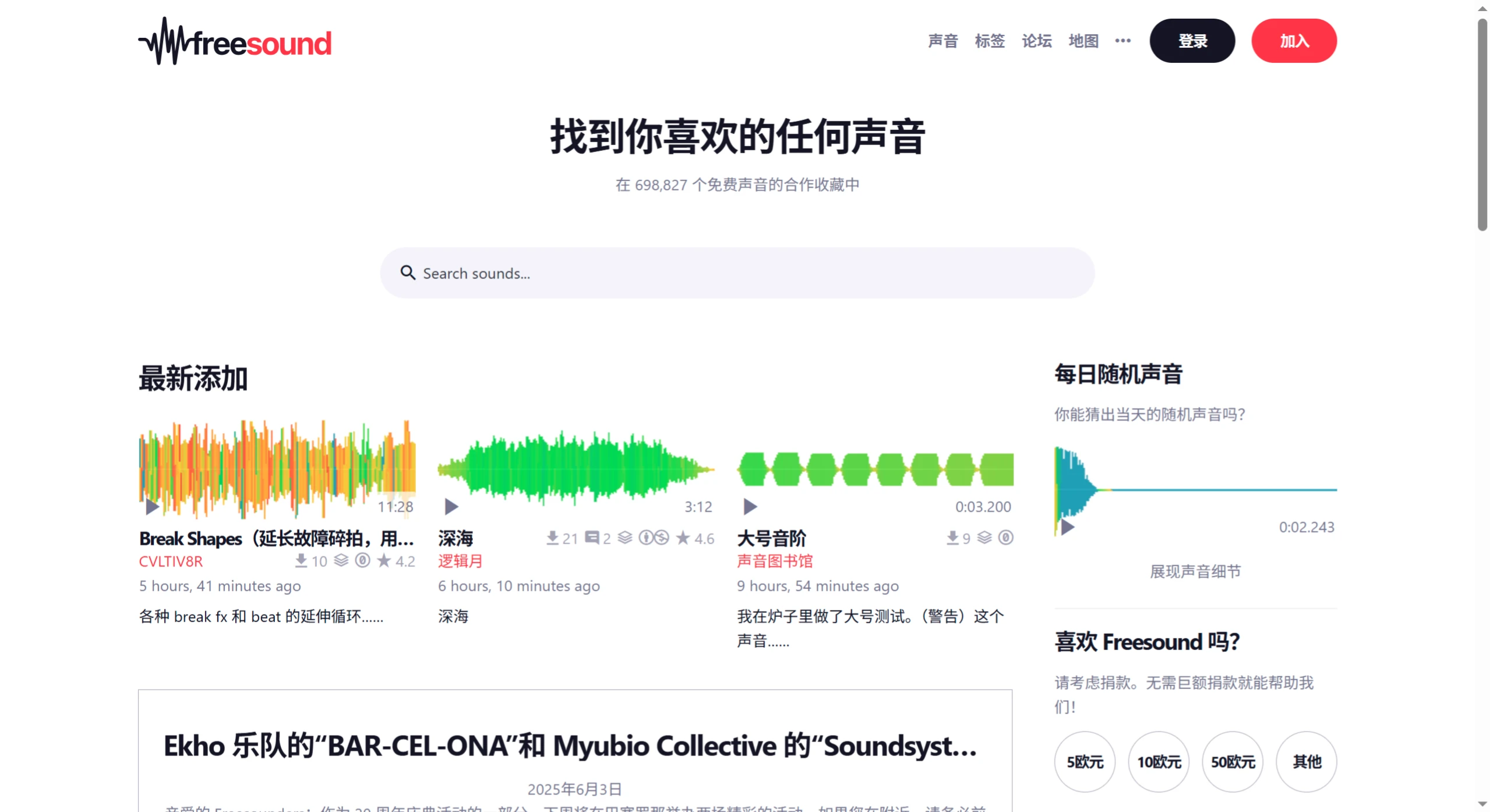
What are the features of Freesound?
✅ Free, but with usage restrictions
Most sound effects use the Creative Commons license and can be downloaded for free, but whether they can be used commercially or require attribution varies from file to file.
Be sure to check the licensing information for each sound effect to make sure it fits your use case.
✅ Powerful search and filtering
You can quickly find the sound effect you want using keywords, tags, sound type, duration, sample rate, and more.
Advanced filtering options help you save time when looking for素材.
✅ Community-driven
Users can upload audio they have recorded or created themselves, and can also comment on, rate, and download others' works.
The community is active — you can exchange experiences in the forum or look for specific types of sound effects.
✅ API available
Developers can use the Freesound API to integrate sound effect search and download functionality into their own programs, games, or websites.
✅ Easy-to-use official website
Official site: https://freesound.org
You can register an account (free) to favorite, manage downloads, upload sound effects, and participate in community interactions.
You can also use the site without logging in, but functionality will be limited.
Common Use Cases
✅ Game development: ambient background sounds, footsteps, weapon sound effects, etc.
✅ Video / YouTube creation: background atmosphere sounds, transition effects
✅ Music production: various instrument tones, percussion, special effect sounds
✅ Education and research: sound recognition, audio analysis, and other uses
How to Get Started (Beginner's Guide)
Step 1: Open the Freesound website
✅ Visit: https://freesound.org
✅ Without logging in: you can search and download, but functionality is limited.
✅ Register an account (recommended): you can favorite, manage, upload sound effects, comment, and download more content.
✅ Registration is simple — just click Sign up in the top-right corner and fill in your email, username, and password.
Step 2: Search for sound effects
✅ Enter keywords in the search box on the homepage, such as:
rain (sound of rain)
footsteps
piano
explosion
ui click
ambient
sword
wind
✅ Then press Enter or click search.
Step 3: Preview and filter
✅ Each search result will show:
Audio waveform (click to play and preview)
File name, uploader, duration
License type
Tags
Download button (login may be required)
✅ You can use the filtering tools on the page to narrow down results by duration, sample rate, license type, tags, upload time, etc., to find suitable sound effects faster.
Step 4: Check the license and download
Each sound effect's page indicates its license agreement, such as:
CC-BY: free to use, but requires attribution to the original author
CC0: completely free, commercial use allowed, no attribution required
Other licenses may restrict commercial use or modification
Be sure to read the license information carefully before deciding to use it.
Downloading is simple — just click the Download button.
Some sound effects require logging in first to download.
The format is usually .wav, .mp3, or .flac, depending on what the uploader provides.
How to Upload Your Own Sound Effects (Optional)
If you've recorded or created sound effects and want to share them with others, you can upload them:
✅ Log in to your Freesound account
✅ Click Upload in the top-right corner
✅ Upload audio files (supports .wav, .mp3, .aiff, .flac formats)
✅ Fill in the information:
Name
Description
Tags (e.g., rain, ambient, field-recording)
License agreement (CC licenses are recommended, such as CC-BY or CC0)
✅ Wait for review after submission (some content will be manually checked)
✅ Once uploaded successfully, others can search for and use the sound effects you provide.
Frequently Asked Questions
✅ Q: Can Freesound sound effects be used commercially?
A: It depends on the license. Common situations:
CC-BY: commercial use allowed, but attribution is required
CC0: completely free, commercial use allowed, no attribution required
Other licenses may restrict commercial use or modification
Each sound effect's page clearly states the license type — always confirm before use!
✅ Q: Can I modify sound effects from Freesound?
A: If the license permits (such as CC-BY, CC0, etc.), you can edit, remix, or create derivative works, but you still need to comply with the original license requirements, such as attribution.
✅ Tips
Using English keywords yields better search results
Try combining keywords, e.g., rain forest, footsteps grass, sci-fi laser
Browse popular tags and other users' sound effect pages to find more inspiration
If you already have a specific type of sound effect in mind, such as "wind sound", "magic sound effect", or "UI click sound", feel free to let me know — I can help you find keywords or even recommend specific sound effect links. Just ask anytime.