
 Script Planner Assistant▸
 AI Apps
 AI News

PhET: Free Online HTML5 Interactive Simulation Platform
PhET: Free Online HTML5 Interactive Simulation PlatformIntroduction
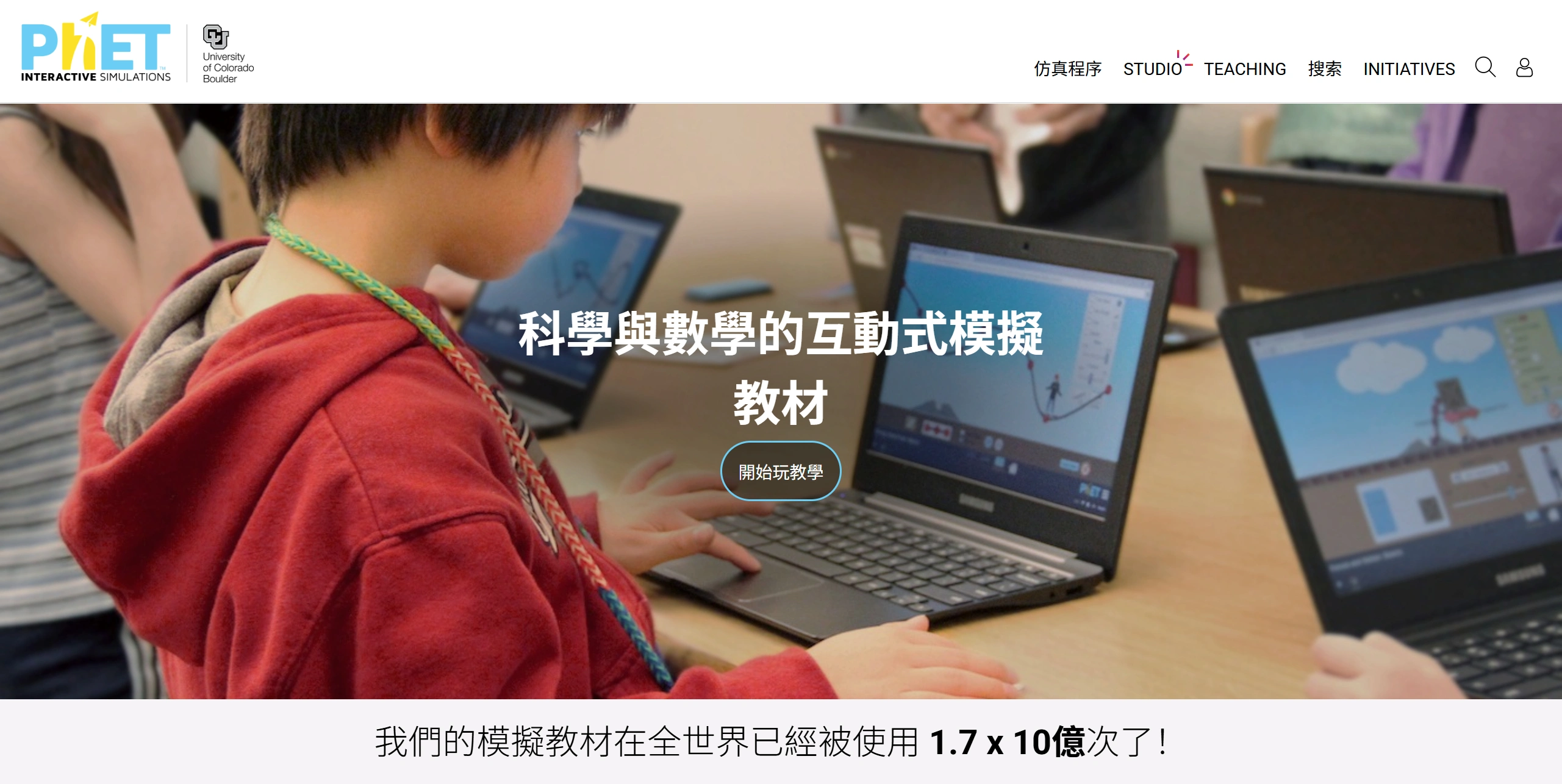
PhET is an interactive simulation platform launched by the University of Colorado Boulder in 2002. Its creator is Nobel laureate in physics Carl Wieman. The platform now hosts over 170 HTML5 simulations, covering subjects such as physics, chemistry, mathematics, biology, and earth science. All simulations are free to access and support 130 languages.
It can be run online or downloaded for free from the official website. These simulation systems feature animated, interactive, and game-like environments that enable students to learn through exploration. With gamified simulations, it helps students intuitively grasp science and math concepts, covering subjects from elementary to higher education, including physics, chemistry, biology, mathematics, and earth science. It offers strong interactivity, high-quality visualization, and is free and easy to use. More than 500 million teachers and students worldwide use it, and it has been adopted by over 1,200 high schools and 300 universities.
The lesson plans are contributed, reviewed, and continuously updated by frontline teachers. In 2026, new modules such as "Artificial Intelligence Basics" and "New Energy Technologies" have been added.
Why Choose PhET
It brings the laboratory into the browser, enabling cross-platform use.
It doesn't chase flashy 3D effects, instead using precise physical models and freely adjustable parameters to let students truly get hands-on.
Free, open-source, and multilingual. As long as you have a device with internet access, you can get the same science education resources as University of Colorado Boulder students.
Core Features
Simulation experiments: circuit building, molecular polarity observation, projectile motion, photosynthesis modeling, quantum tunneling, etc. Support drag-and-drop components and real-time adjustment via parameter sliders.
Data tools: Built-in virtual measurement instruments that can record data and generate charts.
Teacher resources: Each simulation comes with a teacher's guide and student activity booklet. Teachers worldwide can contribute lesson plans.
Offline support: The web version allows downloading an HTML5 package for offline use; the iOS app can be downloaded for offline use; the WeChat mini-program "Science Simulation" offers a selection of simulations.
Technical Advantages
Scientific accuracy: Every simulation is double-validated by domain experts and education specialists, ensuring reliable and rigorous content.
Cross-device adaptation: Compatible with interactive whiteboards, tablets, phones, and other devices, with optimized touch gesture support.
Zero-barrier access: No registration required, and offline simulation packages are supported, making it convenient when there is no internet connection.
Use Cases
Classroom teaching: Teachers can use it to demonstrate experiments, making up for limited real lab conditions.
After-school learning: Students can log in to practice and deepen their understanding of key concepts.
Homework and labs: Simulations can serve as part of homework or lab activities, supporting independent study.
Remote areas: Old phones or tablets are sufficient to perform basic physics and chemistry experiments
Key Questions
Question: What features does PhET's dynamic modeling system include, and what does each do?
Answer: It includes real-time parameter control, multi-scale visualization, and an error feedback mechanism. Real-time parameter control allows users to change variables and see results instantly; multi-scale visualization displays micro and macro phenomena together so they can be understood from different perspectives; the error feedback mechanism provides intelligent guidance when operations go wrong, helping users correct errors and reinforce their knowledge.
Question: What technical advantages does PhET have, and what benefits do they bring?
Answer: Its advantages include scientific accuracy, cross-device adaptation, and zero-barrier access. Scientific accuracy is verified by experts, ensuring reliable content and helping users learn correct knowledge; cross-device adaptation ensures compatibility with various devices and touch optimization, delivering a smooth experience on any device; zero-barrier access requires no registration and supports offline downloads, lowering the barrier to entry and making learning available anytime.
Question: What are typical use cases of PhET in physics, chemistry, and biology, and what knowledge can they help users understand?
Answer: In physics, the Energy Skate Park simulation helps users understand energy conversion and conservation laws as well as how physical parameters affect motion; in chemistry, the "Build a Nucleus" simulation helps users understand atomic nucleus composition, stability, and the principles of radioactive decay; in biology, the "Gene Expression Basics" simulation helps users understand the principles of gene expression, regulation mechanisms, and how genes control protein synthesis.
How to Use
Go to https://phet.colorado.edu/zh_CN/, browse by subject, or use the search bar at the top to look up keywords.
On the simulation page, read the introduction to learn about the key concepts and operation goals.
Drag sliders, buttons, or virtual components to adjust parameters and observe changes in real time.
In the top right corner, you can download the offline HTML version, or click "Teacher Resources" to get lesson plans.
You can reset it at any time during the simulation and take screenshots to save key scenes.
Classroom Demo Tips
Live class: Share your screen and explain while operating.
Group tasks: Operator, recorder, and conclusion-maker share one device to complete the experiment.
Micro-lesson creation: Use a browser screen recording extension to record the operation process, then export it and share with students.
Comparison with Similar Products
| Dimension | PhET | Khan Academy | Labster | SPYRAL ai Workbench |
|---|---|---|---|---|
| Cost | Completely free | Free | Subscription-based, relatively expensive | Free/Partially paid |
| Subject coverage | Physics, Chemistry, Mathematics, Biology, Earth Science | All subjects (including humanities) | Primarily Biology, Chemistry, Medicine | Biology, Chemistry (localized for India) |
| Interaction depth | High: free parameter adjustment, experiment building | Medium: mainly videos + exercises | High: 3D virtual labs | High: AI feedback + localized cases |
| Offline support | Supported | Limited | Not supported | Limited |
| Languages | 130 | Multiple languages | Primarily English | English, Hindi |
| Teacher resources | Rich | Average | Relatively rich | Few |
| Open-source level | Fully open-source | Not open-source | Not open-source | Not open-source |
| Applicable education levels | Elementary to university | Elementary to high school | High school to university | Secondary school to university |















