Script Planner Assistant▸
 AI Apps
 AI News

FeiSouXia: A Powerful Feishu Document Search Tool
FeiSouXia: A Powerful Feishu Document Search ToolIntroduction
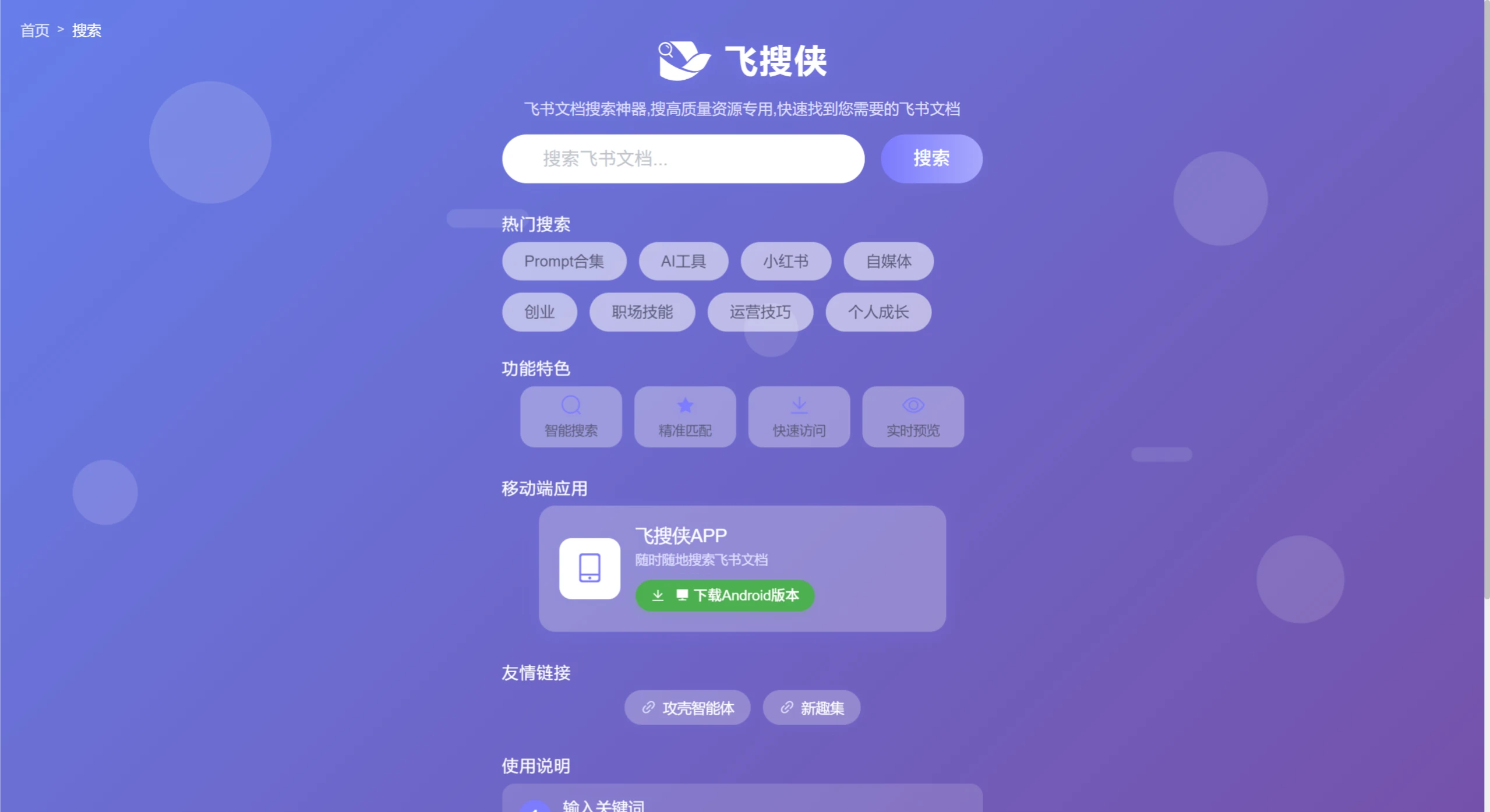
飞搜侠 is a document search tool designed specifically for Feishu users. Enter a keyword to quickly find public Feishu documents and open them with one click. It searches not only titles but also content, helping students, professionals, and others who frequently need to find information across multiple Feishu documents quickly locate study materials or work files.
Main Features
Rapid keyword search: Enter a title, text snippet, or author name, and matching documents appear within seconds. Coverage of both titles and body content makes it more accurate than title-only search.
Smart result filtering: Filter by creation time, document type, sharing scope, and more, making it easy to focus on recent files or specific formats.
One-click open and copy: Click a search result to open the original document directly, or copy the link to share — no extra steps needed.
Efficient search algorithm: Crawls content from the Feishu public domain and combines it with a local index, providing broader coverage than the native search while delivering a similar experience.
Reverse image text search: Search for related documents using the text within an image, solving the problem of "remembering the content of an image but forgetting the keyword."
Application Scenarios
Content creators: When writing plans or articles, quickly find industry examples, saving time on research.
Product managers / operations: Verify competitor features, find industry standard documents, quickly list reference links, and improve research efficiency.
Learners: Look up publicly available course notes, reading shares, and other learning resources, breaking through enterprise restrictions.
Enterprise office: Quickly find meeting minutes, project plans, daily and weekly reports, and more.
Team collaboration: Look up materials uploaded by colleagues, reducing repetitive communication.
Teaching and training: Retrieve courseware, training materials, notes, and more.
Project management: Quickly locate relevant documents across multiple projects.
How to Use
Visit the official website or download the Android app, enter keywords to search; click on a document to open it, or click the copy button to copy the link; to search content in private spaces, use the Feishu client or the open platform API.
Pricing
A free version is currently available, with a built-in advanced search algorithm and intelligent recommendation system that helps users easily find the content they need.
Key Questions
Q: What are the core features of 飞搜侠?
As a Feishu document search tool, it can quickly find the documents you need, offering smart search, precise matching, fast access, real-time preview, and more. It also has a mobile app for searching anytime, anywhere.
Q: What fields do the popular searches on 飞搜侠 cover?
They include Prompt collections, ai tools, Xiaohongshu, self-media, entrepreneurship, workplace skills, operational tips, personal growth, and more.
Q: Does 飞搜侠 have a mobile app? If so, what are its features?
Yes, there is a 飞搜侠 Android app that allows you to search Feishu documents anytime, anywhere, making it convenient across different scenarios.
Q: What are the core features of 飞搜侠, and what user pain points do they solve?
Core features include rapid keyword search, smart result filtering, one-click open and copy, efficient search algorithm, and reverse image text search. They address issues such as time-consuming document retrieval, low search precision, being unable to search when you remember an image but forget the word, and cumbersome result navigation.
Q: What scenarios is 飞搜侠 suitable for, and what benefits can different user groups get from it?
It is suitable for content creation, product operations, learning, enterprise office, team collaboration, teaching and training, project management, and more. Content creators can quickly find examples; product/operations staff can boost research efficiency; learners can look up study resources; office workers can quickly find materials; team members can reduce communication; educators can retrieve materials; and project managers can locate documents.
Q: How do users use 飞搜侠, what platforms are supported, and is payment required?
How to use: Visit the official website or download the Android app, enter keywords to search, and click a document to open it or copy the link; for private space searches, use the Feishu client or the open platform API. Web and Android platforms are supported, and it is currently free to use.