
 Script Planner Assistant▸
 AI Apps
 AI News

LiYing: Open-Source AI Tool for Automated ID Photo Processing
LiYing: Open-Source AI Tool for Automated ID Photo ProcessingIntroduction
LiYing is a program designed for the automated processing of ID photos. It runs fully offline locally, making it ideal for use in photo studios and similar scenarios, and can greatly improve work efficiency.
Features
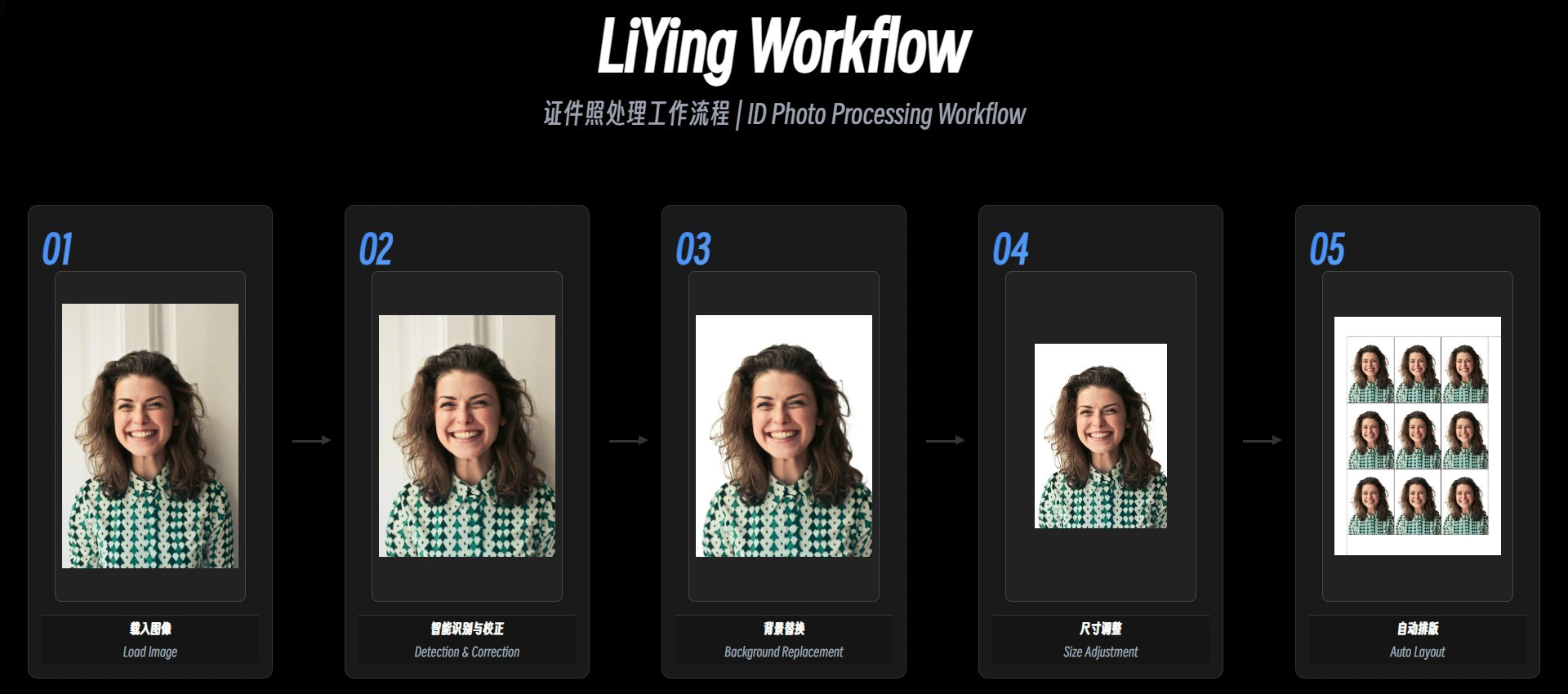
Automatic Recognition & Processing: Automatically detects the human body and face, corrects angles, changes background color, crops to any size, and lays out the photo.
Auto-Correction: Detects and corrects tilted shots to ensure the portrait is upright.
Smart Background Replacement: Supports common background colors such as blue, white, and red, and allows custom RGB values.
Cropping to Any Size: Quickly generates ID photos in 1-inch, 2-inch, visa photo, and other specifications.
Auto Layout: Arranges multiple finished photos onto standard paper sizes such as 5×7 and 6×8 for easy printing.
Multiple Versions: Offers three versions—CLI, BAT, and WebUI—divided into Compatible (for older systems) and Latest (for newer systems).
Image Compression: Compresses images via AGPicCompress with controllable file size, featuring new size_range and target_size options.
Flexible Configuration: Configures sizes and colors through a CSV file, with command-line support for specifying model paths.
Multilingual Support: Supports both Chinese and English for users in different regions.
Use Cases
Professional Photo Studios: Batch processing of ID photos to save labor costs.
Individual Users: Create high-quality ID photos at home on your own.
Getting & Deploying
Download: Get the no-installation archive and online documentation from GitHub Releases.
Run: Windows users can download the integrated package, extract it, and run the run.bat file.
How to Use
Get the tool: Follow the public account and send "LiYing" to get the content and download the integrated package.
How to Run: After extracting the files, run the run_zh.bat file.
Processing Workflow: Drag the images you want to process onto the run_zh.bat file, and LiYing will automatically process and output the results.
Notes
Scope of Use: Designed specifically for standard single-person portraits; complex backgrounds or group photos may lead to misjudgment.
Privacy Protection: All image processing is performed locally and does not require an internet connection.













