
 Script Planner Assistant▸
 AI Apps
 AI News

RunningHub: Build ComfyUI Workflows Online and Monetize AI Apps
RunningHub: Build ComfyUI Workflows Online and Monetize AI AppsIntroduction
RunningHub is a cloud-based AIGC creation platform launched by Haima Cloud Tech, mainly responsible for the generation and workflow management of graphics, images, and video content. It is built on the open-source ComfyUI architecture and comes with over 7,000 preset nodes and many popular models, including Stable Diffusion, CogVideo, Tencent Hunyuan image-to-video, and more. Users don't need to know programming — they can build AI workflows through visual drag-and-drop and generate high-quality content.
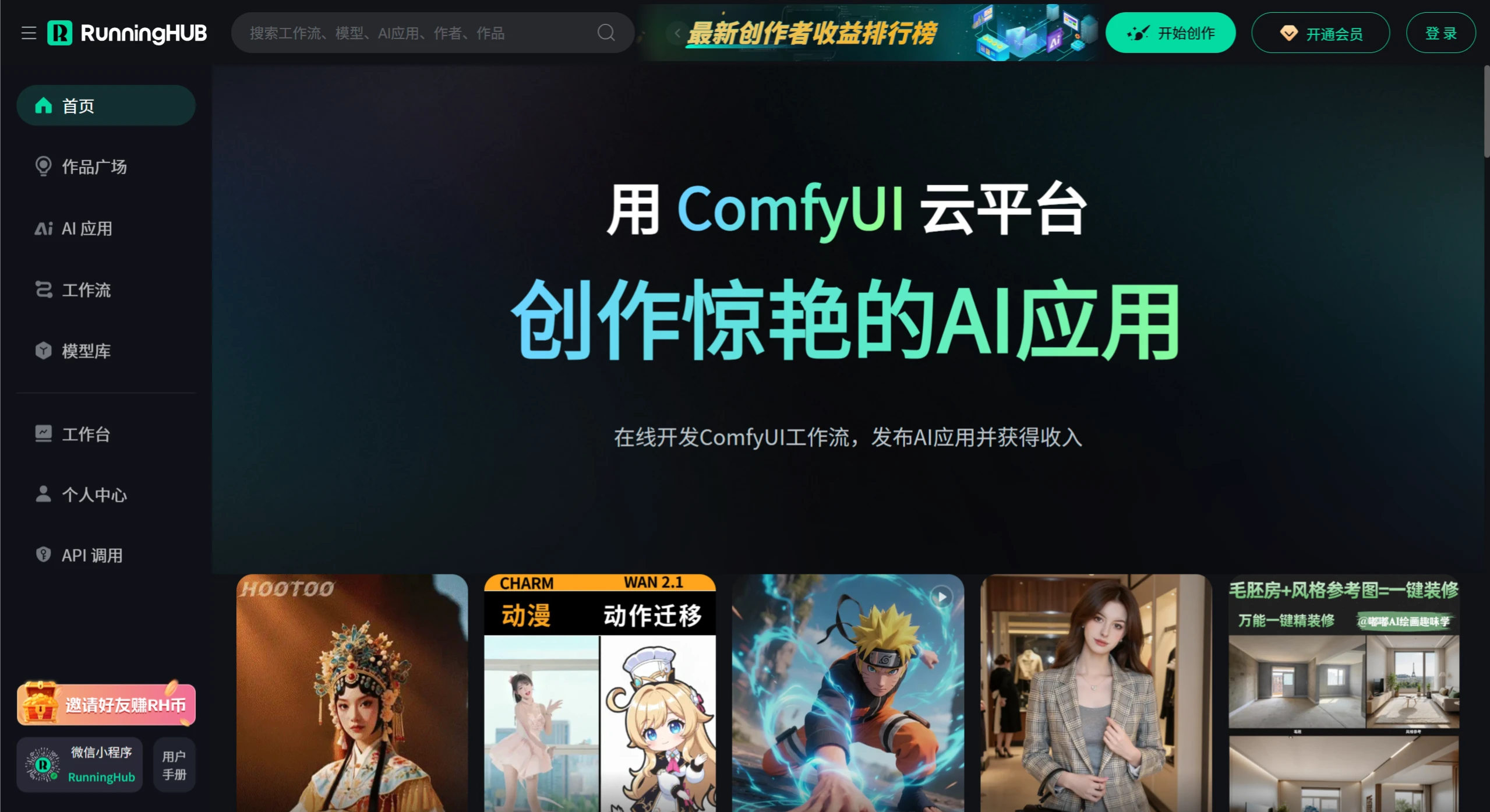
Core Features:
Zero barrier to entry: No local deployment needed; open a browser and start using it. Suitable for both beginners and professional creators.
Powerful computing support: Backed by cloud GPU clusters, such as RTX 4090, capable of handling high-performance tasks like HD video generation and batch image processing.
Rich model and node library: Integrates multiple models for image generation, video generation, virtual human driving, style transfer, and more. Nodes are updated daily.
Creation as monetization: Workflows can be packaged into AI applications and listed on the platform, allowing creators to earn revenue through traffic sharing or user-paid usage.
Multi-scenario applicability: Can be used in e-commerce, film and television, gaming, interior design, short video production, and other fields.
Technical Architecture:
Modular node system: Deeply optimized based on the ComfyUI open-source architecture, featuring over 7,000 preset nodes and integrating Tencent Hunyuan image-to-video, among others. Supports zero-code workflows with visual drag-and-drop node connections, as well as real-time debugging and version management. Developers can use Python/JS for development, with revenue sharing ratios of 50%-70%. The app store hosts over 1,200 third-party nodes.
Cloud computing: Low hardware requirements — a laptop with 6GB VRAM can generate 120-second/30-frame HD video, powered by FramePack technology. Supports multi-modal generation, enabling cross-modal conversion from text to images, video, 3D assets, and more. Strong batch processing capability — generating 100 product images in batch takes only 38 seconds, backed by Tencent Cloud's 100,000+ GPU cluster support.
Full-chain creation tools: Enterprise-grade solutions for e-commerce, film and television, and gaming-related work; individual creators can restore old photos with 96% accuracy and boost short video production efficiency by 300%.
Application Scenarios:
E-commerce: Automatically generate product images, detail pages, and marketing videos.
Film and television production: Achieve an automated workflow from storyboard scripts to final cuts.
Personal creation: For example, restoring old photos, batch generating short videos, creating stylized images, and more.
How to Use:
No local installation needed — open the web page and start creating. Login is available via WeChat QR code scan, verification code, or account password.
Generate Images:
Upload an image: Click "Add Node" and select the "Load Image" node to upload a local image.
Choose a model and adjust parameters: Add image generation model nodes such as "Flux.1" and adjust style, resolution, and other parameters as needed. For example, using the FLUX - E-commerce model, input your desired scene description to generate ultra-realistic product images.
Generate and optimize: Click the "Run" button, and the preview area on the right will display the generated result. If not satisfied, you can add a "Fill" node for local patching, or use a "Redux" node to adjust the style until you're satisfied.
Generate Videos:
Select a video generation node: Find video generation nodes like "CogVideo" or "Hunyuan Video" in the node list. For example, using the Tencent Hunyuan image-to-video model, you can upload images of people, scenes, anime, etc.
Input description or upload materials: Enter a text description, such as "flying superhero," to let the model know what to generate. You can also upload relevant audio and other materials as required by the model. To produce digital human videos, you need to upload images, select a voice, upload audio, and enter text.
Set parameters and generate: Connect the "Output Video" node and set parameters such as video duration (default is usually 5 seconds). Click "Run," and once generated, you can download the MP4 file.
What exactly is RunningHub's business model and monetization approach? How do developers earn revenue through the platform?
Business Model:
User side: Basic features are free, offering over 7,000 preset nodes, cloud computing, and basic creation tools; value-added services are paid — for example, purchasing RH coins to unlock advanced features, and enterprise users pay for custom API interfaces.
Developer side: Developers upload nodes or workflows. When users use them, developers can earn 50%-70% revenue share. The platform also offers rewards based on workflow usage volume, user satisfaction, and originality.
Monetization Methods:
Transaction commission: Charges users for using services, such as when users purchase AI applications or nodes published by developers.
Advertising revenue: Earns money by placing ads in apps, websites, etc.
Membership services: Launches membership services where users pay to become members and enjoy discounts and privileges, generating membership fees and value-added service revenue for the platform.
Developer Revenue Paths:
Direct revenue: Develop and upload nodes or workflows, and earn money based on the share ratio when users purchase them; upload custom models and charge based on user invocation volume.
Indirect revenue: Become a platform-signed creator and participate in brand customization projects for commissions; popular works gain more traffic exposure, attracting more users and increasing revenue.
RunningHub aims to lower the barrier to AI content creation and promote a closed-loop ecosystem of "creativity — development — reuse — monetization," making it suitable for designers, content creators, developers, and enterprise users.















