
 Script Planner Assistant▸
 AI Apps
 AI News

Goblin Tools: AI Tool Suite for Neurodivergent Users (ADHD)
Goblin Tools: AI Tool Suite for Neurodivergent Users (ADHD)Introduction
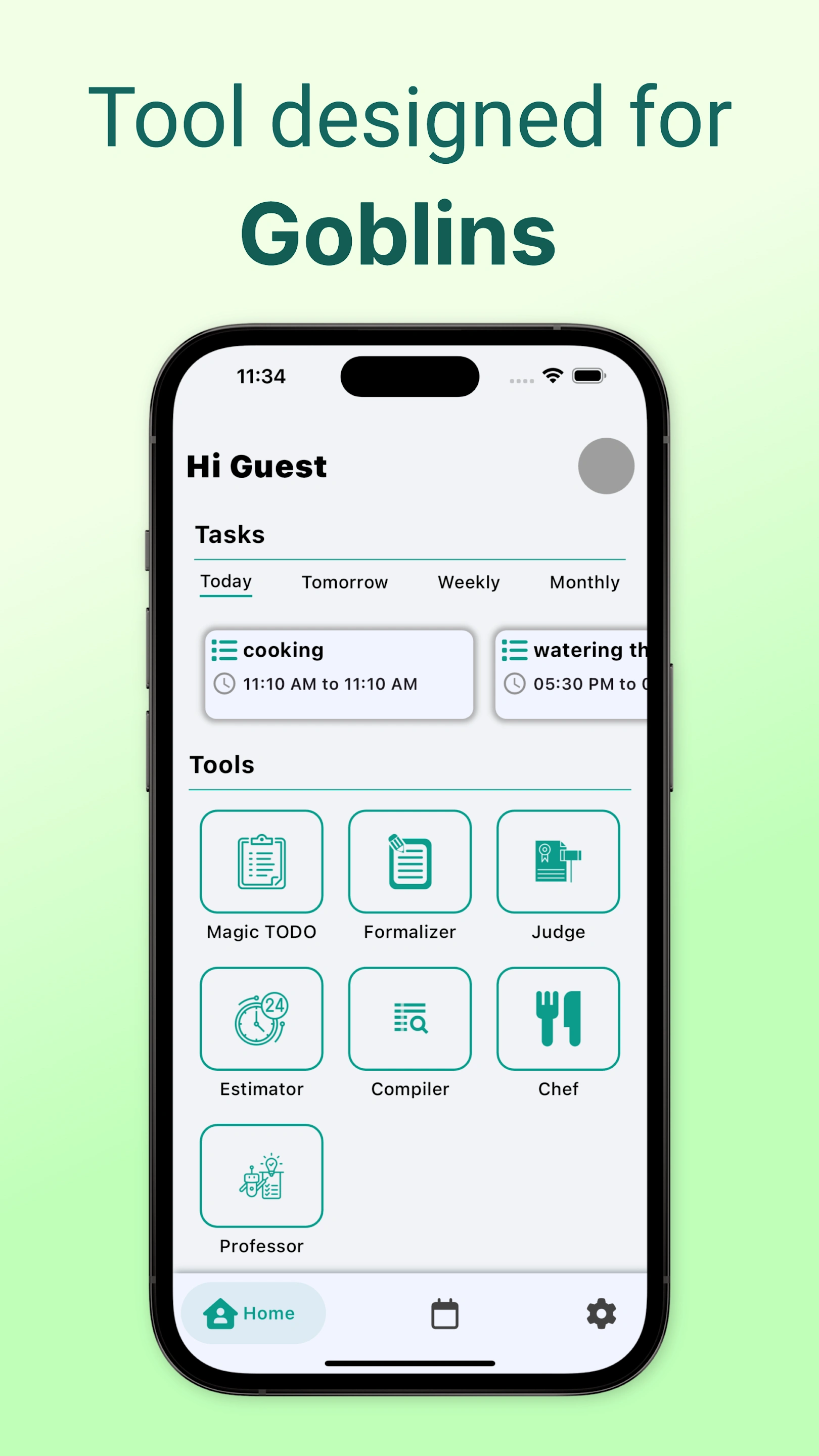
Goblin Tools is a free AI application designed for neurodiverse users, available in both web and mobile versions. It includes six features: Magic To-Do, The Judge, Compiler, The Professor & The Consultant, and Formaliser. It helps users break down tasks, check tone, organize thoughts, answer questions, and adjust tone, making it useful for students, working professionals, and others.
Features:
Task Management Tools
Magic To-Do: Breaks large tasks into smaller steps. Users can select a "spice level" based on task difficulty or stress level, and the system will adjust the granularity of the breakdown accordingly.
Task Assistant: Breaks down tasks and provides timely reminders to ensure users stay on track throughout.
Text Processing Tools
Tone Adjustor: Adjusts the tone of text to be more formal, casual, friendly, or assertive, suitable for adjusting the tone of emails, messages, and other written communications.
Tone Checker: Analyzes the emotional tone of conversations, helping users better understand and respond appropriately.
Time Management Tool: Predicts the time required for tasks, helping users manage their time more efficiently and reduce stress.
Thought Organization Tool: Organizes scattered thoughts or notes into clear, actionable to-do lists.
Life Assistance Tool: Recipe Finder — recommends dishes based on the ingredients and details provided by the user.
Use Cases:
Personal task management, project management, text processing, decision support, education and training, time estimation, cooking guidance, social communication, etc. It is helpful for neurodivergent individuals, busy professionals, students, parents, and more.
Platform Support: Compatible with major browsers and devices, available in web and mobile app versions (iOS/Android). Some platform versions are paid, while basic features are free with no ads.
Key Questions:
Question 1: What features does Goblin Tools have, and what does each do?
Answer: It includes six features. Magic To-Do breaks large tasks down into step-by-step actions; The Judge checks the tone of messages; Compiler consolidates scattered thoughts into summaries; The Professor & The Consultant explains difficult problems and provides advice; Formaliser changes tone with a single click.
Question 2: Who is Goblin Tools suitable for?
Answer: It is primarily designed for neurodiverse users, and is also useful for students, working professionals, and anyone who feels overwhelmed or has racing thoughts.
Question 3: How do I get started with Goblin Tools?
Answer: You can click the link "Goblin Tools" to use it, or search for "Goblin Tools" in the app store.















