
 Script Planner Assistant▸
 AI Apps
 AI News

Dual AI Chat: Debate-Style AI Q&A App
Dual AI Chat: Debate-Style AI Q&A AppIntroduction
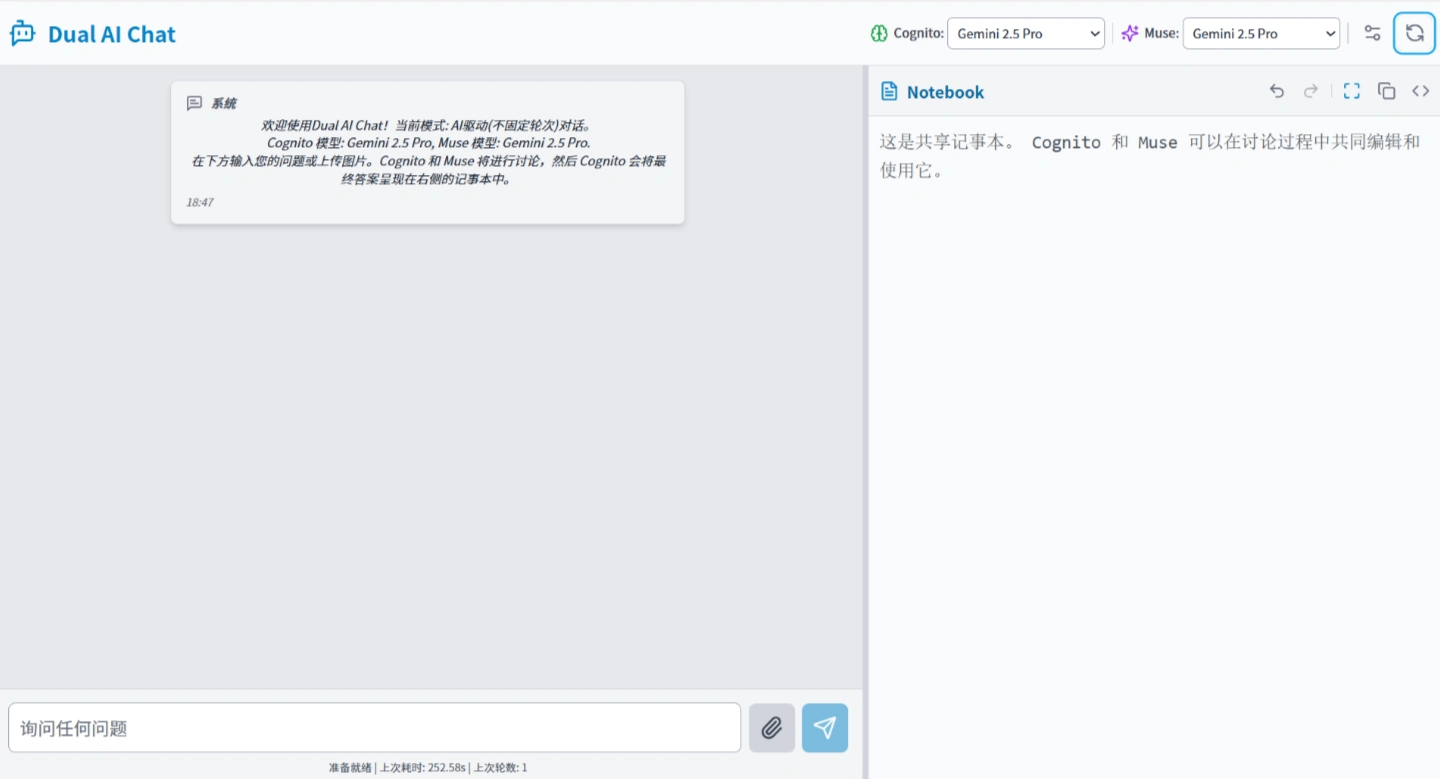
Dual-ai-Chat is a chat application whose core design is to have two AI systems with different approaches (Cognito and Muse) collaborate through debate to generate answers. By default, it connects to the Google Gemini API, while also being compatible with other OpenAI-standard API interfaces, and supports local models or other hosted services.
Key Features:
Dual-AI Debate: Cognito (logic-oriented) and Muse (skepticism-oriented) first discuss the question internally, reducing misinformation through cross-verification and analyzing from multiple perspectives before outputting the final answer.
Multi-Interface Support: Natively compatible with Google Gemini, while also supporting all OpenAI-standard interfaces, allowing flexible switching between local models or third-party services.
Shared Notepad: Both AIs share a Markdown-enabled notepad, with multi-step undo/redo for all discussions and edits.
Multimodal Input: Supports uploading images and text; the AI can identify the image content and incorporate it into the discussion.
Flexible Configuration: Freely switch AI models, adjust interface settings, and customize discussion modes and prompts.
Error Handling: Automatically retries failed requests and provides a manual retry button to ensure uninterrupted conversation.
Technical Implementation:
Frontend developed with React 19 + TypeScript
Build tool is Vite
Styling implemented via Tailwind CSS (loaded via CDN)
Dependency management loads ES modules directly through Import Map in index.html, no local node_modules required
Icon library uses Lucide React
Markdown rendering handled by Marked, with security sanitization by DOMPurify
Development Environment Setup:
Requires Node.js 18 or higher
Clone the repository: git clone <repository URL> && cd dual-ai-chat
Install dependencies: npm install
Start development mode: npm run dev; the browser will automatically open the local access URL
How to Use:
Enter a question: Supports text input or uploading an image to ask
View the process: Observe the discussion details between Cognito and Muse through chat bubbles
Get the answer: The final answer is displayed in the notepad
Notepad operations: Supports preview/source toggle, full-screen display, content copy, and multi-step undo/redo
Personalization: Adjust AI backend, discussion mode, interface font size, and system prompts through the settings panel
Use Cases:
Learning & Research: Analyze academic questions and resolve learning difficulties
Content Creation: Optimize copywriting and spark creative inspiration
Professional Work: Troubleshoot technical issues and assist with business decisions
Daily Assistant: Travel and renovation consultation, casual chat
Current Limitations:
Replies require waiting for complete generation; word-by-word streaming output is not supported
In "AI-driven" mode, the two AIs may repeatedly debate each other
All AI requests are executed sequentially; you must wait for the current task to complete before initiating a new request













