Script Planner Assistant▸
 AI Apps
 AI News

BuildCores: 3D PC Assembly Simulator
BuildCores: 3D PC Assembly SimulatorIntroduction
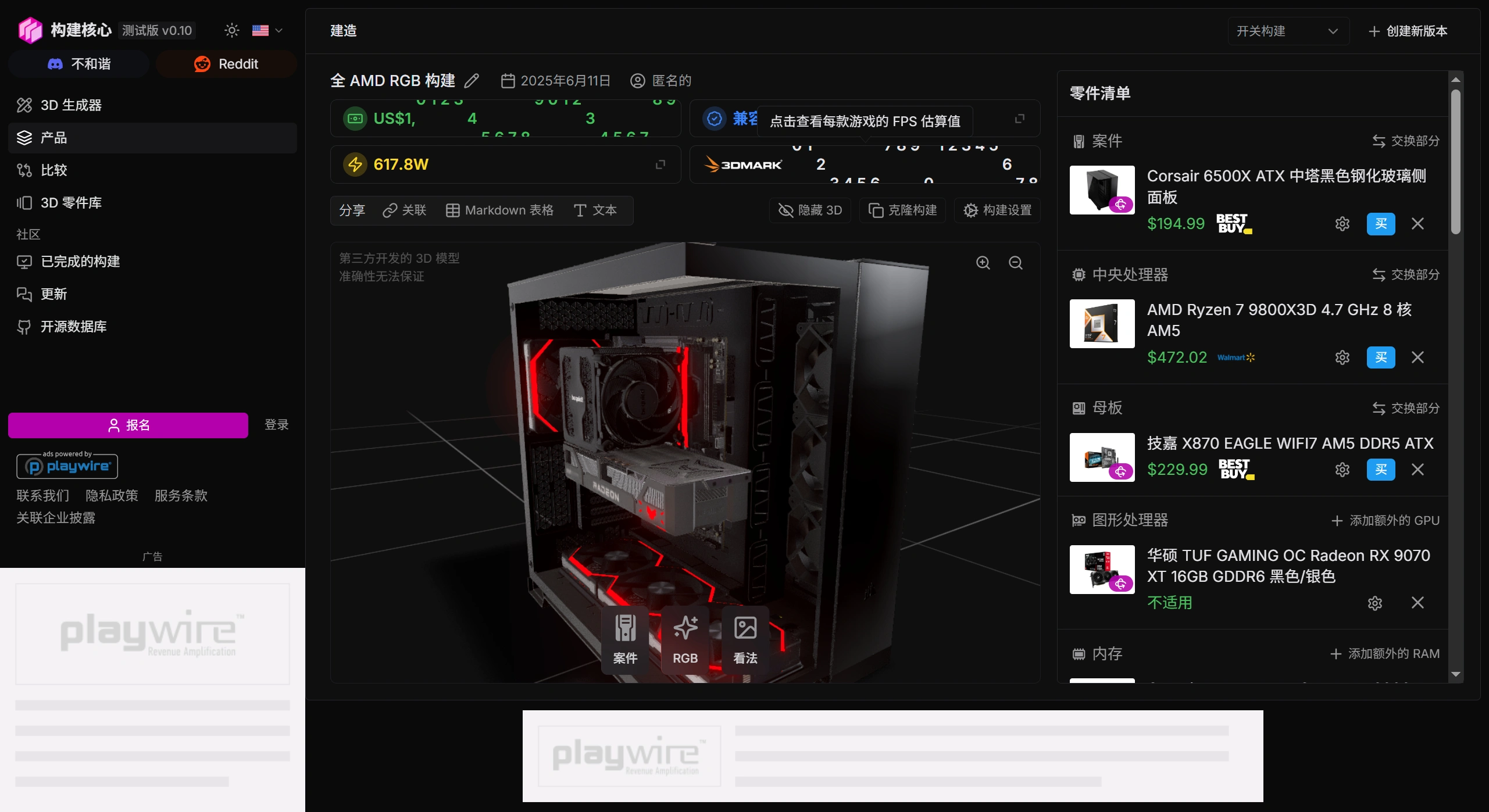
BuildCores is a 3D PC assembly simulation software that helps users build and configure PC hardware, offering compatibility checks, price comparisons, performance analysis, and more. BuildCores supports over 500 3D hardware models and includes FPS performance monitoring, making it suitable for gamers, hardware enthusiasts, and PC assembly beginners.
Features of BuildCores
3D Interactive PC Assembly: With over 500 3D hardware models, users can drag, rotate, and install components. Real-time compatibility detection helps avoid incorrect combinations.
Preset Configuration Plans: Such as all-AMD high-performance builds and high-end white-themed gaming configurations, to suit different needs.
Price Comparison and Market Data: Integrates hardware pricing information to help optimize budgets, potentially supporting price comparisons across e-commerce platforms.
Performance Analysis Tools: Includes FPS performance monitoring and provides hardware pairing suggestions.
Community and Support: Offers community support on GitHub, Discord, Reddit, and more, along with privacy policy and terms of service.
Use Cases of BuildCores
PC Assembly Beginners: Learn hardware installation through 3D interaction and avoid mistakes during actual assembly.
Gamers and Esports Enthusiasts: Quickly find cost-effective gaming configurations.
Hardware Enthusiasts and Overclockers: Test the compatibility and performance of different hardware.
Computer Repair and Upgrade Consultants: Simulate upgrade plans and check compatibility between old hardware and new components.
How to Use BuildCores
You can obtain BuildCores BETA v0.10 from the official website or testing channels. After launching the software, select "Start Building" to begin assembly. You can choose a preset configuration or manually select hardware, then drag and drop components into the corresponding slots on the motherboard. The software will automatically detect compatibility issues, and you can also view pricing and performance analysis. It supports generating configuration lists.
The advantages of BuildCores lie in its 3D interaction, compatibility checks, and preset configuration plans, making it suitable for PC assembly beginners, gamers, hardware enthusiasts, and computer repair technicians. In the future, more accurate performance simulations, support for additional hardware models, and e-commerce platform integration can be expected.