
 Script Planner Assistant▸
 AI Apps
 AI News

PicDoc: Text-to-Visual Graphics Tool
PicDoc: Text-to-Visual Graphics ToolIntroduction
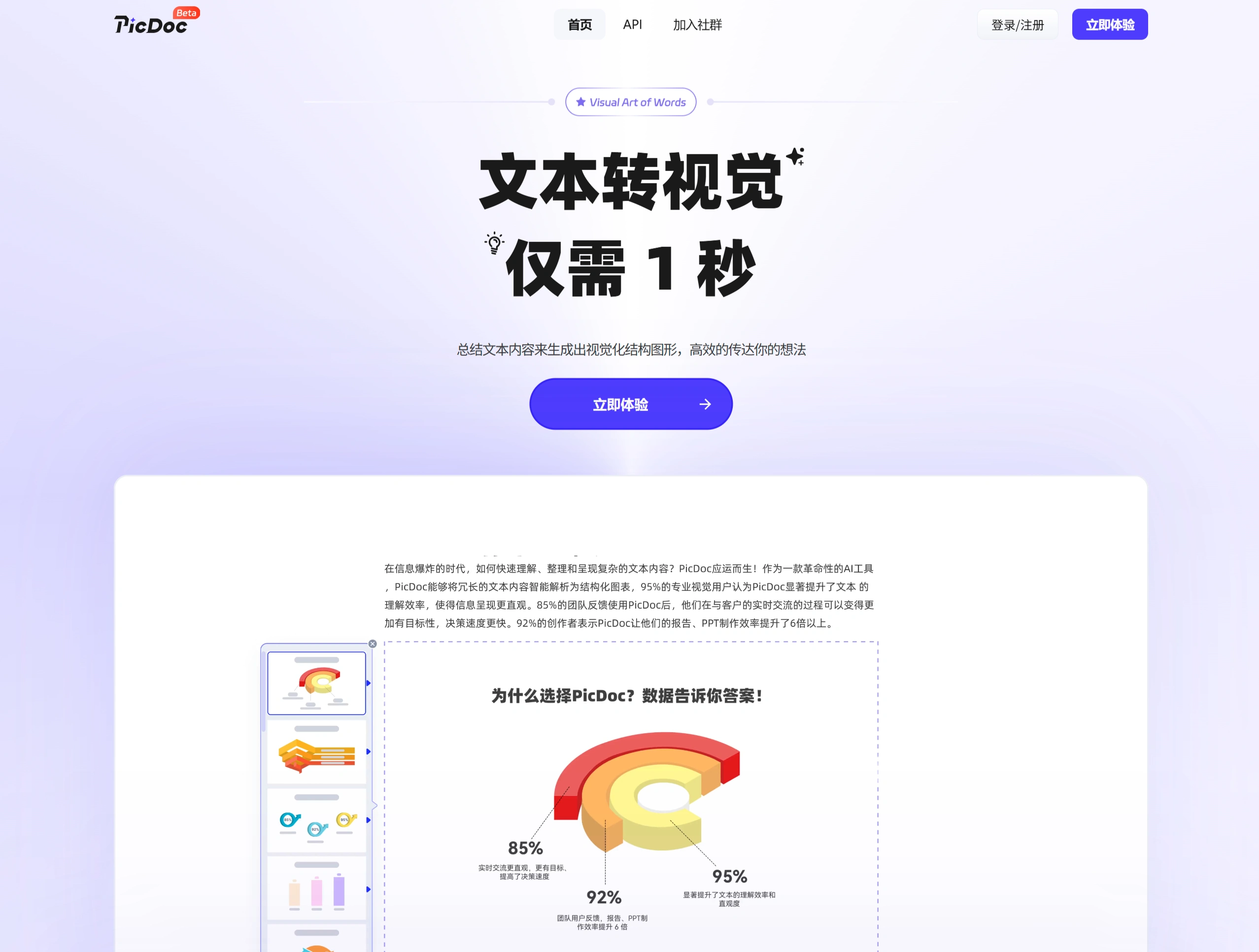
PicDoc is a tool that converts text into visual graphics. By entering text, generating diagrams, editing (such as adjusting items, changing color schemes, switching styles, etc.), and exporting and sharing, users can quickly generate a variety of visual graphics suitable for team presentations, brainstorming, capturing inspiration, and other scenarios.
Features
Content Generation: Enter topic keywords, and the system automatically generates content, providing inspiration and ideas.
Diagram Generation: Automatically generates matching visual diagrams based on the selected text, with users able to choose the style and format.
Customization: Users can adjust diagram elements to achieve personalized customization.
Diagram Export: Supports exporting visual diagrams in formats such as PNG, JPG, PDF, and ppt, making it convenient to use in other software.
File Export: The entire document can be exported as PDF or PNG, fully displaying the information and ideas.
Advantages
Simple Operation: No complex procedures or design skills required, making it easy to get started.
Improved Efficiency: After selecting text, the system generates diagrams with one click, boosting creation efficiency.
Free Basic Features: Basic features such as diagram generation and export are free, with paid options available for more advanced features.
Online Access: Accessible via a browser by visiting the website and signing in, with no download or installation required.
Cloud Storage: Documents and diagrams are stored in the cloud for easy management and adjustment.
Use Cases
Workplace Reports: Convert text-based reports into visual diagrams to make the content clearer and easier for leaders to grasp the key points.
Teaching Materials: Convert complex teaching content into visual diagrams to help students understand more easily.
Article Illustrations: Convert long article content into visual diagrams to enhance the reading experience.
Client Communication: Convert text information into visual diagrams to increase client engagement.
Business Presentation: Convert presentation content into logically clear diagrams to boost persuasiveness.
Steps to Use PicDoc Online
Sign Up and Log In: Visit https://www.picdoc.cn/ and quickly register and log in using your phone number.
Create a Document: Click "New Document," paste the text content, or upload a document (such as Word or PDF).
Generate Diagrams:
Hover over the text block and click the "Generate Visual Effect" button.
Select the text you want to convert into a diagram, click the "Text to Image" option, and the system will automatically generate a diagram.
Choose the appropriate style and format from the left-hand list.
Custom Adjustments:
Copy Adjustments: Select the copy in the diagram and modify the content.
Element Adjustments: Adjust the position, size, and orientation of elements within the diagram.
Style Adjustments: Customize the text's font, size, color, arrangement, and more.
Download or Share:
Click the "Download" button and select formats such as PNG, PDF, or JPG to export the document.
Click the "Share" button to copy the link and share the document.
Tips
Segmented Input: Enter content in segments, such as "Stage 1: XXX → Image," and the system will generate a timeline diagram with corresponding images.
Keyword Tagging: Add # before core concepts to boost recognition weight, for example, #Innovation.
Style Commands: Add commands at the end of the text, such as [Style: Tech Blue] or [Layout: Vertical Infographic], to precisely control the output effect.
Frequently Asked Questions
1. What pain points can PicDoc solve in content creation?
PicDoc can solve the problem of users wasting time searching for images during content creation, making it easy to turn long texts into visually appealing content. Besides providing users with a way to easily create image-rich content, it also addresses the repetitive work of adjusting process images when products are updated. Users only need to save their history and enter the update item, then make changes based on the original draft.
2. What practical features does PicDoc offer for team collaboration?
PicDoc can serve as a convenient whiteboard for team presentations, with its document annotation and image generation capabilities allowing team members to express and illustrate ideas more easily. It supports multilingual generation, making it suitable for managing content in multilingual teams. Image-and-text content records can be shared with team members at any time.
3. What are PicDoc's versions and usage rights?
PicDoc is currently in beta version, and users can enjoy all features, including membership features, at no cost. The generated images and icon content belong to PicDoc, and users may use them for commercial purposes.















