Script Planner Assistant▸
 AI Apps
 AI News

DaTanXing: TikTok Creator Auto-Outreach Tool
DaTanXing: TikTok Creator Auto-Outreach ToolIntroduction
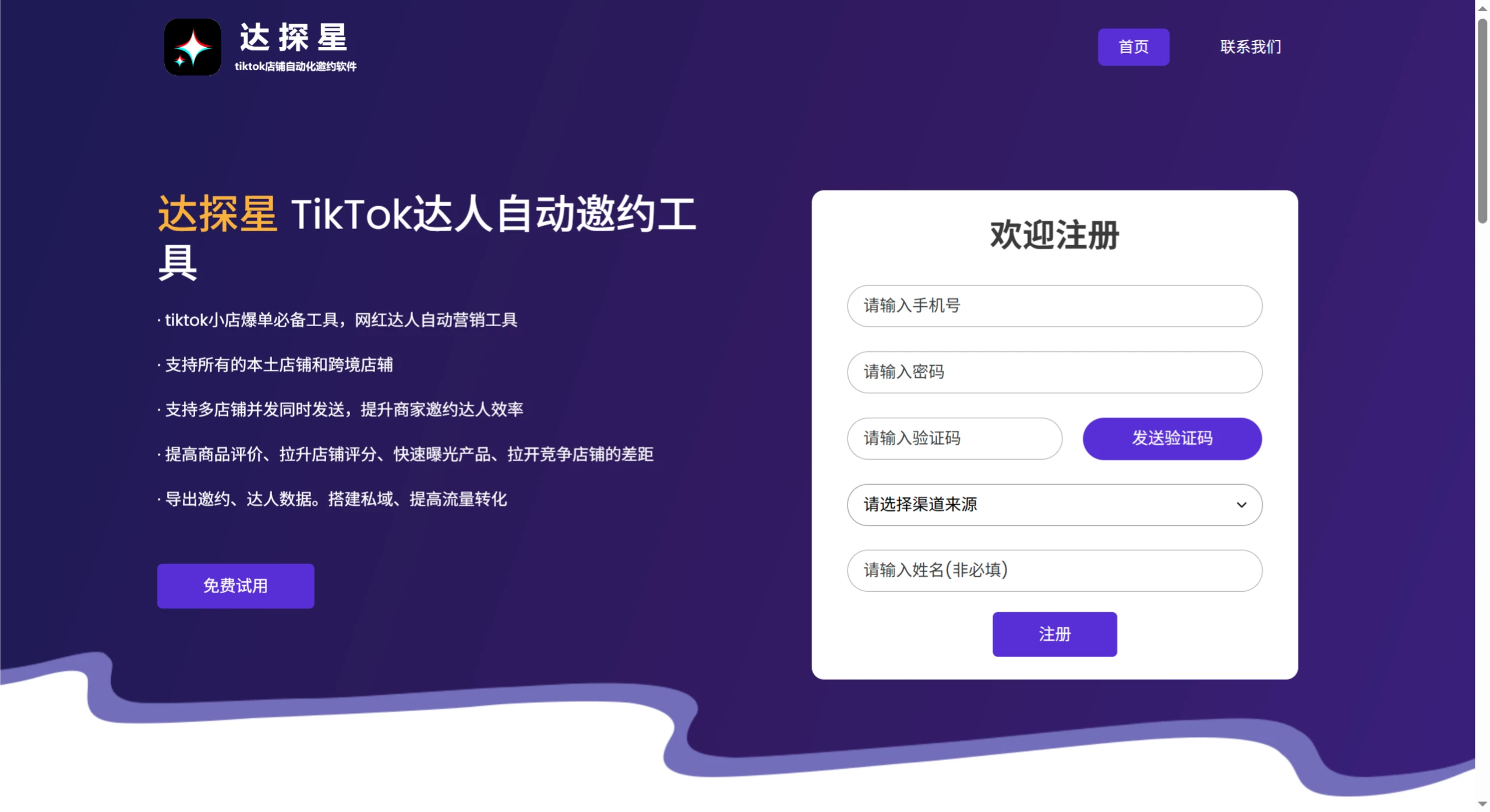
达探星 is a TikTok influencer outreach tool, especially well-suited for TikTok Shops looking to drive explosive sales. It can automatically send batch invitations to influencers, supports both local and cross-border stores, and can simultaneously send invitations for multiple stores. You can use it to send scripts, images, and product cards with one click, and leverage review invitations to boost store ratings and product exposure, giving you an edge over competitors. In addition, it allows you to export invitation and influencer data, making it easy to build private traffic and improve traffic conversion. 达探星 uses RPA robot technology to fully simulate manual operations, ensuring safety and stability without the risk of account bans.
Main Features of 达探星
Batch Invitations: One-click automated invitations to send scripts, images, and product cards.
Review Invitations: Boost product reviews and store ratings through invitations, quickly increase product exposure, and widen the gap with competitors.
Data Management: Export invitation data and influencer data to facilitate building private traffic and improve traffic conversion.
Multi-Store Concurrency: Support sending invitations for multiple local or cross-border stores simultaneously.
Boost Store Ratings and Exposure: Help merchants improve store ratings and product exposure through influencer collaborations.
How to Use 达探星
1. Registration and Login
Visit the official website: 达探星 official website, click the "Free Trial" or "Welcome to Register" button.
Fill in information: Enter your phone number, click "Send Verification Code," and fill in the code once received. Select the traffic source (such as 紫鸟浏览器, Baidu Search, etc.). After registration is complete, log in to your account and enter the backend.
2. Basic Setup: Bind Stores and Account
Add a Store: Find the "Store Management" or "Multi-Store Management" module in the backend and click "Add Store." Select the store type (local store or cross-border store), enter the store account, password, and related authorization information (some require authorization via the TikTok Shop Open Platform). Support simultaneous binding of multiple stores to achieve concurrent invitations.
3. Core Operation: Create an Influencer Invitation Task
Task Creation Entry: On the backend homepage or in "Task Management," click "New Invitation Task" or "Batch Invitations."
Detailed Task Settings
Basic Task Information: Fill in the task name (e.g., "Summer New Product Influencer Invitation"), deadline, and select target stores (check from bound stores).
Influencer Filtering Criteria: Filter influencers based on follower count (e.g., 100K+), country/region (e.g., United States, United Kingdom), and category tags (e.g., beauty, apparel). You can also set the number of already contacted influencers to skip to avoid duplicate invitations.
Invitation Content Settings:
Script Templates: Use preset system templates (e.g., new product promotion, collaboration invitation) or customize and edit copy (supports inserting product links and emojis).
Add Attachments: Upload product images, detail cards (supports JPG/PNG formats), or add product card links (auto-redirect to TikTok product pages).
Sending Strategy: Select sending time (send immediately or schedule), set a daily sending limit (to avoid frequent operations triggering risk control). Support concurrent sending across multiple stores to improve efficiency.
Run Task: After confirming the settings are correct, select "Run on New Page" or "Run on Current Page."
Run on New Page: The system automatically opens a new browser page to execute invitations without affecting current operations.
Run on Current Page: Simulate manual operations on the current page (suitable for scenarios where influencers have already been manually filtered).
4. Data Management and Performance Tracking
Export Data: In the "Data Export" module, you can download invitation records (sending time, influencer reply status) and influencer data (follower count, engagement rate, etc.). Data is available in Excel/CSV formats, making it easy to build private traffic (e.g., adding influencers on WeChat, WhatsApp).
Performance Analysis: View changes in "Store Rating" and "Number of Product Reviews," and compare exposure and order volume before and after using the tool. Check "Run Records" to view total tasks sent, success/failure counts, and adjust invitation strategies (e.g., optimizing scripts, changing influencer types).
Frequently Asked Questions
1. How does the tool ensure accounts won't be banned during use?
达探星 adopts RPA robot technology to fully simulate manual operations, making it safe and risk-free to use, without causing account bans.
2. Which store types does the tool support for invitation operations?
达探星 supports all local stores and cross-border stores of TikTok Shops. Whether it's a local store or a cross-border store, you can use this tool to send invitations.
3. What specific benefits can invitations through this tool bring?
Using this tool for invitations can increase product reviews, boost store ratings, quickly expose products, and help merchants widen the gap with competitors. Meanwhile, the exported invitation and influencer data can also be used to build private traffic and improve traffic conversion.