
 Script Planner Assistant▸
 AI Apps
 AI News

yikm: Play Classic Mini Game Boy (NES) Games Online
yikm: Play Classic Mini Game Boy (NES) Games OnlineIntroduction
The YIKM website is a place where you can play classic games online, including Xiaobawang, NES/Famicom, arcade, FC, and more. You can find classics like Contra, Super Mario, Hot-Blooded Soccer, Romance of the Three Kingdoms, Metal Slug, and The King of Fighters. It's packed with resources. Its greatest advantage is that there's no need to download or install any software — you can play directly in the browser.
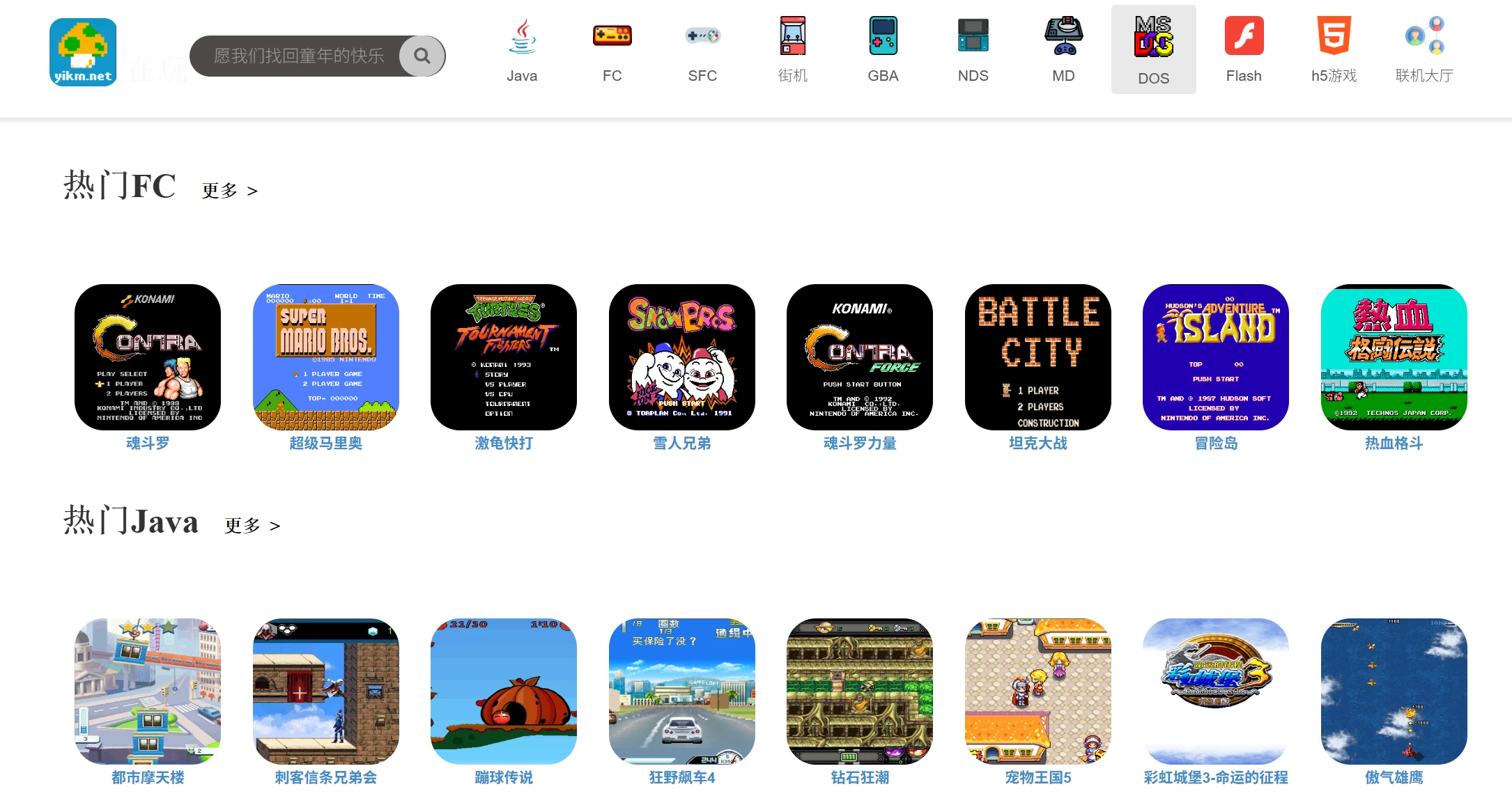
Features of the YIKM Website
Customizable keys and full-screen mode: You can set the keys according to your own preferences, and enable full-screen mode for an even better gaming experience.
Save feature: You can save your progress mid-game and pick up right where you left off next time.
Online multiplayer: Some games support online multiplayer battles, so you can invite friends to play together and relive the fun of playing together as children. Click the "Multiplayer Lobby" in the top right corner to create a room with a password.
No ads or few ads: There are basically no ad interruptions while playing, making for a very pleasant experience.
Multi-device support: Works on both computers and mobile phones, so you can play anytime, anywhere.
How to Use YIKM
Visit the website: Open your browser, enter the URL https://www.yikm.net/, and you'll land on the homepage.
Choose a game type: In the navigation bar at the top of the homepage, click on the icon for the type of game you're interested in, such as FC, SNES, arcade, etc.
Browse the game list: Once you're on the game list page, find the game you want to play, and click on the game's thumbnail or title to go to the game's detail page.
Start the game: On the game's detail page, click the "Start Game" button, and the game will load and launch in the browser. If customizable keys are supported, you can set them according to the prompts after the game loads.
Save progress: If the game supports the save feature, you can save your progress mid-game and continue from there next time.
Online multiplayer: Online multiplayer mode is supported, allowing players to invite friends to play together online. To play online, click the "Multiplayer Lobby" in the top right corner and set up a room with a password.
Switch devices: If you want to play on a mobile phone, simply enter the URL in your mobile browser. The website will automatically adapt to the mobile device and provide a great gaming experience.
Tips
When playing some FC games, you'll first see a prompt saying "insert coin." This is a necessary step that requires you to set up a coin-insert button. It doesn't actually mean inserting a coin — it simply simulates the coin-insert operation of old arcade machines. Otherwise, the machine will play on its own, preventing you from controlling the game.
If you want to relive your childhood, this website is really great. You can find many classic games, and you can also play together with friends.















