
 Script Planner Assistant▸
 AI Apps
 AI News

Meituan NoCode: A Conversational AI Coding Agent by Meituan
Meituan NoCode: A Conversational AI Coding Agent by MeituanIntroduction
What is Meituan NoCode?
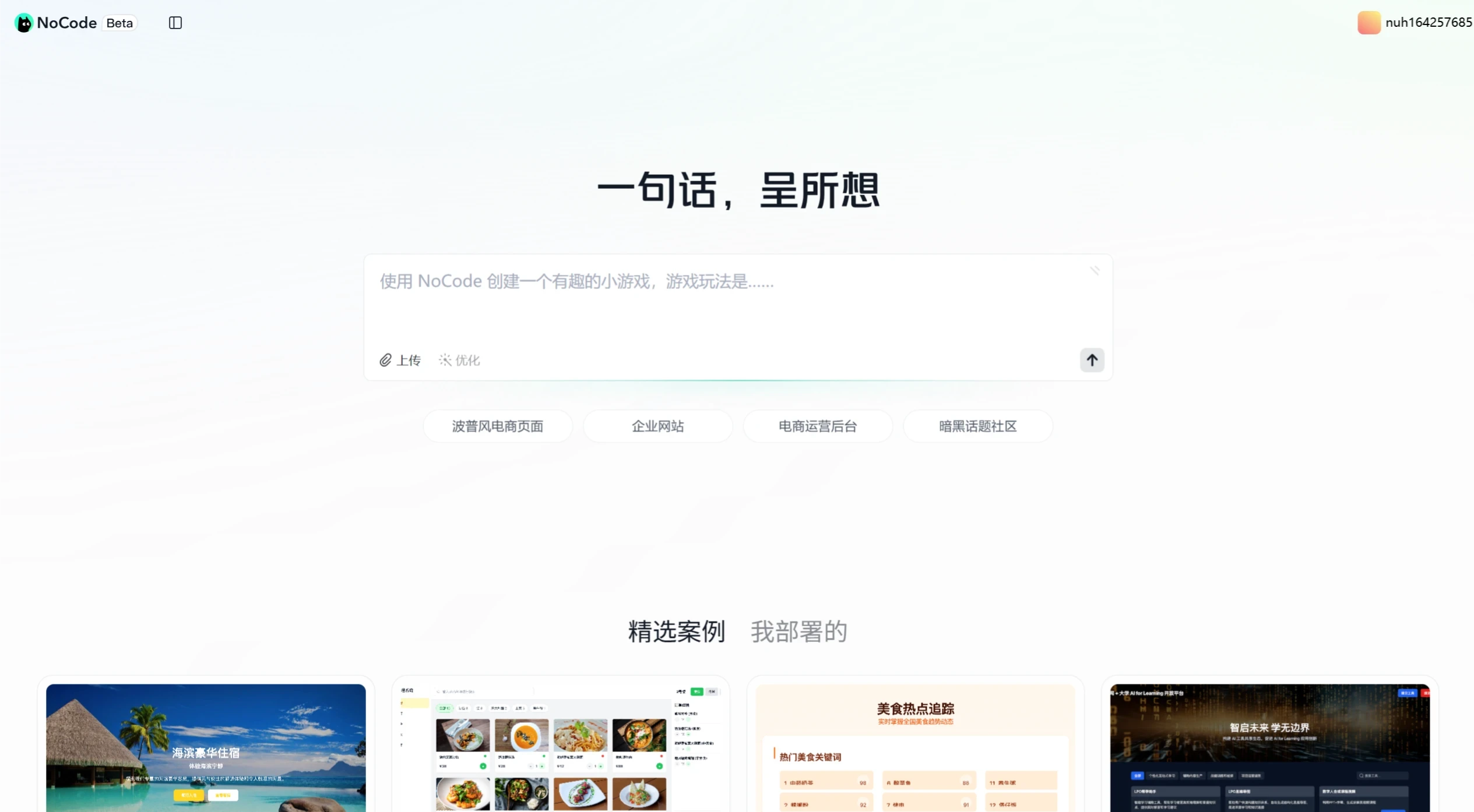
NoCode is Meituan's first AI coding agent. Its biggest feature is that it requires no programming background or experience—you can quickly generate website pages, practical tools, mini-games, activity pages, and various other works through natural language conversations. The platform provides tools such as a restaurant management system, AI learning tools (such as the LPO study assistant and mind maps), a customer service analytics platform, and a promotion calculator, along with featured cases for reference. New users start with 10 work credits and 100 conversation credits. Visiting the platform each day earns an additional 10 free conversation credits. If you run into problems, you can add customer service to seek help.
Features of Meituan NoCode
Natural language programming: Express your ideas in natural language, and NoCode will automatically understand and convert them into complete functionality—even without programming experience, you can generate usable content. After the user inputs an instruction, it will expand and optimize the instruction, and also supports one-click optimization.
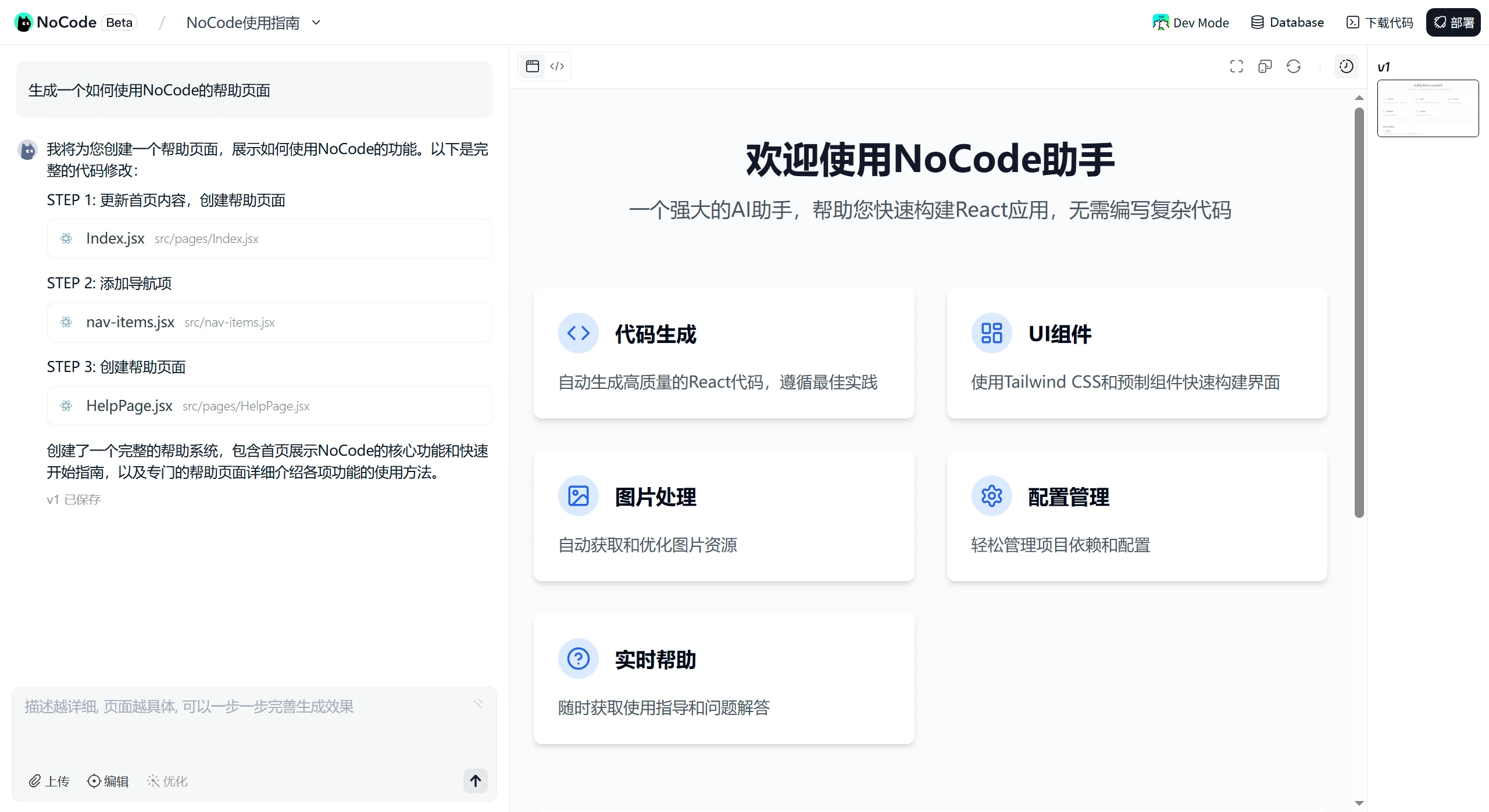
Real-time preview: Results are rendered immediately based on the conversation, and users can see the actual effect of each conversation in real time.
Localized editing: With the Visual Edit feature, you can make targeted modifications and refinements to specific content. It also supports version comparison and rollback, with every step recorded.
One-click deployment and sharing: Once the application is built, the code is automatically uploaded to the repository and can be deployed and shared with others right away. Click the link to access the work directly, and there is a copy button next to it for easy sharing with others.
Built-in database service: It has database functionality that supports real-time data reading and writing. Users can store and retrieve data to build more complex applications.
Technical Architecture of Meituan NoCode
NoCode is a large-model agent product built around infrastructure, the runtime sandbox and BaaS layer, and the Agent application layer, with multiple AI models working together.
Infrastructure layer: K8S large-scale cluster scheduling provides computing power, a distributed file system handles code storage, an Ingress gateway implements website routing, a deployment system handles deployment, and an image retrieval service adapts web images.
Runtime sandbox layer: Images are built based on specific technology frameworks (such as React and cloud IDE). Pooling technology speeds up cold starts, and hot updates enable real-time page rendering.
Agent application architecture: It consists of a large main reasoning model and several small models for vertical scenarios, including plan, context management, and tool sets for code scenarios. After switching to Dev Mode, the user view transforms into a complete Agentic IDE—CatPaw, suitable for professional users who want finer control.
How to Use Meituan NoCode
Log in: Visit the NoCode official website (https://nocode.cn/) and scan the QR code using Meituan or WeChat to log in.
Check your credits: After logging in, check your initial 10 work credits (creating a conversation counts as one work) and 100 conversation credits (each message sent counts as one conversation) in your personal information area. Visiting the platform each day grants an additional 10 free conversation credits. Additional credits cannot be purchased at this time.
Create a work: Enter your desired page requirements in the input box on the homepage and send them. NoCode will generate a page based on your requirements, which you can then modify.
Edit the work: You can use Chat Edit for conversational modifications, or Visual Edit for visual editing to adjust page content and styles.
Deploy the application: Click the deploy button in the upper right corner of the conversation page to start deploying your work. Once complete, you'll receive a sharing link.
Manage versions: View historical versions on the right side of the work interface, with support for version comparison and rollback.
NoCode Use Cases
Website page development: Quickly create personal blogs, corporate websites, and other web pages.
Utility tool creation: Generate online forms, schedule management tools, and more.
Mini-game development: Design simple interactive mini-games—for example, a Gomoku game with visual feedback on piece placement that supports human vs. AI play, or a match-3 game where players aim to clear as many blocks as possible for points.
Activity page building: Create lottery, promotional, and other activity pages.
Product prototype design: Quickly build product prototypes for demonstration and testing.
Advantages of Meituan NoCode
Integrated proprietary model: It integrates Meituan's self-developed LongCat model with hundreds of billions of parameters, adopting a Mixture-of-Experts architecture. It performs well in benchmarks for general capabilities and code generation, on par with models like GPT-4o, Claude-3.5-Sonnet, and DeepSeek-V3-0324. Moreover, this model is optimized for web front-end development, efficiently understanding and generating front-end code such as HTML, CSS, and JavaScript, providing strong support for no-code development.
Efficient reasoning capability: In internal tests, the code agent scored high on SWE-Bench (a large-model capability evaluation dataset based on GitHub). The Verified project achieved around 65% after industry SOTA-level fine-tuning, and over 50% without fine-tuning, ranking in the top 5.
Frequently Asked Questions
Q: What can I do with NoCode?
A: You can use NoCode to create various pages, such as websites, tools, mini-games, activity pages, and more. You can also return to the homepage to browse featured cases for inspiration.
Q: Do I need to know how to code to use it?
A: No. NoCode is for everyone. Even if you don't understand development, as long as you can express your needs in natural language, you can use NoCode and quickly create works.
Q: How do I start creating a page?
A: In the input box on the homepage, enter the page requirements you want to achieve. After sending the message, NoCode will generate a page based on your requirements, which you can then continue to adjust.
Q: What should I do if I encounter a problem I can't solve?
A: You can click on the avatar in the upper right of the current page to add NoCode customer service for professional assistance.
Q: What are the credit limits? How can I check how many credits I've used?
A: After logging in, new users receive 10 work credits (creating a conversation counts as one work) and 100 conversation credits (each message sent counts as one conversation).
Q: How can I get more credits?
A: In addition to the initial 100 conversation credits, visiting the platform each day grants 10 free conversation credits. If that's still not enough, you can also apply to increase your credit limit.
NoCode is a new exploration of Meituan's open AI ecosystem. Its purpose is to freely open up its accumulated AI technology, helping small and medium-sized merchants achieve IT and digital upgrades, allowing more people to experience the efficiency and innovation brought by AI technology.
Related news:
Why is Meituan, a food delivery company, launching an AI coding tool called NoCode












