
 Script Planner Assistant▸
 AI Apps
 AI News

YiJianMei: Ad-Free, Free Aggregated AI Batch Media Processor
YiJianMei: Ad-Free, Free Aggregated AI Batch Media ProcessorIntroduction
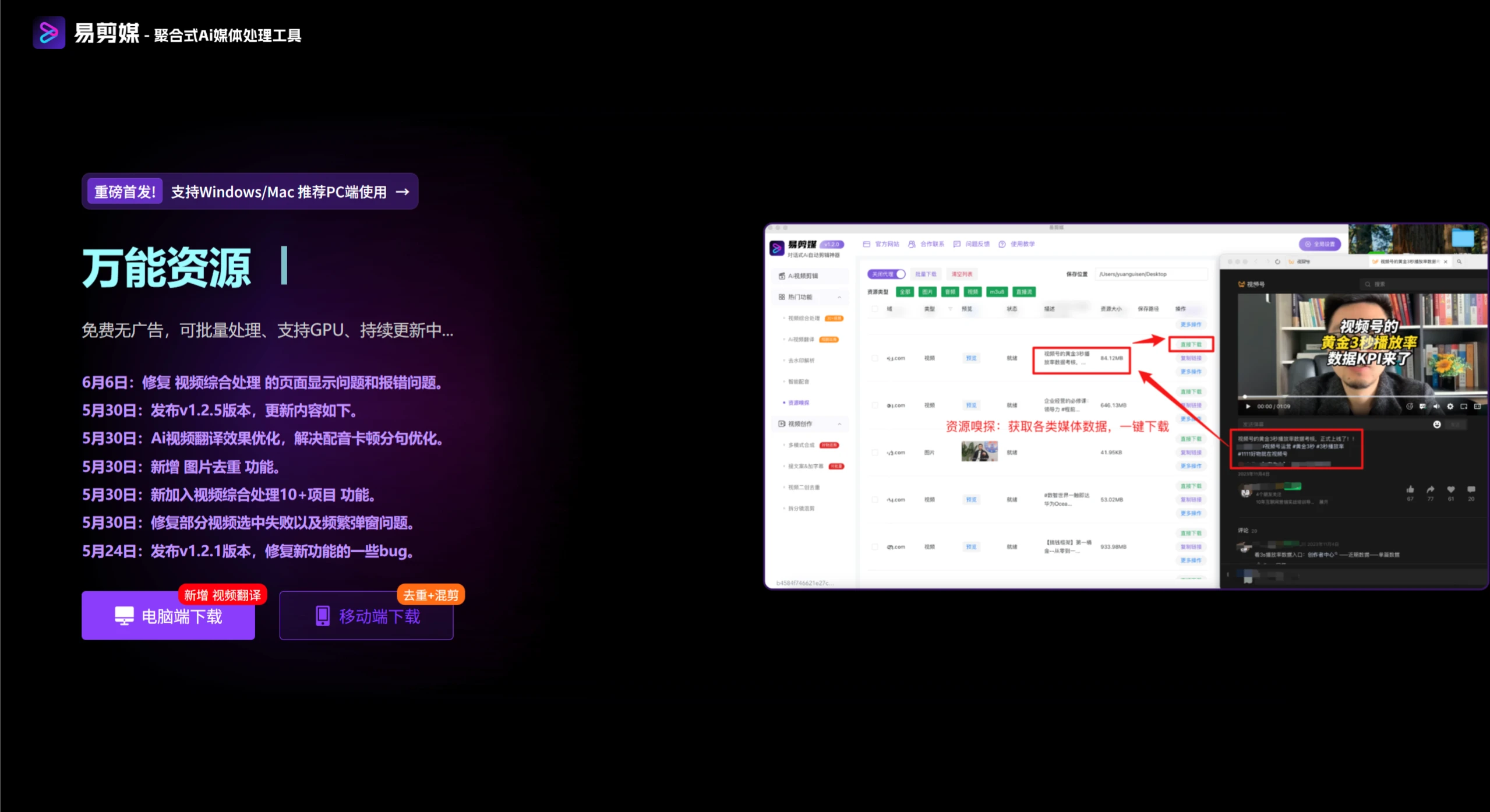
易剪媒 is an intelligent video editing software built on DeepSeek conversational AI technology, supporting multiple platforms including Android 9.0 and above, iOS 13 and above, Windows 10-11, and MacOS. It is ad-free, free of charge, and easy to operate. Its core features include AI automatic editing, batch video processing, multi-threaded parallel processing, local CPU acceleration, command favorites and recall, making it suitable for scenarios such as short video production, e-commerce product display, and self-media output.
Features
Core Technology & Interaction
AI-driven conversational interaction: You can describe your editing needs in text, such as "trim the first 10 seconds of the video + add a filter." The generated commands will be executed automatically, making the entry barrier very low.
DeepSeek technology support: Powered by DeepSeek technology, it achieves precise translation and intelligent command generation, suitable for cross-language scenarios such as short dramas going overseas.
Processing Efficiency Optimization
Batch & multi-threaded processing: Supports batch import of video files and parallel multi-threaded processing to improve efficiency and save time costs.
Local CPU acceleration: Leverages the local CPU to optimize video processing speed, suitable for devices with limited hardware.
Editing Function Matrix
Basic editing: cropping, splicing, flipping, speed change, watermark removal, subtitle addition, etc.
Effects & parameter adjustment: filter effects, color/brightness/contrast adjustment, camera push/pull, light sweep mask, etc.
Audio & video processing: intelligent dubbing, re-dubbing, batch extraction of copywriting and generation of subtitles (including time ranges).
Secondary creation & de-duplication tools: storyboard remixing, video overlay, regional blur, parameter fine-tuning, etc.
Efficiency Assistant Functions
Command favorites & recall: Save commonly used commands for one-click reuse, such as "batch watermark removal + add subtitles."
AI rewrite & fine-tuning: If you are not satisfied with the generated result, you can revise the details through dialogue or use the AI rewrite function.
Application Scenarios
Short video creation: Quickly edit hit videos, add effects, subtitles, and dubbing to produce content suitable for platforms such as Douyin and Kuaishou.
E-commerce product display: Batch-generate product videos, splice multiple clips, add corresponding subtitles and background music to improve conversion.
Self-media content production: Automatically generate text-to-video and remixed compilations, supporting multi-platform distribution such as Bilibili and YouTube.
Short drama overseas & secondary creation: Use the video translation function to add cross-language subtitles, combined with resource sniffing to obtain materials, enabling secondary creation of global works.
Personal learning & research: Beginner-friendly editing practice, batch operation experiments on video materials. Non-commercial use is not restricted, focusing on non-commercial scenarios.
How to Use
Basic Operation Process
Download & install: Obtain the corresponding version from the official website based on your device system (Android/iOS/Windows/MacOS) to avoid pirated versions.
Import materials: Supports batch import of video, audio, and image files. You can also use "resource sniffing" to extract online media, such as Butterfly (蝴蝶号) videos.
AI command input: Enter your needs in the dialog box, such as "splice 3 videos together, add the 'Good Product Recommendation' subtitle, background music volume at 50%." The system will automatically output an editing plan.
Effect adjustment & export: Make detailed adjustments to the generated video, such as subtitle position and filter intensity, and export with one click after confirmation.
Advanced Function Usage
Multi-mode video combination: Choose plans such as "Good Product Remix Synthesis," "Splicing Synthesis," and "Audio & Subtitle Synthesis" to quickly generate segmented videos.
Batch watermark removal & de-duplication: After uploading multiple videos, invoke the "batch watermark removal" function while simultaneously using "storyboard remixing" to avoid platform duplicate detection violations.
Video translation & re-dubbing: For content designed to go overseas, use "video translation" to generate target language subtitles, combined with "re-dubbing" for audio replacement.
Efficiency Tool Invocation
Command favorites: After completing a commonly used editing workflow, click "Favorite Command," and then use it with one click later via "My Favorites."
GPU acceleration (May update): When processing complex videos, enable the GPU acceleration function in settings to improve processing speed.
Related Information:















