
 Script Planner Assistant▸
 AI Apps
 AI News

TopPDF: AI-Powered PDF Tool for Editing, Translating, Compressing, and Converting PDFs
TopPDF: AI-Powered PDF Tool for Editing, Translating, Compressing, and Converting PDFsIntroduction
TopPDF is an AI tool focused on PDF document editing and processing, with over 8 million users who have processed 150 million PDF files. It provides a full range of PDF file solutions, including editing, translation, compression, merging, splitting, and more. It also supports conversion between PDF and formats such as Word, Excel, PPT, and JPG, as well as features like PDF signing, grammar checking, text rewriting, and PDF rotation.
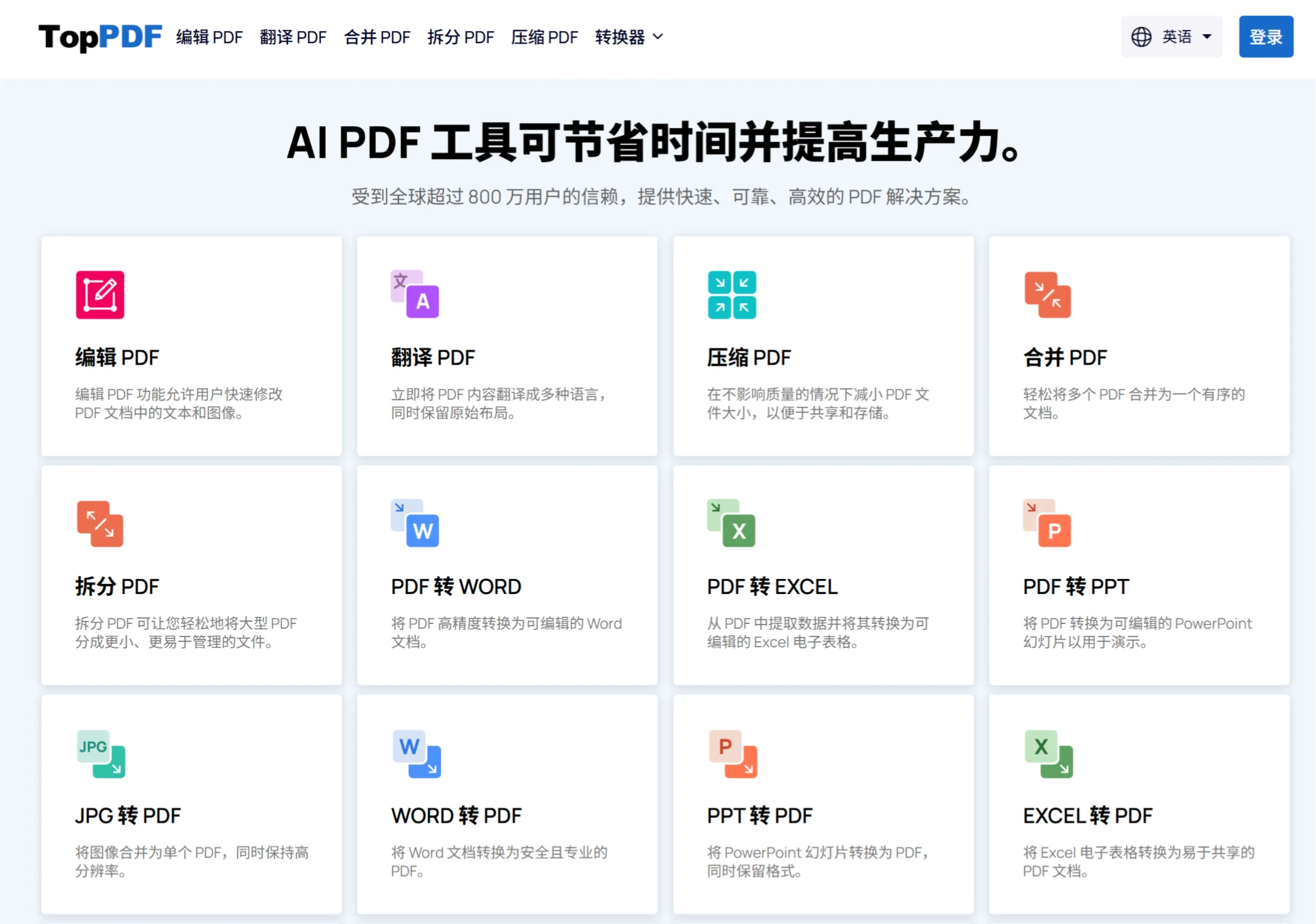
Features of TopPDF
PDF Compression
Quickly compresses PDF files within seconds, significantly reducing the file size and freeing up storage space on your computer.
Use cases include reducing PDF file size for easier emailing, uploading to the cloud, or quickly sending to others.
PDF to Excel
High-speed conversion: Helps you quickly convert PDF tables or data into Excel format while preserving the original layout and data integrity.
User-friendly: Simple and easy to operate, with conversion completed in just a few clicks—ideal for busy professionals.
Accurate data: No loss of details during conversion, ensuring accuracy in Excel.
PDF to PPT
Format preservation: Supports converting PDF documents (such as reports and presentations) into PowerPoint format while retaining text, images, and layout.
Professional results: The converted PowerPoint documents feature stylish formatting, suitable for business presentations or reports.
Advantages of TopPDF
Fast speed: Efficient compression and conversion processes save users time.
Simple operation: User-friendly interface, easy to operate without specialized knowledge.
Accurate data: No loss of details during conversion, ensuring document quality.
Saves storage space: The compression feature effectively reduces file size, freeing up computer memory.
Suitable Users
Business professionals: Who need to quickly process PDF reports, spreadsheets, or PPTs.
Students & Researchers: Who need to convert PDF materials into editable Excel or PPT formats.
Office workers: Who need to efficiently manage PDF files and reduce manual work time.
How to Use
TopPDF is very easy to use. Simply visit the TopPDF official website, select the PDF tool you need (such as editing, conversion, compression, etc.), follow the on-screen instructions to upload your PDF file, and then perform the relevant operation to complete the task.













