
 Script Planner Assistant▸
 AI Apps
 AI News

EasyCopy: Chrome Extension to Quickly Copy Page Title, URL & Key Content
EasyCopy: Chrome Extension to Quickly Copy Page Title, URL & Key ContentIntroduction
What is EasyCopy?
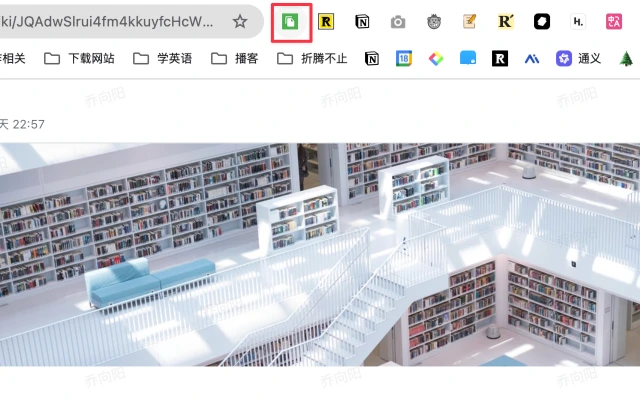
EasyCopy is a free, open-source Chrome extension that lets you easily copy a webpage's title, URL, and main content. It's simple to use: click the icon to copy the title and URL, double-click to copy content in Markdown format, and triple-click or right-click to copy the titles and URLs of all open tabs at once.
EasyCopy Features
Quick Webpage Info Copying:
Click to copy title and URL: Click the icon once, and the current webpage's title and URL are copied on separate lines—nice and tidy.
Double-click to copy in Markdown format: Double-click the icon, and the webpage info is copied in Markdown format.
Triple-click or right-click for advanced copying: Triple-click the icon or right-click and choose "Copy webpage content with EasyCopy" to copy the titles and URLs of all tabs.
Bypass Webpage Content Copy Restrictions
OCR Technology: Some webpage content can't be copied directly due to copyright or design restrictions. EasyCopy uses OCR technology to help you handle this easily, with no VIP permission required.
Intuitive Copy Feedback
Status indicator: When the copy succeeds, the icon shows a green checkmark (✓); if it fails, it shows a red cross (✗)—easy to see at a glance.
User-Friendly Operation
No popup required: Just click the icon to complete the operation, no extra popup windows needed—simple and efficient.
Right-click menu support: Right-click on the page and select "Copy webpage content with EasyCopy" to quickly copy the webpage's title, URL, and main content.
EasyCopy Use Cases
Students and researchers: Quickly collect webpage materials and boost research efficiency.
Social media operators: Quickly share links and titles to improve content publishing efficiency.
Office workers: Simplify daily webpage info copying tasks and improve work efficiency.
Content creators: Use ai to generate high-quality alternative copy and boost content creation efficiency.
How to Install EasyCopy
Install from the Chrome Web Store: Visit the Chrome Web Store and click the "Add to Chrome" button.
Clone the GitHub repository: Download or clone the code repository from GitHub locally, then type chrome://extensions/ in the Chrome browser's address bar, enable Developer mode, and load the unpacked extension.
How to Use EasyCopy
Basic copy: Click the toolbar icon to automatically copy the title and URL.
Deep copy: Choose "Copy webpage content with EasyCopy" from the right-click menu to get the title, URL, and core text.
Technical Implementation
Development standard: Built on the Manifest V3 specification, compatible with the latest Chrome extension policies.
Core technologies:
Uses the Chrome extension API to get tab information (such as title and URL).
Injects into webpages via content-script.js to extract the core content (possibly relying on Readability.js to parse page structure).
Implements icon status feedback via action.setBadgeText and action.setBadgeBackgroundColor.















