
 Script Planner Assistant▸
 AI Apps
 AI News

Paiwo AI: The China Version of PixVerse by AIsphere
Paiwo AI: The China Version of PixVerse by AIsphereIntroduction
What is拍我ai?
"拍我AI" is the domestic Chinese version of PixVerse launched by Aishi Technology, an AI video generation platform. Users only need to enter simple text or upload images to generate dynamic videos. The platform currently runs on the V4.5 version, delivering clearer videos, smoother animations, and more natural effects. Whether you are an individual blogger, a merchant, an MCN organization, or a game developer, you can use it for video creation.
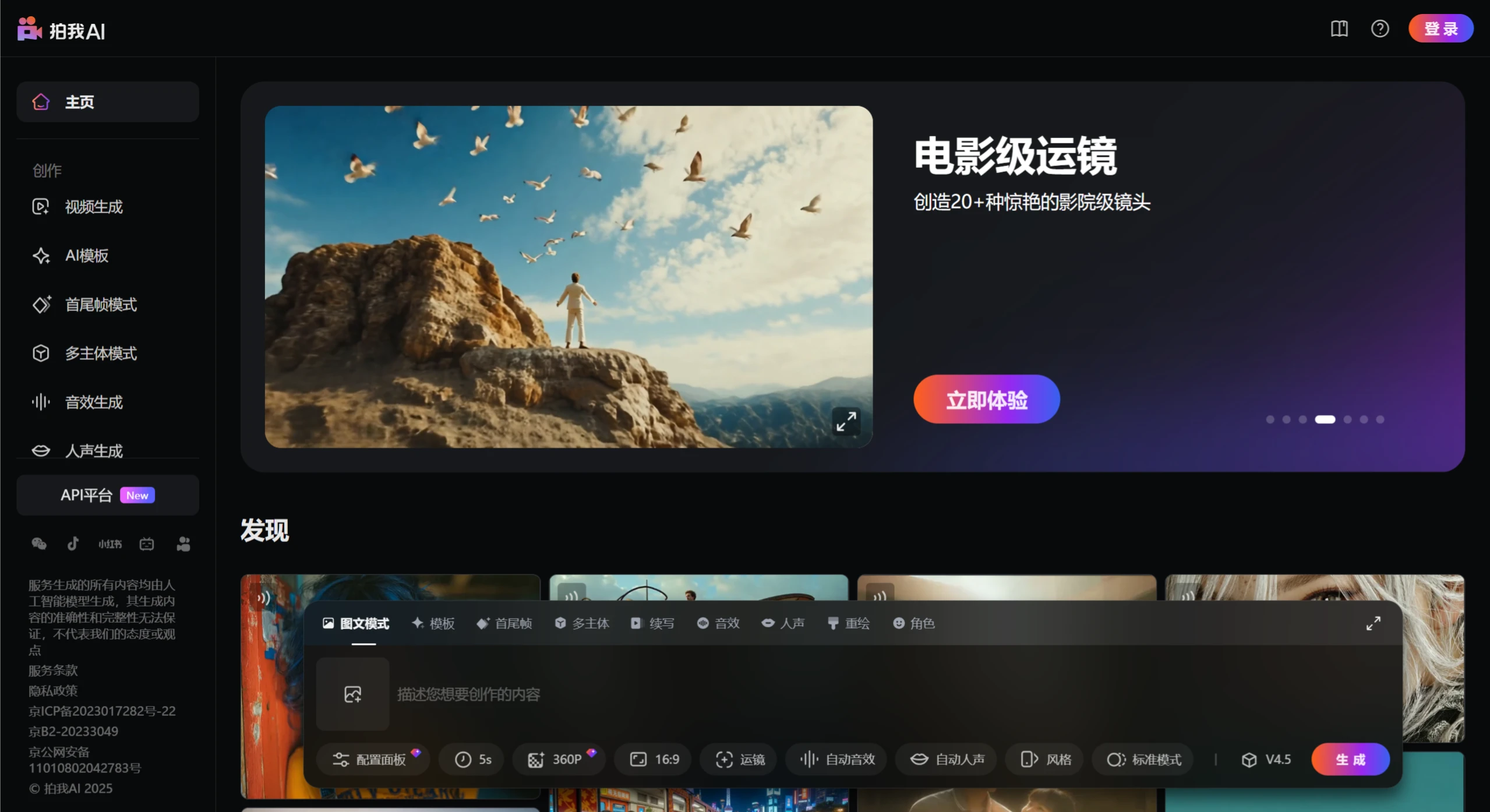
拍我AI Features
Video Generation
Text-to-Video: Enter a text description to generate a corresponding dynamic video, without complex video editing skills.
Image-to-Video: Upload photos (such as selfies, portraits, or group photos) and apply effects to turn them into vivid videos.
First and Last Frame Feature: Upload starting and ending images, and the system will generate natural and smooth dynamic transitions, making the video more coherent and professional.
Effects & Templates
Effect Templates: Offers a variety of popular effect templates, such as kissing, hugging, muscles, fighting, pets dancing, transformation, funny costumes, and more.
Multi-style Fusion: You can choose different visual styles, such as retro, sci-fi, natural, etc., to generate unique video effects.
Creation Assistance
Create the Same Style: You can replicate existing creative ideas on the platform and quickly generate similar videos.
Personalized Settings: Before generating videos, you can choose a style and add actions to image-to-video, such as smiling or waving, to make the video more vivid.
Platform & Applications
Open Platform: Provides API interfaces for enterprise users to quickly generate video content. It has already partnered with companies such as Baidu, iFlytek, and BlueFocus to provide efficient video generation tools.
Multi-end Support: Available on web and iOS/Android mobile apps, with support for real-time saving and sharing to social media.
Other Features
Real-time Preview: Supports Chinese input and real-time preview, making it easy for domestic users to get started.
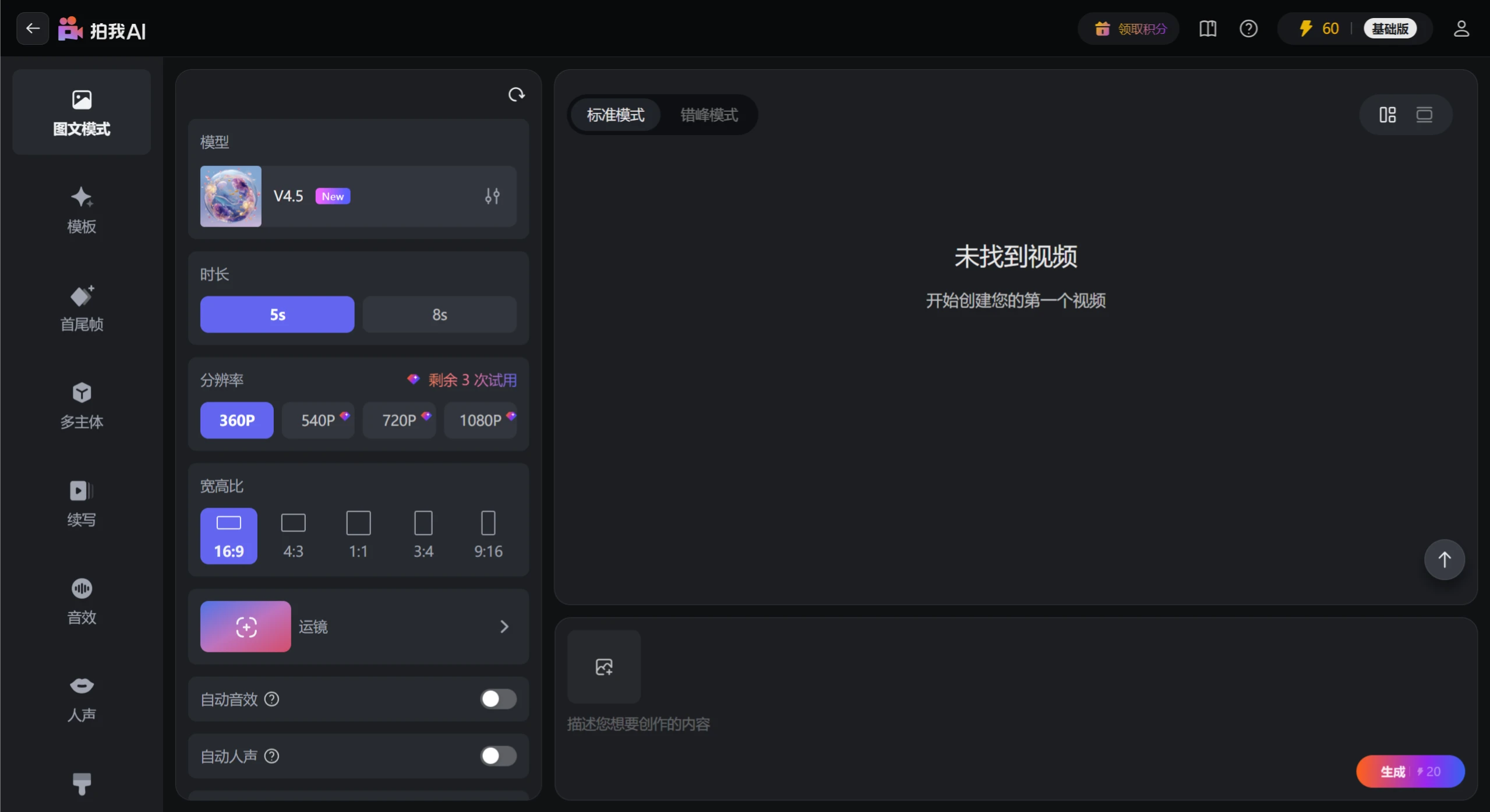
Parameter Adjustment: The web version allows more fine-grained parameter adjustment, supporting multi-subject motion control, dynamic camera movement, and intelligent sound effect matching, suitable for advanced needs such as short drama production, advertising creativity, and game development.
拍我AI Open Platform Features
Ultra-fast Video Generation: The high-speed generation technology of拍我AI Turbo can complete video creation in an average of 10 seconds, with the fastest taking only 5 seconds.
Anime Generation Capability: The platform provides powerful anime-style video generation features, supporting direct generation of specific anime styles through text descriptions, or uploading anime or animation materials and entering prompts.
Simple and Fun Video Play:拍我AI can generate creative videos for users.
HD Quality Output: Supports 1080P resolution output, clearly restoring picture details.
拍我AI User Tutorial Guide
1. Register and Log In
Web version: Visit the official website of拍我AI and follow the prompts to register and log in.
Mobile version: Download the拍我AI App, or search and download it in the app store, and follow the prompts to register and log in.
2. Choose a Creation Method
Text-to-Video: Select "Text-to-Video" on the homepage, enter a text description, click "Generate", and wait for the system to generate the video.
Image-to-Video: Select "Image-to-Video" on the homepage, upload an image, choose an effect template, and click "Generate". The system will turn the image into a dynamic video.
Using the First and Last Frame Feature: Select "First and Last Frame", upload the starting and ending images, and the system will generate natural and smooth dynamic transitions. Click "Generate" to view the video.
3. Settings
Style Selection: Before generating a video, choose different visual styles, such as retro, sci-fi, natural, etc.
Add Actions: In image-to-video, add specific actions, such as smiling or waving, to make the video more vivid.
4. Video Generation and Download
Generate Video: Click the "Generate" button, and the system will automatically process and generate the video.
Download Video: After generation is complete, click the "Download" button to save the video to your local or mobile device.
拍我AI Application Scenarios
Video Bloggers: Short video bloggers can use it to quickly generate videos that match platform characteristics, easily meeting the high-frequency update demands of platforms like Douyin and Kuaishou; game and anime enthusiasts can create secondary videos, such as remixing classic anime scenes into new-style Fan Art.
Enterprise Users: "拍我AI" has launched an enterprise-level API open platform, which has partnered with domestic leading companies such as Baidu, iFlytek, and BlueFocus to provide efficient video generation tools. Enterprises can use the API to quickly generate marketing videos, e-commerce materials, private domain operation content, etc., greatly reducing the cost and time of traditional video production.
拍我AI Official Website and App Download
Web version:https://pai.video
App version:https://pai.video/app-download












