Script Planner Assistant▸
 AI Apps
 AI News

CodeBox: Browser Extension for One-Click Code Copy, Bypass Reading Limits, and Popup Blocking
CodeBox: Browser Extension for One-Click Code Copy, Bypass Reading Limits, and Popup BlockingIntroduction
What is CodeBox?
CodeBox is an intelligent browsing assistant plugin that supports mainstream browsers such as Chrome, Edge, 360, and Firefox. It offers features including one-click code copying, article downloading (HTML/Markdown/PDF), removing login popups, bypassing reading restrictions, scrolling screenshots, and batch image downloading. It covers multiple technology and content distribution platforms such as CSDN, Zhihu, and Jian Shu.

Main Features of CodeBox
One-click Code Copying: On multiple mainstream technical websites, users can quickly copy code without logging in. It supports both selecting code to copy and using the one-click button in the upper right corner of code blocks.
Article Downloading: Supports downloading articles in HTML, Markdown, or PDF formats, making it convenient for users to read and organize materials offline.
Removing Distractions: Automatically bypasses prompts like "Follow the blogger to read the full article," removes forced login popups, automatically expands code blocks, blocks APP redirection on mobile devices, blocks ads, and more, optimizing the reading experience.
Custom Features: Users can insert custom CSS style code to meet personalized browsing needs.
Batch Image Downloading: Download all images on the current page with one click, making it convenient for users to collect and organize image resources.
Scrolling Screenshots: Provides a scrolling screenshot feature for capturing long web page content.
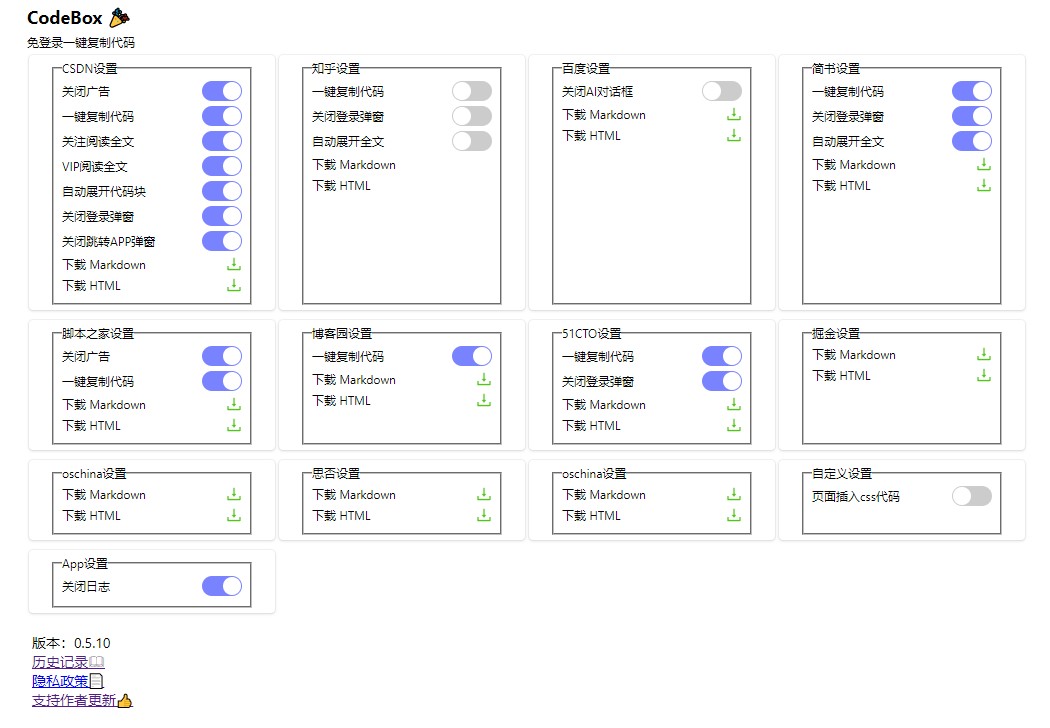
Websites Supported by CodeBox
CSDN
Zhihu
Jiaoben Jia (JB51)
cnblogs (Blog Park)
51CTO Blog
PHP Chinese Network
Juejin
Jian Shu
Baidu
CodeBox Installation and Usage Tutorial
Installation: Search for "codebox" in the app stores of mainstream browsers such as Chrome, Edge, 360, and Firefox, then find and install it.
Configuration: Enable features as needed (such as selecting download formats and customizing styles).
Usage: Visit the target website and trigger the corresponding features (such as code copying or article downloading).
Example: CSDN
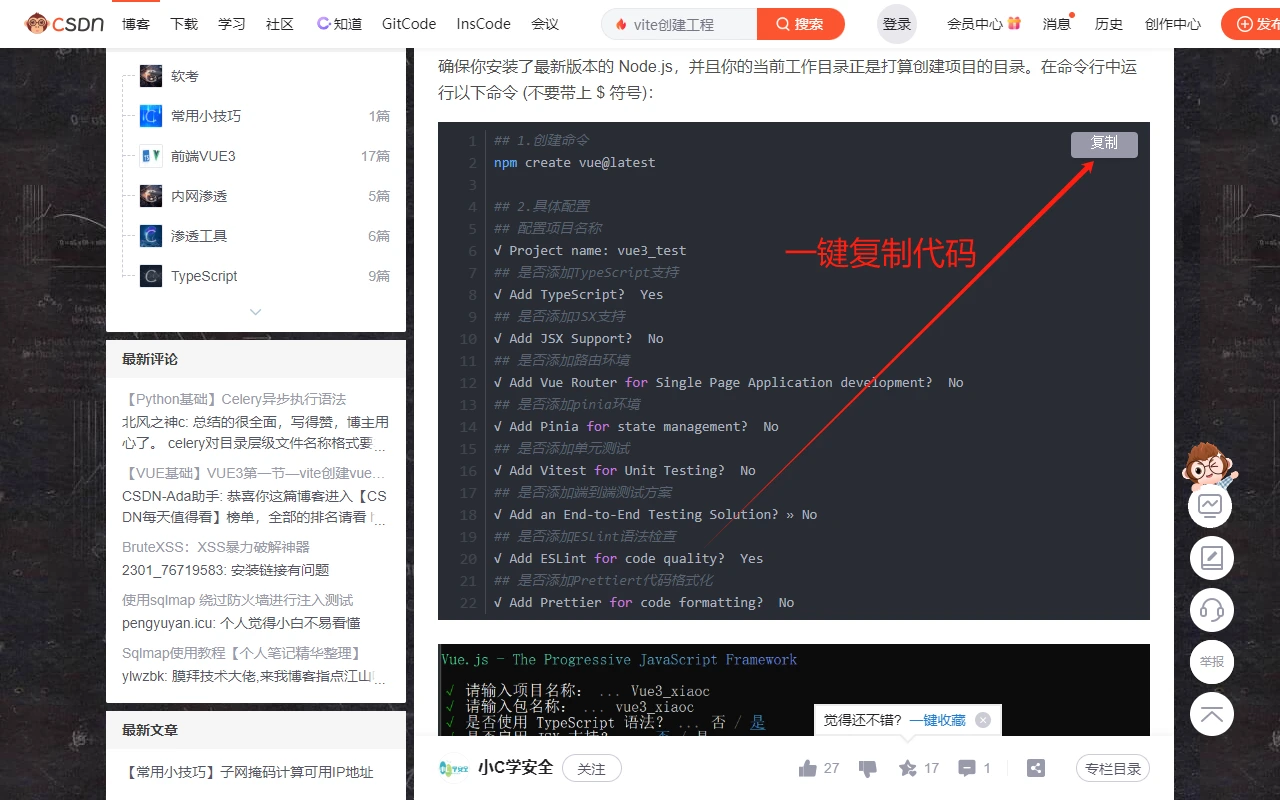
1. Open any CSDN blog and start copying code immediately
2. Supports code selection without logging into CSDN
3. Supports one-click copying via the button in the upper right corner of code blocks without logging into CSDN
4. Forced login popups will no longer appear when not logged into CSDN
5. When not following the blogger, the "Follow the blogger to read the full article" prompt will no longer appear, and the full article will be displayed completely
6. Automatically expands code blocks
7. Blocks APP redirection on mobile devices
Version and Pricing
Basic Version: Free, includes features such as one-click code copying, bypassing reading restrictions, removing login popups, and customizing page styles.
Professional Version: Paid, priced at ¥19.99/month or ¥199.99/year, includes all features of the Basic Version, plus advanced features such as article downloading (HTML/Markdown/PDF), batch image downloading, and priority customer support.
Frequently Asked Questions
Q: Which browsers and platforms does CodeBox support?
A: It supports mainstream browsers including Chrome, Edge, 360 Safe Browser, and Firefox. Supported platforms include technical and content websites such as CSDN, Zhihu, Jian Shu, Jiaoben Jia (JB51), Juejin, WeChat Official Accounts, and Blog Park (cnblogs).
Q: What are the main differences between the Basic and Professional versions?
A: The Basic Version is free and includes basic features such as one-click code copying, bypassing reading restrictions, and removing popups. The Professional Version is paid (19.99 yuan/month or 199.99 yuan/year) and additionally supports downloading articles (HTML/Markdown/PDF), batch image downloading, and priority customer support.
Q: Is it legal to use CodeBox to download content?
A:The tool itself provides compliant content acquisition features, but users must ensure that the use of downloaded content complies with the copyright policies of the target websites and applicable laws and regulations. It is recommended to use it only for personal learning or legal purposes.