
 Script Planner Assistant▸
 AI Apps
 AI News

Snon Lyric: AI Lyrics Generator Built for Suno AI
Snon Lyric: AI Lyrics Generator Built for Suno AIIntroduction
What is Snon Lyric?
Snon Lyric is a lyrics generator designed for Suno AI. It supports a variety of music styles (such as seasonal, story-based, and special occasion themes) and multiple languages (English, Spanish, etc.). Users can input their preferences to quickly generate lyrics.
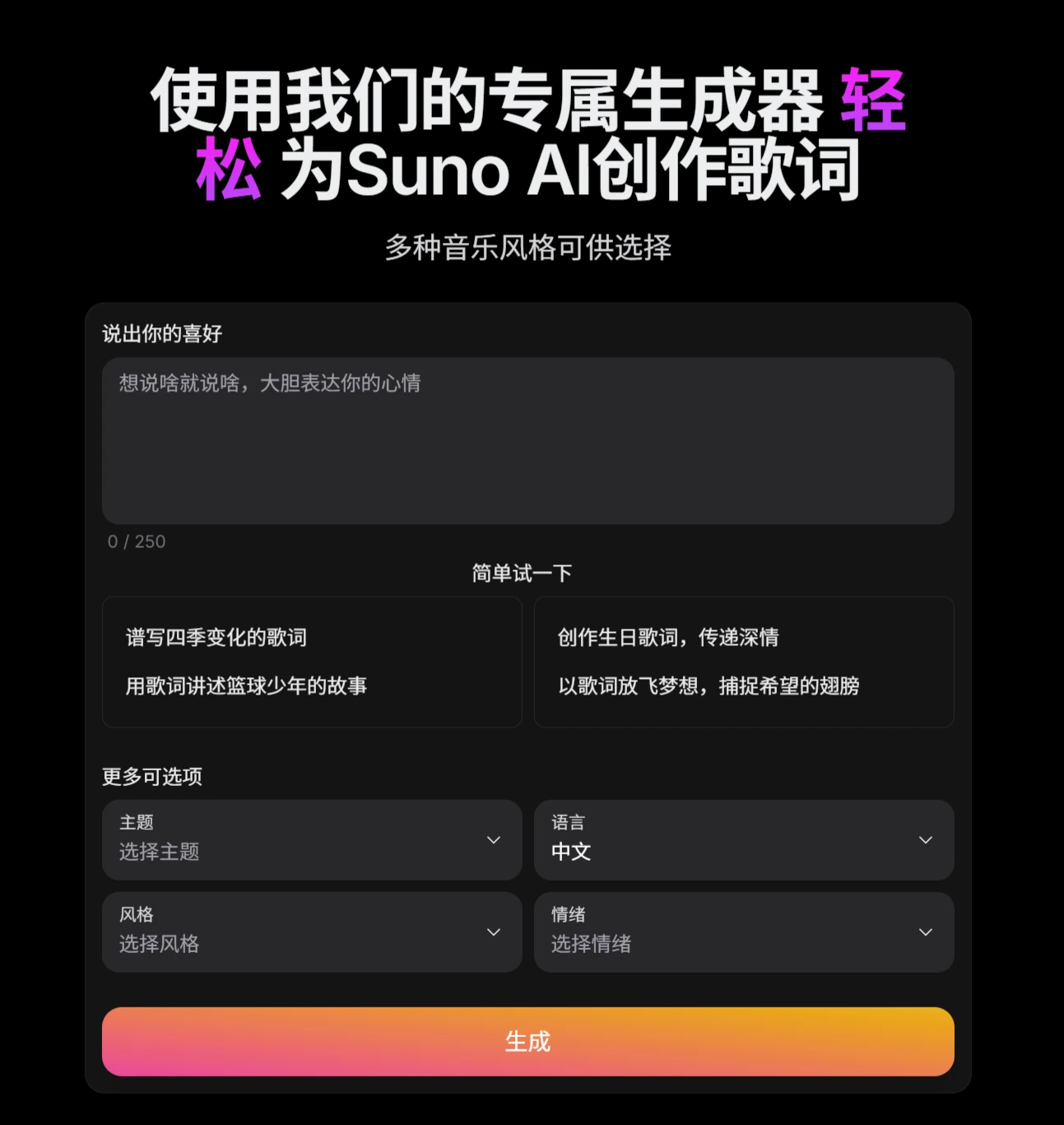
Snon Lyric Features
Diverse Music Styles: Offers a rich variety of music style choices, such as Pop, Rock, Jazz, Hip Hop/Rap, etc. Users can select a suitable style based on their creative needs to generate lyrics.
Theme & Mood Customization: Users can choose specific themes, such as love, nature, adventure, heartbreak, etc. They can also customize lyrics by selecting moods like happy, sad, energetic, or romantic, depending on the emotion the song wants to convey.
Multi-language Support: Supports multiple languages, including English, Chinese, Spanish, Hungarian, Polish, and Russian, breaking down language barriers and allowing users from different linguistic backgrounds to use the tool.
Snon Lyric Tutorial
1. Visit the Official Website and Switch Language
Official Website Entry: Open the Snon Lyric official website link.
Language Switching: Click the "globe icon" in the upper right corner of the page, and select the interface display language from the 6 supported languages (Chinese, English, Spanish, Russian, Hungarian, Polish).
2. Determine the Lyrics Theme
Manually Select a Theme
In the [Theme] dropdown menu, click one of the following 9 high-frequency themes:
Love, Friendship, Mood, Nature, Adventure, Personal Growth, Celebration, Fantasy, Heartbreak.
Random Theme Mode
If you don't know which theme to choose, click the [Random Theme] button, and AI will automatically generate a theme for you.
3. Match Music Style
Select a Style
Check one of the 10 mainstream music genres:
Pop, Rock, Hip Hop/Rap, Country, Jazz, Blues, R&B, Classical, Electronic, Metal.
Random Style Mode
Click the [Random Style] button, and the AI will recommend a suitable style based on the underlying theme—perfect for times when you have no inspiration.
4. Set the Emotional Tone
In the Mood Selection area, check a single or multiple mood tags to precisely control the emotional intensity of the lyrics:
Happy, Inspirational, Serene, Mysterious, Romantic, Fantasy, Relaxed, Energetic, Sad, Angry.
Supports combining moods (e.g., "Romantic + Mysterious"). Follow the interface prompts for operation (the documentation does not specify the combination method clearly; it is recommended to select 1-2 core moods at a time).
5. Generate and Export Lyrics
Generate
After completing the theme, style, and mood settings, click the "Generate" button at the bottom of the page and wait for 3-5 seconds. The system will output 2-3 structured lyrics sections, including Verse, Chorus, and Bridge annotations.
Edit
Directly modify the lyrics sections, rhymes, and rhythm on the page, with real-time preview of adjustments.
Export
Plain Text (.txt): Suitable for basic editing or cross-platform use;
LRC Format with Time-axis Markers: Can be directly used in music production software for synchronized lyrics;
Copy to Clipboard: Quickly paste into other documents or creative tools.
6. Import to Suno AI
After generating the lyrics, you can directly import them into Suno AI (requires a Suno AI account and authorization), automatically matching melodies to generate a complete song, achieving an integrated "lyrics + music" creation.
Operation Path: Click the [Sync to Suno AI] button in the Snon Lyric generation interface, or manually copy the lyrics to the Suno AI input box.
Use Cases and User Groups
Typical Scenarios:
Seasonal Lyrics: Such as songs describing the changes of the four seasons.
Story Narration: Such as lyrics telling the growth journey of a basketball player.
Special Occasions: Such as emotional lyrics for birthday, holiday, or other celebratory events.
User Groups:
Musicians, songwriters;
Content creators seeking lyrical inspiration;
Music enthusiasts;
Music industry professionals.














