
 Script Planner Assistant▸
 AI Apps
 AI News

Aconvert: Online File Converter Supporting 110+ File Formats
Aconvert: Online File Converter Supporting 110+ File FormatsIntroduction
What is Aconvert?
Aconvert is a free online tool for format conversion, supporting more than 110 file format conversions, including PDF, documents, e-books, images, audio, video, and compressed files. It not only supports file format conversion, but also provides PDF rotation, extraction, encryption and decryption, compression, merging and splitting, as well as practical tools like image editing and video editing. Aconvert is very simple to operate, with each conversion function clearly laid out. It also supports a wealth of setting options, offers fast conversion speed, and delivers excellent results.
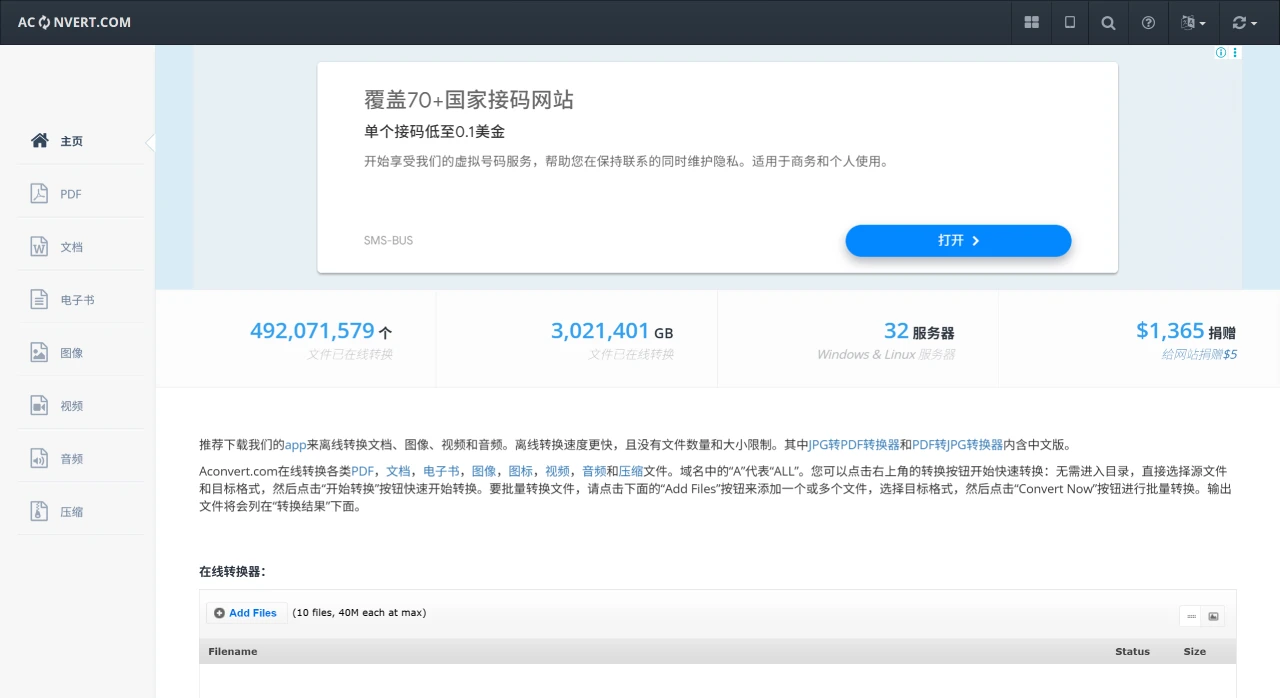
Main Features of Aconvert
Wide Range of Supported File Types
Document conversion: Handles mutual conversion between PDF, Word (DOC/DOCX), Excel (XLS/XLSX), PPT (PPT/PPTX), ODT, RTF and other formats, such as converting PDF to Word, Excel to PDF, and more.
Image conversion: Supports conversion between common image formats such as JPG, PNG, BMP, GIF, and TIFF, and also allows you to adjust parameters like image size and resolution.
Audio/Video conversion: Converts audio formats such as MP3, WAV, FLAC, and AAC, as well as video formats like MP4, AVI, MKV, and WMV. Some functions support video compression or editing.
E-book conversion: Supports mutual conversion between e-book formats such as EPUB, MOBI, AZW, PDF, and TXT, ideal for e-reader users.
Other formats: Such as compressed files (ZIP/RAR conversion), font files (TTF/OTF conversion), vector graphics (SVG conversion), and more.
Easy to Use
The web interface is clean and simple. Users only need to upload a file, select the target format, and click "Convert" to complete the operation, with no registration or software installation required.
Supports batch conversion, allowing multiple files to be uploaded and processed at the same time to improve efficiency.
Cross-Platform
No specific operating system is required. It works on Windows, Mac, and Linux systems, and can also be accessed via the browser on mobile devices (such as Android and iOS).
Additional Features
Advanced settings are available in some conversion scenarios, such as selecting page ranges or whether to preserve images and text when converting PDFs, and setting compression ratio and color mode when converting images.
Supports importing files directly from cloud storage (such as Google Drive and Dropbox) for conversion, making it convenient and fast.
Use Cases of Aconvert
Office scenarios: Handle documents in different formats, such as converting scanned PDFs into editable Word files, or batch converting Excel spreadsheets into PDFs for sharing.
Design and multimedia: Designers can convert image formats and resize images; video editors can convert footage formats to suit different editing software.
Learning and reading: Convert e-books into formats suitable for Kindle or mobile reading, or batch convert TXT texts into EPUB for easier note organization.
File compression and transfer: Convert compressed file formats (such as RAR to ZIP), or compress video/audio files to facilitate transfer.
How to Use Aconvert
Visit the Aconvert official website.
Select the function you want to use from the left sidebar on the page, such as editing and converting PDFs, converting video and audio formats, and more.
Upload the file to be processed. You can upload it directly from your computer, or upload via a link, as well as through Dropbox and Google Drive cloud storage.
Edit the file and perform format conversion on the editing page.
Once processing is complete, click the "Convert Now" button. The output file will be displayed in the "Conversion Results" column. Then click the download icon to choose a folder on your computer to save the processed file, or you can save the file to the cloud.
Aconvert Pricing
Free version: Offers basic file conversion functions, but has limitations on file size, file quantity, conversion speed, storage space, and more.
Paid version: Depending on the membership level, enjoy more features and higher conversion quality, speed, storage space, and more. There are four membership tiers: Silver, Gold, Diamond, and Enterprise.













