
 Script Planner Assistant▸
 AI Apps
 AI News

Play-CS: Play Counter-Strike in Your Browser
Play-CS: Play Counter-Strike in Your BrowserIntroduction
What is Play-CS?
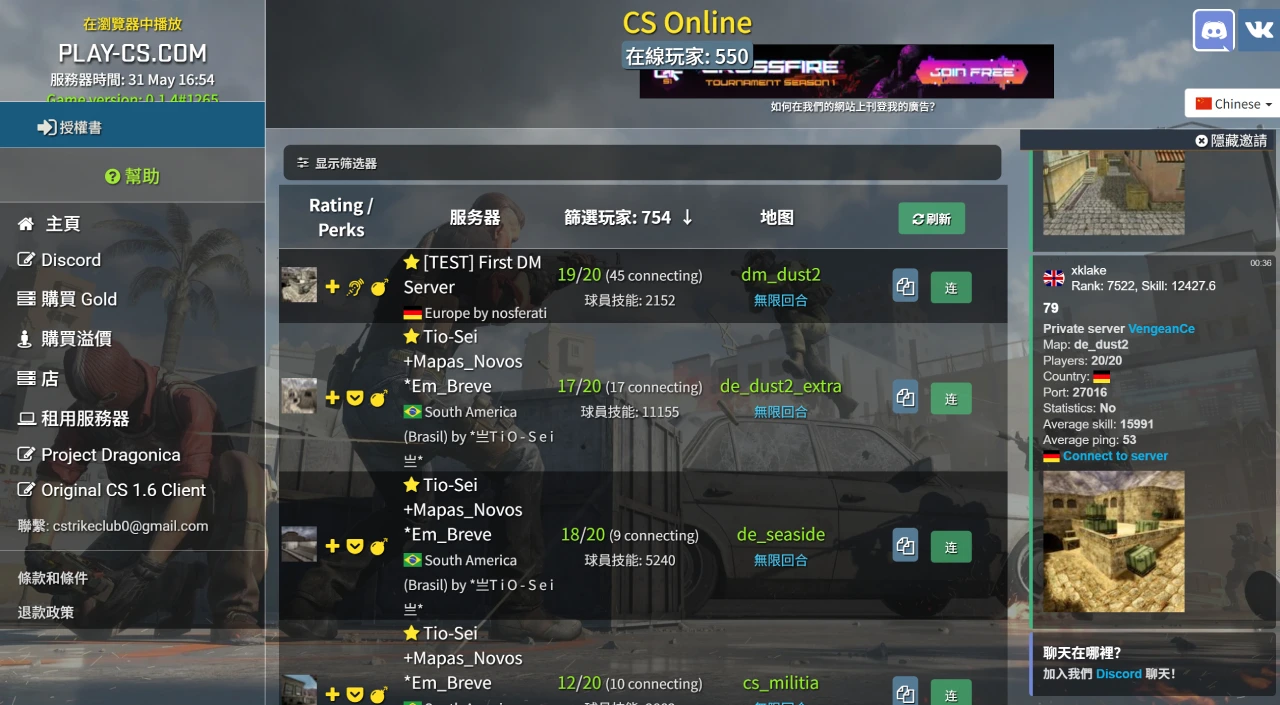
Play-CS is a platform that provides online Counter-Strike (CS) gaming services, allowing players to enter and play games directly through the browser without the need to download or register on the website.
Play-CS Features
Online Gaming: Players can play CS 1.6 online with friends or bots.
Multiple Game Modes: Offers a variety of game modes, including classic mode, unrestricted mode, and more.
Server Monitoring: Players can view information such as the number of players, map type, and player skill level on different servers.
Play-CS Highlights
No Registration Required: Players can jump straight into the game without creating an account.
Multi-language Support: The website is available in multiple languages, including Chinese, English, German, Spanish, and others.
Multiple Maps: Offers a variety of classic maps such as Dust2 (de_dust2), cs_assault, Inferno (de_inferno), Italy (de_italy), and more.
Play-CS Tutorial Steps
Visit the Official Website: Open your browser and go to the Play-CS official website: https://play-cs.com/zh/servers.
Choose a Server: Once on the official website, you will see a list of servers, each with different maps, modes, and numbers of online players. Pick a server that has an open slot according to your preference and click "Join Server".
Wait for Loading: After clicking to join the server, the browser will automatically download the game resources. The first load may take a while, so please be patient.
Start Playing: Once the resources are loaded, you can enter the game and begin your shooting journey.
Frequently Asked Questions
Q: Is the game free?
A: Yes, but paid services may be added in the future without affecting the gameplay.
Q: In which countries/regions are the servers located?
A: Servers are distributed worldwide to ensure good connection quality for all players.
Q: If there is a desktop version, why do I need this game?
A: The advantage of this product is that it works in places where the desktop game does not (e.g., at work, in computer labs).
Q: Is there a mobile version of the game?
A: Not at the moment; it is currently under development.
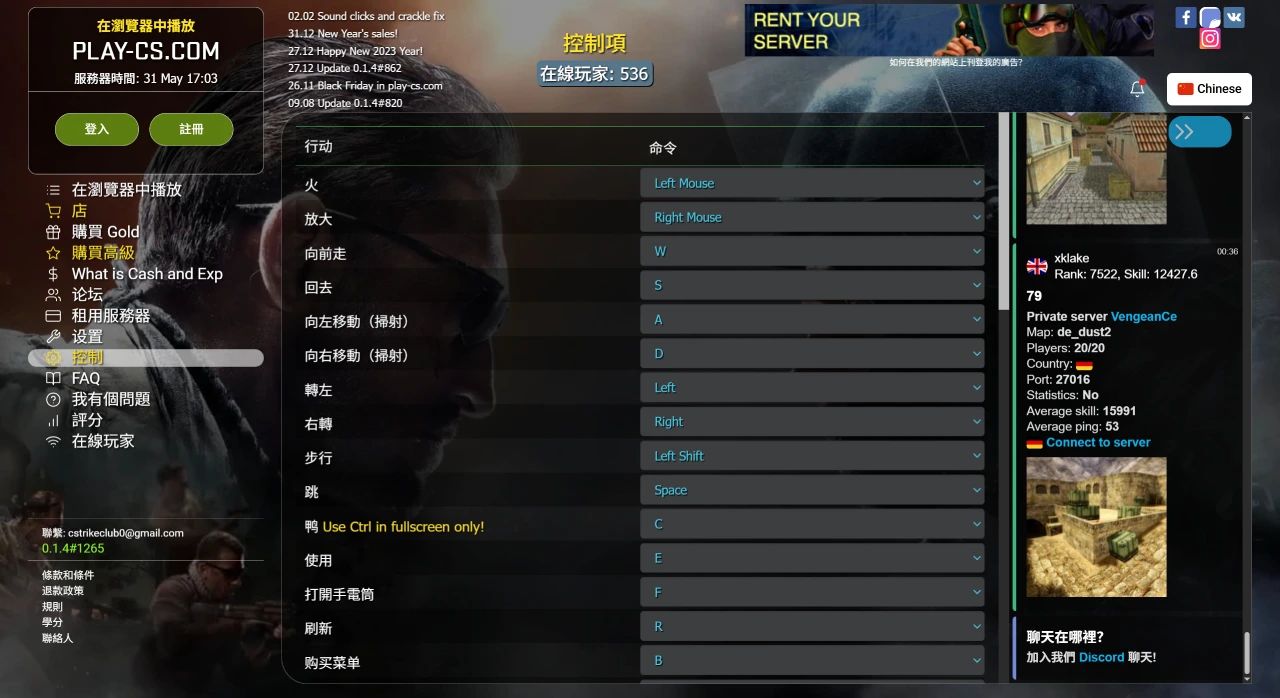
Q: Why doesn't the Ctrl button work or work properly?
A: The Ctrl button only works properly in fullscreen mode; otherwise, please use the C button.
Q: How will my statistics be handled after registering on the website?
A: New personal statistics will be created for registered users.
Q: I play a lot, but my skill keeps going down.
A: Your skill is decreasing because you die often and kill weaker players. Fewer skill points are awarded for killing weaker opponents than stronger ones. Try observing the average skill of players at the server entrance and always play against tougher opponents.
Q: My ranking is unavailable.
A: You need to play for some time in the game before your statistics are updated.
Q: How much ammo do I have when picking up a weapon from the ground?
A: If you pick up someone else's weapon, you will only have one magazine of ammo left. If it is your own weapon, or you pick it up after an enemy dies, you will have whatever ammo was left before it was dropped.
Q: How often are the statistics updated?
A: Statistics are updated every 1 minute or sooner. Player ratings are updated in the evening according to server time.
Q: Why isn't my knife kill count increasing?
A: You need to play on a rating server with 4 or more players.
Q: What Internet connection speed is required for the game?
A: You need at least a 10 Mbps Internet connection.
Q: How are my game statistics calculated?
A: The Elo rating system. Statistics are only counted on rating maps (marked with a plus icon) and are only valid when more than 4 players are online at the same time. Rating maps use classic modes, such as cs_ and de_ (except cs_untitled and cs_16fighter).
Q: How do I get a knife?
A: There are several ways to get a knife: holiday events, achievements, and getting kills with a knife (rating system).
Q: What is Premium status?
A: Premium offers many features. You can check the main FAQ for details.
Q: Why has my rating dropped?
A: For every day you skip, 10 skill points are deducted.
Q: How do I change the in-game controls?
A: Some control keys can be changed in the settings.
Q: How do I change my nickname?
A: You must register first, then you can change your nickname in the lobby settings.
Q: How can I track my game progress?
A: Game statistics are updated every hour. Complete game missions to improve your ranking.
Q: How do I start my own server?
A: You need to use the "Rent a Server" tab to rent a server.















