
 Script Planner Assistant▸
 AI Apps
 AI News

SlowRoads: A Browser-Based Driving Game by Scottish Dev Anslo
SlowRoads: A Browser-Based Driving Game by Scottish Dev AnsloIntroduction
《Slow Roads》 is a 3D driving simulation game developed over 16 months by Anslo, an independent developer from Scotland. It requires no download or installation, runs directly in the browser, and supports PC, tablet, and mobile devices—perfect for sneaking in some "slacking off" at work.
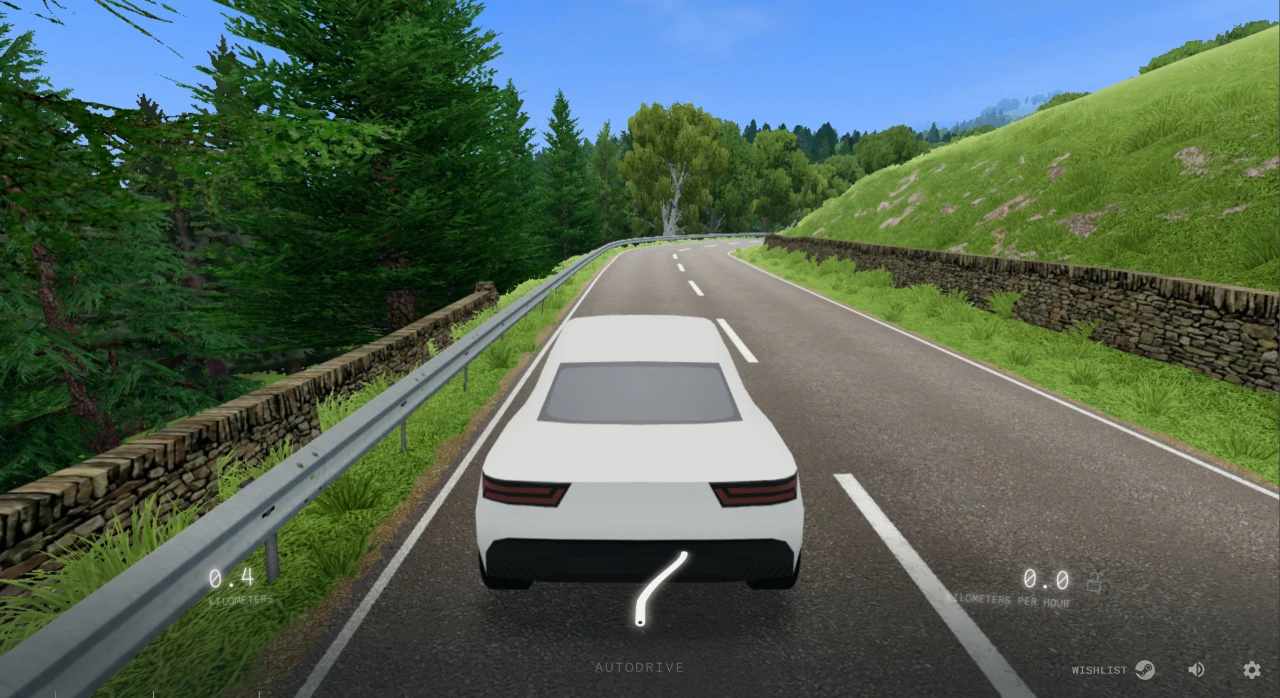
Slow Roads Features
No installation required: The game runs directly in the browser, with no login or installation needed—just open and play.
Relaxing experience: The game embraces the concept of "zen driving," with no mission-driven objectives or competitive pressure, making it ideal for work breaks, short rests, or winding down before bed.
Procedural generation: The game uses a procedurally generated terrain system. Every time you start the game, the system creates a unique world. As your vehicle moves forward, the road, terrain, scenery, and lighting ahead are dynamically generated. This technology ensures infinite content, efficient resource use, fresh experiences, and personalized adaptation.
Sound effects and soundtrack: The game's audio design follows the overall "non-intrusive" philosophy. There is no complex soundtrack system and no "event sound effects." Instead, ambient sounds and minimalist music create an emotional atmosphere.
How to Play Slow Roads
Getting Started
Open your browser and visit the official 《Slow Roads》 website.
Click the 【begin】 button on the page to enter the game.
Basic Controls
Accelerate: Press the W key or Up Arrow.
Brake / Reverse: Press the S key, Down Arrow, or Spacebar.
Steer: Press the A key and D key or the Left/Right Arrow keys.
Switch camera view: Press the C key to cycle through first-person, third-person, top-down, and free-camera views.
Autopilot: Press the F key to enable autopilot mode—the car will drive itself while you sit back and enjoy the scenery.
Reset position: If your vehicle veers off the road, press the R key to reposition it back onto the road.
Environment Settings
Weather switching: Press the Q key and E key to cycle through different weather conditions such as sunny, cloudy, rainy, and foggy.
Time of day: Switch between different times including day, dusk, night, and dawn.
Season selection: Choose from spring, summer, fall, or winter—the changing season affects colors and lighting.
Landscape type: Choose from different landscape types such as mountains, grasslands, coastlines, deserts, and forests.
Vehicle Switching
The game offers a variety of vehicle types, including sedan, coach, bicycle, motorcycle, city bus, off-road vehicle, and futuristic electric car. Players can choose different vehicles to drive based on their preference.
Key Binding Adjustments
If you're not satisfied with the default key bindings, you can change them through the settings. After starting the game, locate the settings option in the bottom-right corner, click the 【Controls】 button at the top, and you can adjust the mouse and keyboard controls to suit your needs.
Other Operations
Upgrade car: Hold the Shift key or double-tap W to upgrade your car.
Handbrake: Press the Spacebar to engage the handbrake.
《Slow Roads》 has no missions, failures, or win/lose concepts like traditional games. Players can freely drive along the endless procedurally generated roads, enjoy the ever-changing scenery, and experience the tranquility of driving.















