
 Script Planner Assistant▸
 AI Apps
 AI News

Aiease AI: Free AI Online Photo Editor
Aiease AI: Free AI Online Photo EditorIntroduction
aiWhat is Ease AI?
Developed by Chengdu Yile Technology, Ease AI is a free online photo editing tool focused on AI technology. It requires no professional design skills—users can achieve a variety of practical image processing effects through simple operations, making it suitable for both everyday personal photo editing and commercial use.
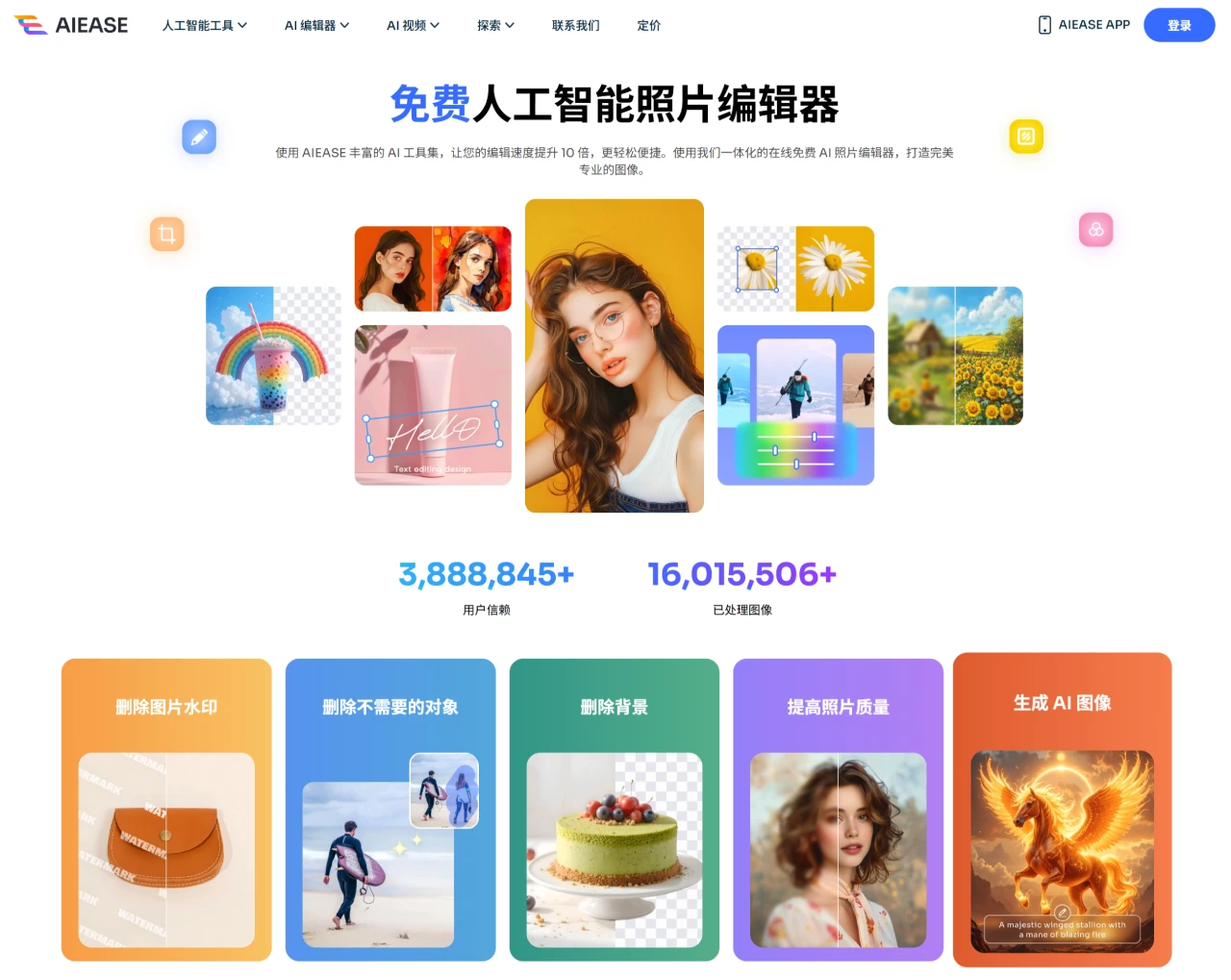
Core Features and Highlights of Ease AI
Portrait Optimization
AI Headshot Generation: Upload an ordinary selfie, and the tool automatically enhances facial details to quickly generate professional headshots suitable for workplace social platforms (such as LinkedIn), as well as creative social media avatars.
Passport Photo Creation: Built-in specifications for ID photos from various countries (size, background color, etc.), generating standard photos that meet visa and passport application requirements with one click, eliminating the need for in-person photo shoots.
Image Restoration and Enhancement
Old Photo Restoration: Intelligently identifies and repairs flaws such as scratches and tears, and can also add natural colors to black-and-white photos, perfect for reviving old family pictures.
Image Quality Enhancement: Uses AI algorithms to enlarge images by 2–4x while maintaining clarity, avoiding the blur and distortion caused by traditional enlargement; it can also sharpen details and optimize overall image quality.
Background Processing
One-Click Background Removal: Precise cutout, quickly removes photo backgrounds and generates transparent images, supporting replacement with solid colors or custom backgrounds. E-commerce sellers commonly use this feature to unify the style of product images.
Creative Editing Tools: Supports adding elements such as text (including curved layouts), stickers, and watermarks. You can also use the "AI Replacer" to modify objects in the image and the "Image Extender" to extend background scenes.
Use Cases for Ease AI
Workplace and Business: Quickly create professional profile photos or handle company promotional images and website materials.
E-commerce and Marketing: Optimize product image quality, batch-handle backgrounds, and enhance product display appeal.
Family and Life: Restore old photos, create personalized avatars, or self-generate compliant ID photos for travel visas.
Creative Design: With AI style conversion features (such as 20+ artistic filters), create illustrations, posters, and more with zero experience required.
Pros and Cons of Ease AI
Advantages:
Free with No Barriers: All features are available for free, generated images have no watermarks, and commercial use is supported.
Easy to Use: The web and mobile (iOS/Android) interfaces are intuitive—simply drag and drop images to start editing, with no registration or login required.
Frequent Updates: The platform continuously rolls out new tools (such as the AI Image Generator), offering strong extensibility of features.
Limitations:
Internet-Dependent: All operations require an internet connection and cannot be used offline.
Ad Interference: Ads may appear during the use of certain features, which may affect smoothness.
No File Storage: Edited results must be manually downloaded and saved; it does not automatically retain history, making it suitable for quick, on-the-go use.
How to Use Ease AI
Access the Platform: Visit the official website at www.aiease.ai or download the app.
Select a Tool: Click on function entries such as "Headshot Generation," "ID Photo," or "Image Restoration" based on your needs.
Upload Materials: Supports common formats such as JPG and PNG. You can drag and drop files directly or select from your album.
Adjust Parameters: For example, select the country specification for ID photos, choose a business/casual style for headshots, or check the "Colorize" option for restoring photos.
Generate and Save: Wait for AI processing to complete, preview the result, and download the high-definition image.
Frequently Asked Questions about Ease AI
Q: Are all features free?
A: Yes, the platform charges no fees and can be used for both personal and commercial purposes.
Q: Can the generated images be used for commercial promotion?
A: Yes, downloaded images have no watermarks and are high resolution. They can be used in commercial scenarios such as advertising and e-commerce without additional authorization.
Q: How is user privacy protected?
A: The platform does not store edited images; users must save their work themselves after processing. No user data sharing policy has been publicly disclosed, and privacy is protected by default.
AIEASE simplifies the professional photo editing process through AI technology, making it especially suitable for users who need to quickly handle ID photos, product images, and old photos. Despite minor drawbacks such as internet reliance and ads, its free and easy-to-use nature makes it a practical tool for everyday image editing. If you need to use image processing functions on a frequent basis, consider bookmarking the official website or downloading the app to experience it anytime.














