
 Script Planner Assistant▸
 AI Apps
 AI News

WPCode: WordPress Code Snippets Plugin
WPCode: WordPress Code Snippets PluginIntroduction
What is WPCode?
WPCode is a practical plugin for the open-source platform WordPress, primarily used to more easily manage and insert code snippets (such as PHP, CSS, JavaScript, etc.) without directly editing theme or plugin files, greatly reducing the risks and hassle of code management.
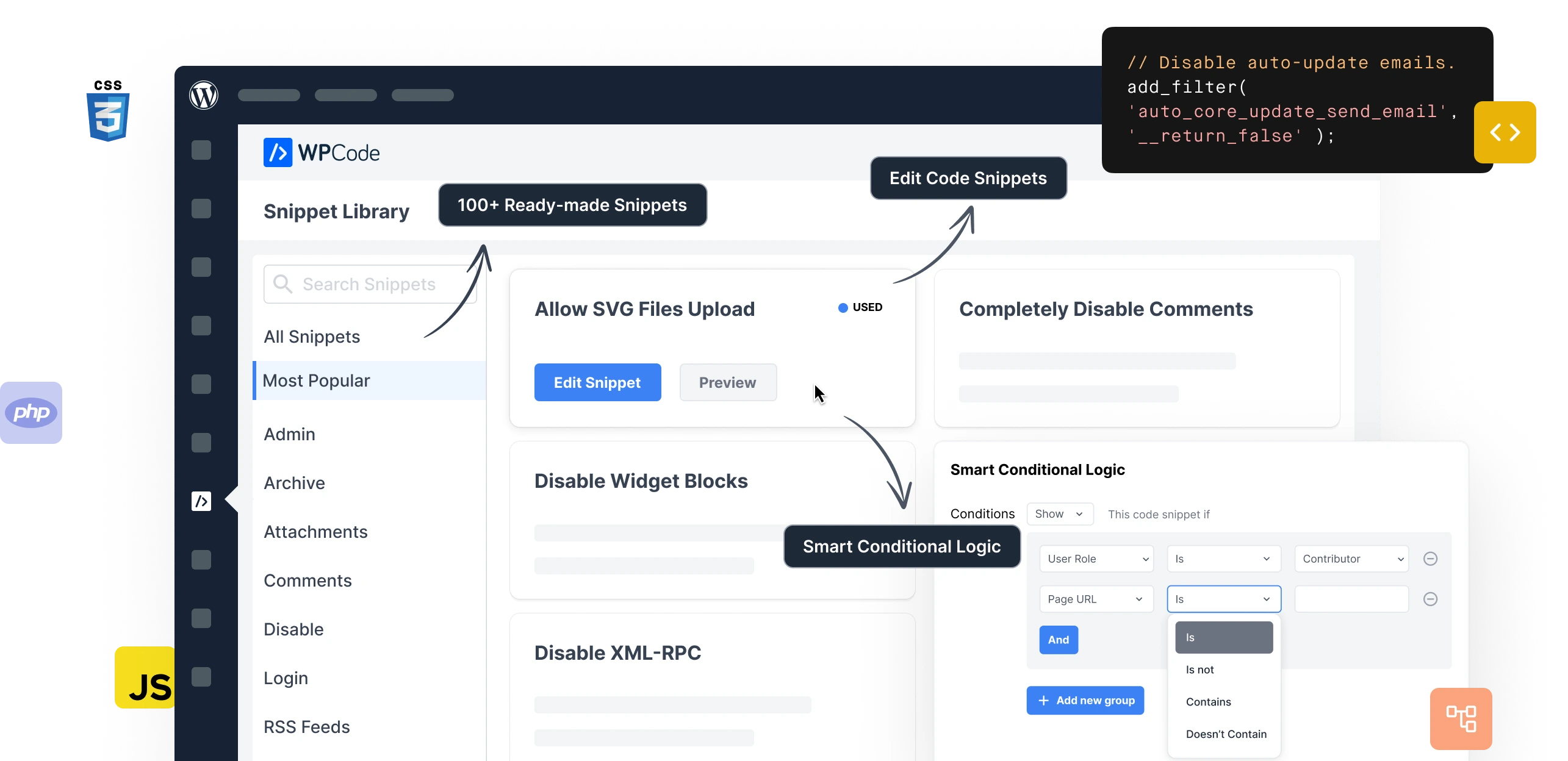
WPCode Features
Add code snippets without editing theme files: Users can insert code in the header, footer, or other areas of their site without modifying the theme's functions.php file, such as Google Analytics, custom CSS, Facebook Pixel, etc., avoiding potential site crashes caused by editing theme files.
Supports multiple code types: Allows insertion of PHP, JavaScript, CSS, HTML, and text code snippets.
Conditional logic functionality: Users can use its friendly conditional logic interface to set code snippets to load only when specific conditions are met, such as logged-in users only, specific user roles, specific page URLs, specific page types, specific post types, specific referrers, etc.
Automatic and manual insertion combined: Code snippets can be set to run automatically in specific areas of the site, such as frontend only, WordPress admin only, before/after post content, before/after specific paragraphs, specific archive pages, etc., or manually inserted anywhere on the site via shortcodes.
Visual snippet priority: Users can set the execution order of code snippets to avoid code conflicts.
Convenient snippet management: Provides snippet import and export functionality, making it easy to reuse code snippets across multiple sites or development environments. Additionally, the Pro version supports saving code snippets to a cloud library for reuse across website projects.
Smart code validation and error handling: When adding code snippets, it can check for common errors and provide fix suggestions, ensuring the site doesn't malfunction after adding code snippets.
Rich snippet library: Built-in with many common WordPress code snippets, such as disabling XML-RPC, disabling comments, allowing SVG file uploads, adding the classic editor, etc. Users don't need to install additional plugins; just a few clicks to activate and use.
Main Uses of WPCode
Developers and site owners: Quickly test and deploy custom functionality, reducing repetitive coding work.
Non-technical users: Achieve complex functionality through the template library (such as modifying site styles, adding popup effects, etc.).
Website maintenance and optimization: Centrally manage scattered code to avoid code redundancy.
WPCode Usage Scenarios
Modify site styles: Adjust button colors, font styles, or layout through CSS code snippets without editing the theme's style.css file.
Add custom functionality: Use PHP code snippets to add member-exclusive content, custom post types, or shopping cart extensions.
Optimize site performance: Insert caching code, deferred loading scripts, or CDN acceleration configuration to improve page loading speed.
Integrate third-party services: Quickly add Google Analytics tracking code, social media pixels, or chat widget scripts.
WPCode Installation and Usage Steps
Install the plugin: In the WordPress admin, go to Plugins > Add New, search for "WPCode" and install and activate.
After activation, find the "Code Snippets" option in the admin menu, click "Add Snippet" to enter the add code snippet page.
Create a code snippet: Go to WPCode > Add Snippet, select "Custom Code" or choose a preset from the template library.
Configure parameters: Enter code content, set activation conditions (such as applicable pages, trigger rules, etc.), save and enable the snippet.
Manage and debug: View, edit, clone, or delete existing snippets in the snippet list, with real-time preview and error debugging support.












