Script Planner Assistant▸
 AI Apps
 AI News

Pixcap_云技派,专注ai人工智能!
Pixcap_云技派,专注ai人工智能!Introduction
What is Pixcap?
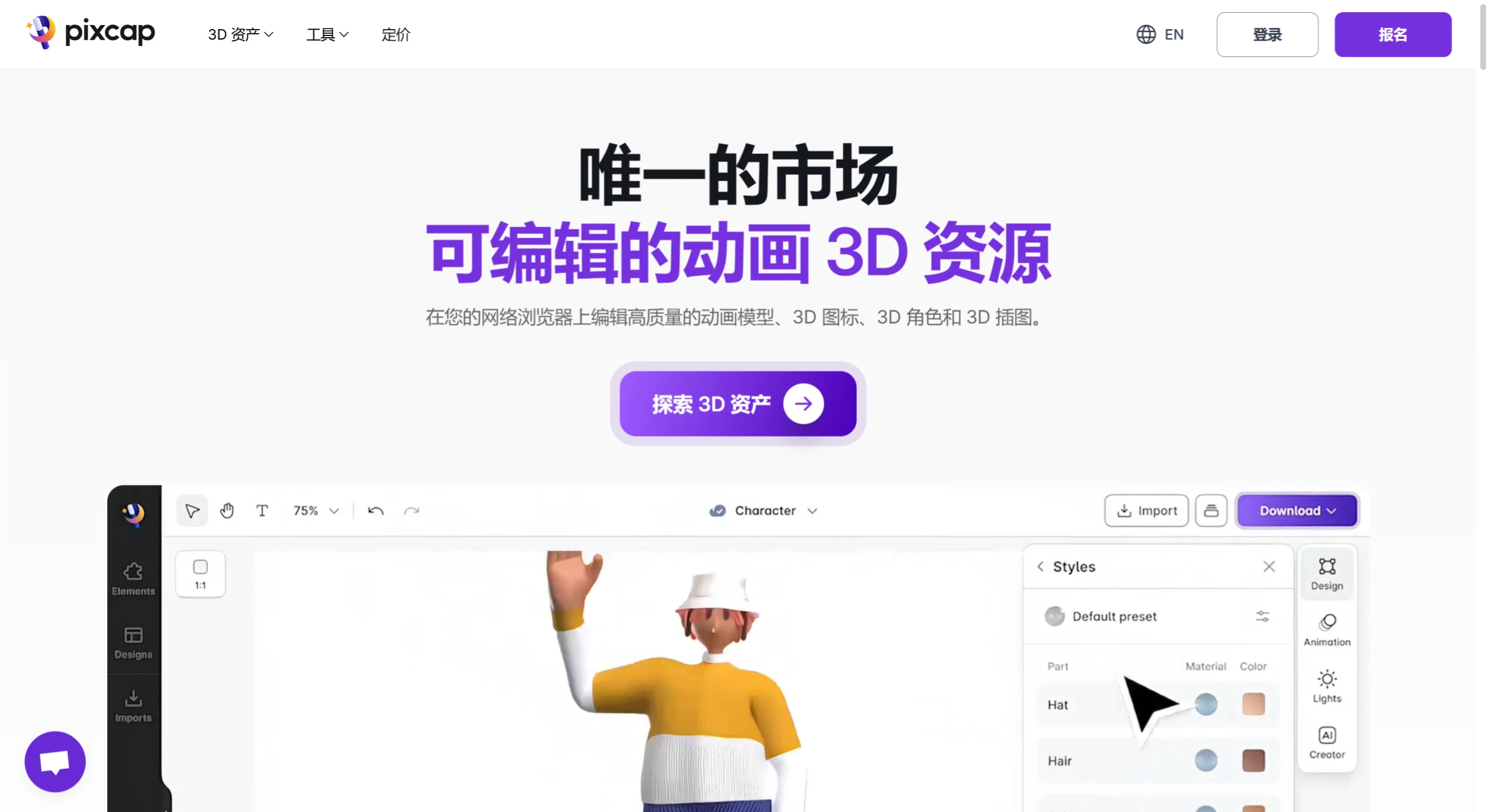
Pixcap is a platform for editing animated 3D assets online, allowing users to customize 3D animations for app UX/UI and landing pages. It provides a library of over 15,000 editable 3D icons, illustrations, characters, and other design assets. Users can edit 3D assets directly in the browser, such as adjusting colors, materials, and animation styles. In addition, the platform supports exporting edited assets in various formats including PNG, GLB, GIF, and MP4, making them compatible with design software such as Blender, Figma, and Photoshop. It is suitable for UI/UX designers engaged in web and app design.
Pixcap Features
AI-Driven 3D Design
Users can drag and drop 3D elements and add prompts to leverage AI to generate high-quality design variations.
Supports generating 3D models from text descriptions—users simply enter a description of the design, and AI converts it into a 3D model.
Provides a rich library of 3D elements (over 10,000) that users can freely combine and adjust.
Powerful Editing Capabilities
Provides a simple and easy-to-use 2D interface that allows users to effortlessly edit 3D icons, animations, and models.
Supports adjusting attributes such as color, material, and orientation, and allows final polishing through AI style transfer.
Animation and Simulation Features
Provides animated 3D simulation capabilities, allowing users to generate 4K resolution animated simulations in under 5 minutes.
Provides a rich library of simulation models covering various modern devices and product packaging.
Pixcap Use Cases
Digital Product Design: Embedding 3D elements in websites and APP interfaces.
Business Presentations: Using 3D characters and animated models in PPT and pitch decks.
Branding and Marketing: 3D rendering for retail scenarios (such as Samsung offline store displays), and 3D upgrades to corporate VI systems.
Multi-Platform Compatibility: Assets are compatible with plugins such as Figma and Webflow, supporting cross-software collaboration.
How to Use in Figma
Install the Plugin: Search for the Pixcap plugin in the Figma workspace and install it directly.
Browse the Asset Library: Browse the extensive collection of 3D assets and use search and filter options to find what you need.
Customize 3D Assets: Select a 3D asset and use the plugin's customization tools to adjust colors, angles, and other attributes.
Incorporate 3D Assets into Your Design: Once satisfied with the customized 3D asset, insert it into your Figma design.
Pixcap Pricing
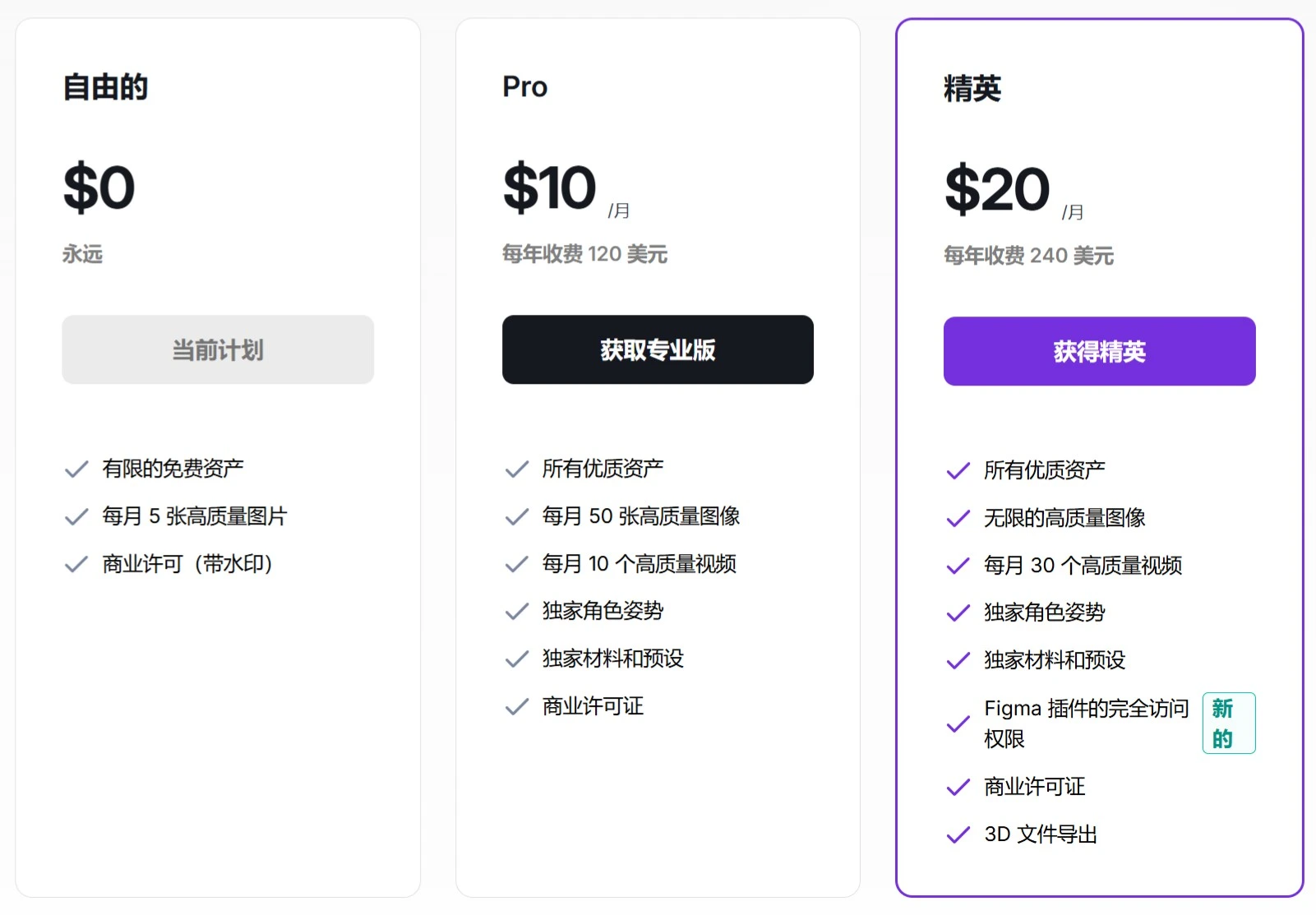
Pixcap offers both free and paid plans. The free plan is limited to smaller-sized PNG format, while Pro ($10/month) and Elite ($20/month) provide full licensing rights and support all formats.