
 Script Planner Assistant▸
 AI Apps
 AI News

PixMiller: A Lightning-Fast Free Online AI Background Remover
PixMiller: A Lightning-Fast Free Online AI Background RemoverIntroduction
What is PixMiller?
PixMiller is a free online ai background removal website that is simple to operate and highly efficient. Users only need to upload an image, and with a single click the background removal is automatically completed, producing a transparent-background PNG image in under 5 seconds—extremely fast.
In addition, PixMiller also provides a powerful background-removal API capable of processing more than 100 images in just 1 minute, quickly and efficiently completing batch background elimination tasks, making it ideal for users who need to process large volumes of images.
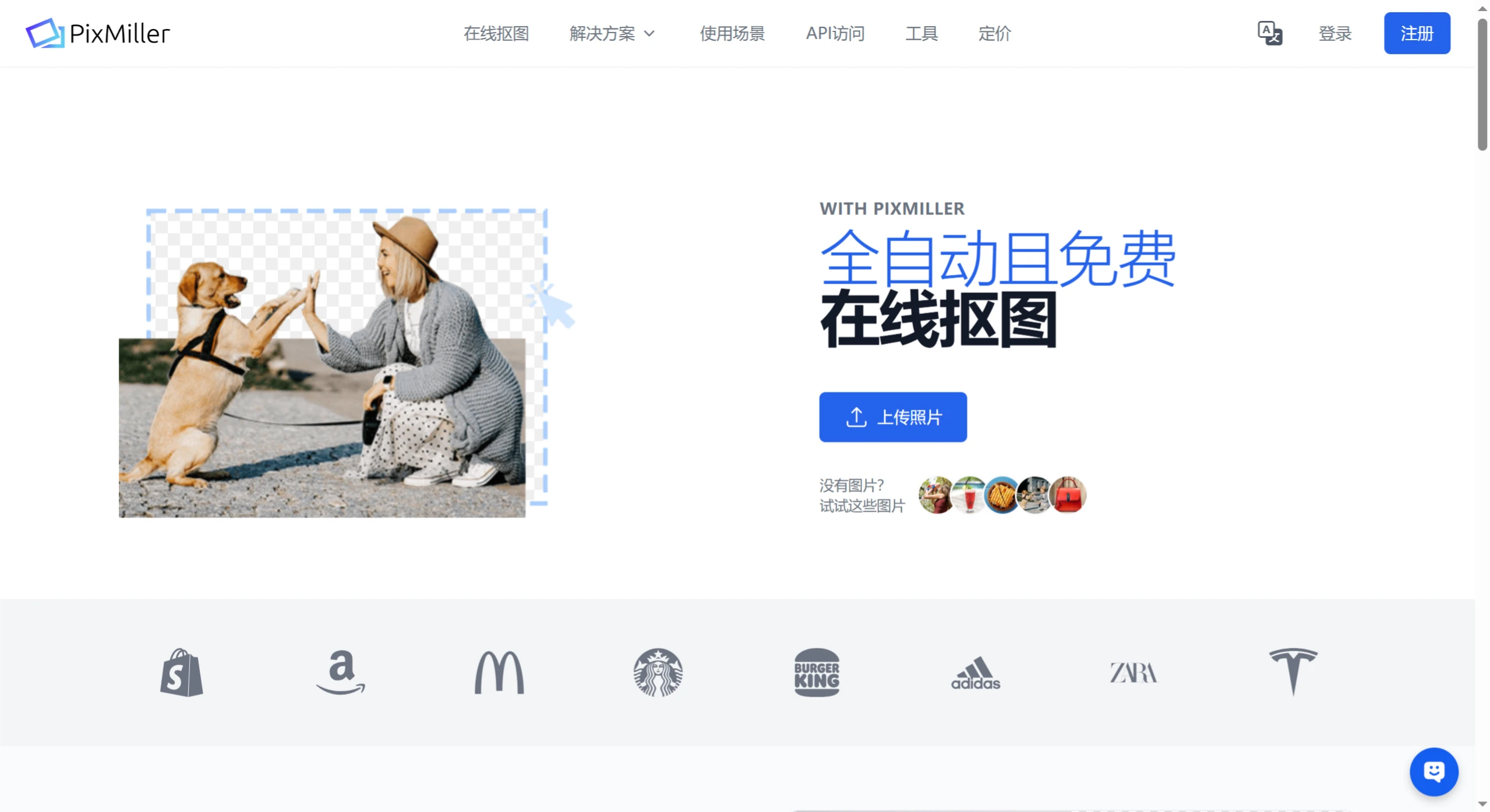
PixMiller supports 9 languages including Chinese, making it very convenient to use. It supports PNG, JPEG/JPG, and BMP image formats, but the image size cannot exceed 20MB, and the resolution should be less than 50 million pixels (with the long side between 32 pixels and 10,000 pixels). It's worth noting that images must have a clearly defined foreground subject—such as a person, car, or product—so the AI technology can accurately identify and remove the background.
Core Features
Fast background removal: Users only need to upload an image, and PixMiller's AI technology can automatically remove the background within 5 seconds, generating a transparent-background PNG image.
HD image support: Capable of handling HD images up to 20MB without any loss of image quality during background removal.
API interface: Its background-removal API can process more than 100 images in 1 minute, making it easy for users to integrate into their own workflows.
Use Cases
E-commerce: Helps e-commerce sellers quickly optimize product images to meet the requirements of platforms such as Amazon and eBay, enhancing product professionalism.
Photography: Photographers can use it to quickly remove photo backgrounds, focusing on shooting rather than post-processing.
Marketing: Provides marketers with unique and engaging campaign images.
Media & Editing: Quickly generates eye-catching editorial illustrations.
Advantages
No specialized skills required: No need for professional software skills like Photoshop—anyone can get started easily.
Free to use: Offers free online service, with no registration required.
User-friendly interface: From drag-and-drop upload to output setting selection, the operation is simple and convenient.
Frequently Asked Questions
What types of images does PixMiller support?
You can upload images in PNG, JPEG/JPG, or BMP format, with a maximum file size of 20MB. Image resolution must be less than 50 million pixels, with the long side between 32 and 10,000 pixels, and the image must contain a clearly defined foreground subject, such as a person, car, or product.
What if I'm not satisfied with the result?
If you're not satisfied, you can contact us. PixMiller performs well when handling photos of people, products, skies, and cars, but some images are indeed more complex. You can first upload a few images using the free version to get a feel for the results. Additionally, after registering you can also try 1 HD image for free.
Is PixMiller free?
For personal use with low-resolution images (under 640px in width), it's free. For commercial use or if higher resolution is needed, we offer different plans to choose from.
Can I cancel/upgrade/downgrade my subscription?
Yes—you can find a cancellation link in your billing email, or contact us directly; upgrades or downgrades are both available.















